
abQ630 - Minecraft Skins & Skin History
Current Minecraft skin of the player abQ630, loaded from the official Mojang API. Rotate the 3D model with your mouse or finger, then download the skin as a PNG file and use it in Minecraft: Bedrock Edition or Java Edition for free. When abQ630 changes their skin, this page updates automatically and the old skin stays in the history below.
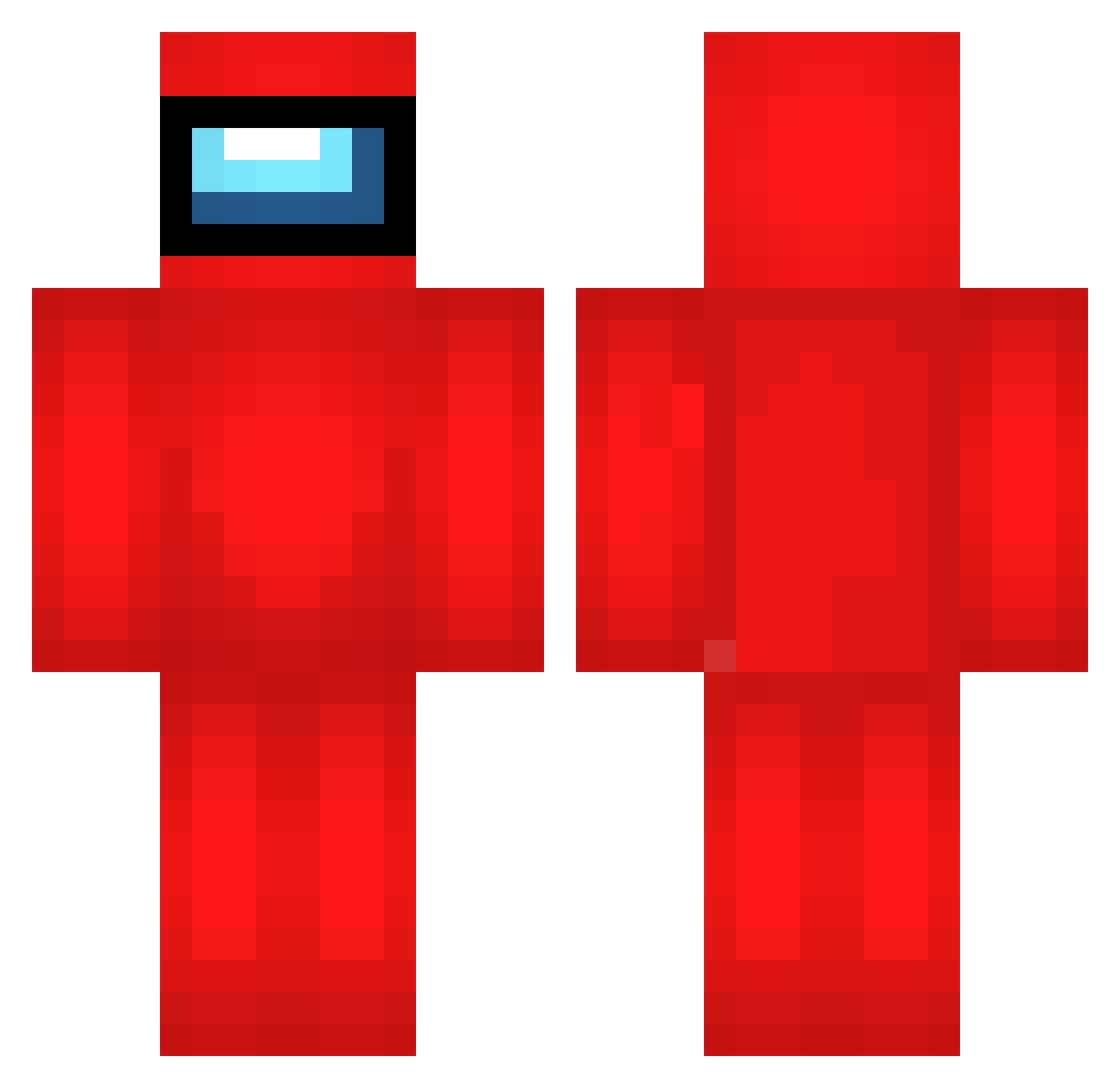
Other players with this skin (693)
abQ630 was the 355th player we have seen with this skin, first spotted on 23.09.2026. The same skin was seen on these players. Open a nickname to see their current skin and skin history.
 iamkatt rRE219 ocome135 Alertinqs eNB235 qDeaths EgG465 iHg382 lEw94 auu982 tJu907 mYe388 vQE900 FJt28 VMY388 sIC204 RUB657 dWi520 Thresh_soul merchuchi37 Mfk685 FoxBen1944 zci617 qkk870 yQB968 qdh792 gkX606 qnS423 MKu535 qwerNoob8787 pqH974 javinjaba Viltueur UEV412 lwz442 TMZ626 fSV264 sPw167 QAl165 pKP639 Yxb432 SaphexUltra oXV986 Fanto99 tKz386 axS445 mwA572 JOE_CONNOR veV566 Iei642 micherdom OtZ703 fvy313 LpO946 lexibians XUQ509 Ugn793 tamevariable uhm7 jOc520
More Crewmate Minecraft skins
How to install the abQ630 skin
- Press the Download button above to save the skin as a PNG file.
- Minecraft: Bedrock Edition (PE): open the Dressing Room from the main menu (or tap your character → Edit Character), go to Classic Skins → Owned, press the + (new skin) button, choose the downloaded PNG and pick the Classic (Steve) model. Works on PC and mobile; consoles cannot import custom skins.
- Minecraft: Java Edition: open the Minecraft Launcher, go to the Skins tab, click New Skin, load the PNG, pick the Classic (Steve) model and press Save & Use. You can also upload it at minecraft.net → Profile → Change Skin.
The skin does not show up after import - what should I do?
Restart Minecraft and open the Dressing Room again - imported skins sometimes appear only after a restart. Also make sure you selected the imported skin and picked the Classic (Steve) model.
Which model should I choose, Classic or Slim?
This skin is designed for the Classic (Steve) model. If you pick the wrong model, the arms of the skin will look stretched or squeezed.
Is the skin of abQ630 free to download?
Yes. Press Download, save the PNG file and use it in Minecraft: Bedrock Edition or Java Edition - no payment or registration needed. The skin also works on multiplayer servers and Realms.
More skins
Looking for more? Go back to all Minecraft skins and check the top skins of the week, month and all time, or find any player's skin by nickname.