
_Tomdebomb - Minecraft Skins & Skin History
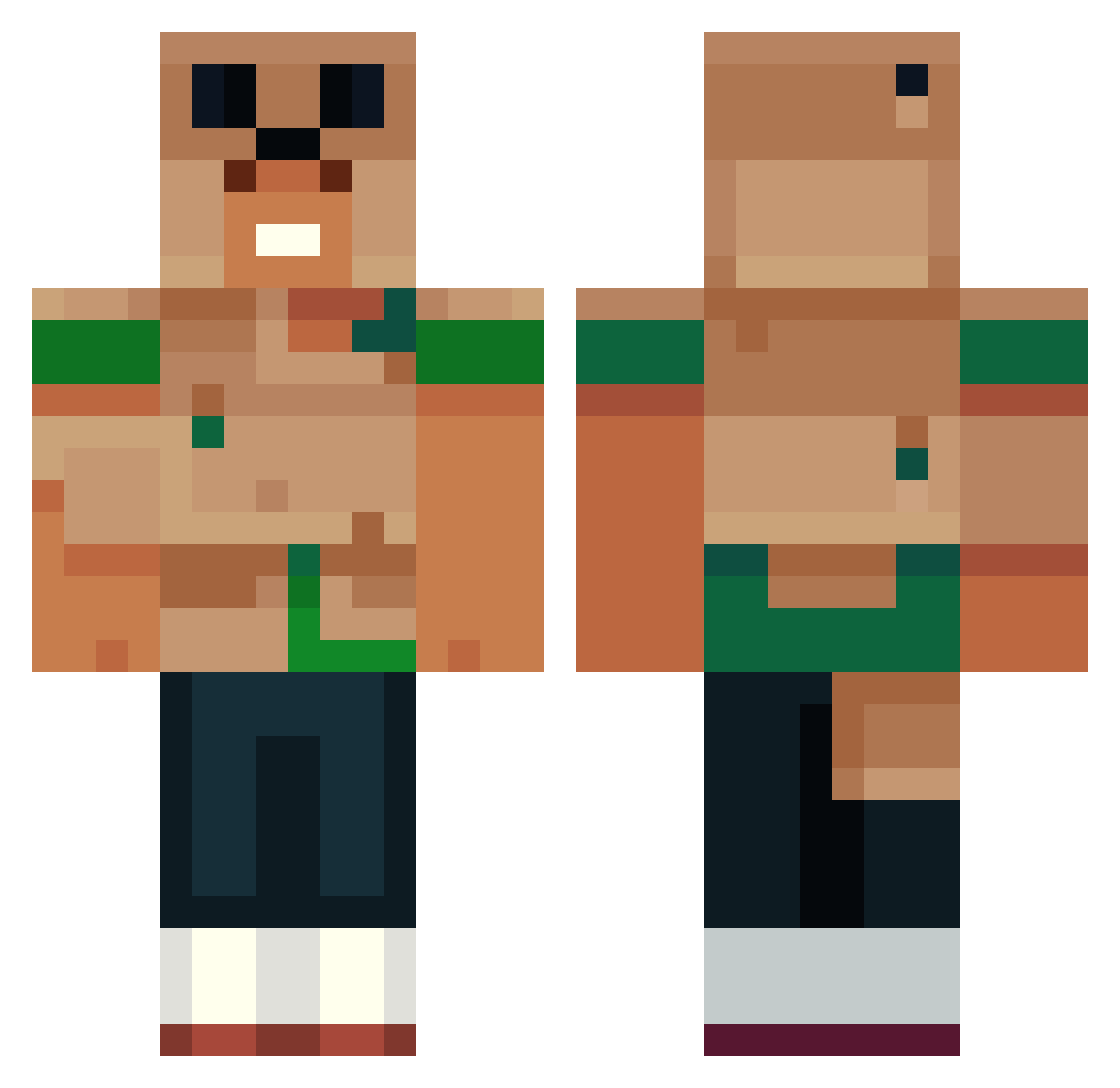
Current Minecraft skin of the player _Tomdebomb, loaded from the official Mojang API. Rotate the 3D model with your mouse or finger, then download the skin as a PNG file and use it in Minecraft: Bedrock Edition or Java Edition for free. When _Tomdebomb changes their skin, this page updates automatically and the old skin stays in the history below.
Other players with this skin (553)
_Tomdebomb was the 367th player we have seen with this skin, first spotted on 06.10.2026. The same skin was seen on these players. Open a nickname to see their current skin and skin history.
 PowerPaul050 iMentrox Samton_Haiden daddychazzz DIABLO89 SzoviX BBLCJ Leonarduxis shruggedcomet764 ProcyonLoter MohammedKhalil SinjiKeef BertBread CameroneerMC GamersWolf PoofyMinion K3N1K_ Faquits RickLp Bellia666 lWantedl bllacha CHACKAXXX hammoll Schmidty03 Chacha5654 VyNeXXX SamWiseee15 lhadun TheoisAwesome IcyDraco GiorgioPepperoni Dauntes1 SoftAxe Tomucas mexsquirrel234 EikzyV TheNon2 MelinaFrykman TheQuesoMan_ michaelkoshik Rav462 mbahgendeng Cloudstrike24 Achiron civ1x Jotacool00 Zack_Attack_3107 MYdiv allhallows212 NightMind falfitocka Joris2017 preylantic Xandor021 vMorphine zipo Constable76 Annekdote COLOGNE47
More Animal Minecraft skins
How to install the _Tomdebomb skin
- Press the Download button above to save the skin as a PNG file.
- Minecraft: Bedrock Edition (PE): open the Dressing Room from the main menu (or tap your character → Edit Character), go to Classic Skins → Owned, press the + (new skin) button, choose the downloaded PNG and pick the Classic (Steve) model. Works on PC and mobile; consoles cannot import custom skins.
- Minecraft: Java Edition: open the Minecraft Launcher, go to the Skins tab, click New Skin, load the PNG, pick the Classic (Steve) model and press Save & Use. You can also upload it at minecraft.net → Profile → Change Skin.
The skin does not show up after import - what should I do?
Restart Minecraft and open the Dressing Room again - imported skins sometimes appear only after a restart. Also make sure you selected the imported skin and picked the Classic (Steve) model.
Which model should I choose, Classic or Slim?
This skin is designed for the Classic (Steve) model. If you pick the wrong model, the arms of the skin will look stretched or squeezed.
Is the skin of _Tomdebomb free to download?
Yes. Press Download, save the PNG file and use it in Minecraft: Bedrock Edition or Java Edition - no payment or registration needed. The skin also works on multiplayer servers and Realms.
More skins
Looking for more? Go back to all Minecraft skins and check the top skins of the week, month and all time, or find any player's skin by nickname.