
_Sohyun - Minecraft Skins & Skin History
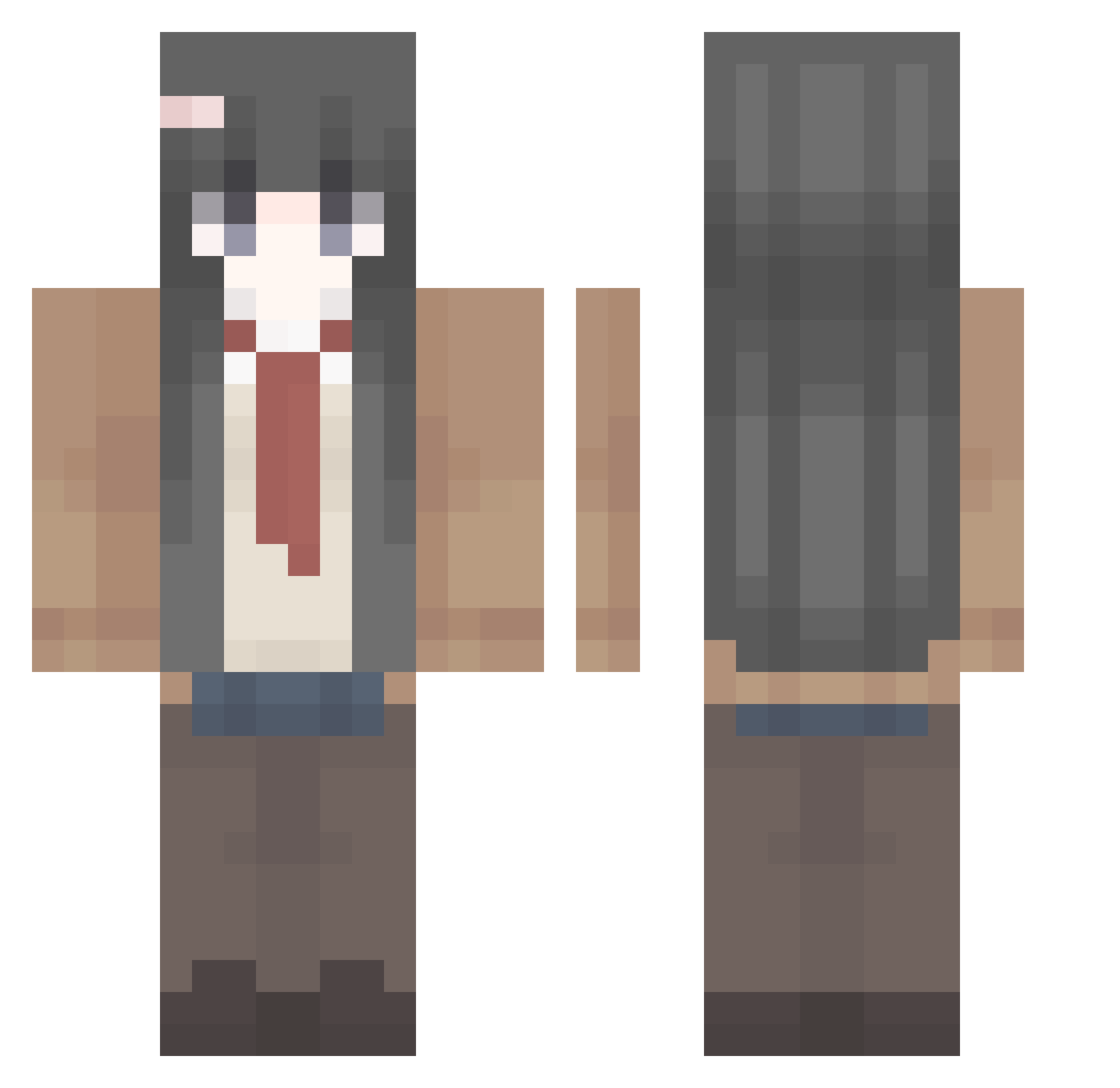
Current Minecraft skin of the player _Sohyun, loaded from the official Mojang API. Rotate the 3D model with your mouse or finger, then download the skin as a PNG file and use it in Minecraft: Bedrock Edition or Java Edition for free. When _Sohyun changes their skin, this page updates automatically and the old skin stays in the history below.
Other players with this skin (410)
_Sohyun was the 327th player we have seen with this skin, first spotted on 15.10.2026. The same skin was seen on these players. Open a nickname to see their current skin and skin history.
 AelisFx Mai_San67 treeson111 amy_cui liuqwe DecongH Ricardo_shadow JackyYoung Knockbacker420 flxl11 HL520 Mayi520 limmine HAL20080214 LizhuoqiSteven scxure_ plotlib EinsFeli Klapix_ schroda ninh88994 Jansonlaan pesisno EMTcawd WHOMDIDTHIS Beyonder1l berserker233 Darxke zhao0 SakuyaYuuna HuyPhuc shahuhu GiveMeMana77 Shengui fanyizhi kanaa12 tianyar ykuv3 JohnnyJoestar228 chichi_0501 jerriey kinkyle Axonopus TheSuperGYH maisan22 VR_tomoe zhongguojiayou owk31 MikanAffine noseq skibidykaz YaBoiSmoxx Caycaykus Matita_Man Quisy_o sunorin jnttt minisoft YakuraMochi Pig12345678
More School Uniform Minecraft skins
See all 6647 School Uniform skins
How to install the _Sohyun skin
- Press the Download button above to save the skin as a PNG file.
- Minecraft: Bedrock Edition (PE): open the Dressing Room from the main menu (or tap your character → Edit Character), go to Classic Skins → Owned, press the + (new skin) button, choose the downloaded PNG and pick the Classic (Steve) model. Works on PC and mobile; consoles cannot import custom skins.
- Minecraft: Java Edition: open the Minecraft Launcher, go to the Skins tab, click New Skin, load the PNG, pick the Classic (Steve) model and press Save & Use. You can also upload it at minecraft.net → Profile → Change Skin.
The skin does not show up after import - what should I do?
Restart Minecraft and open the Dressing Room again - imported skins sometimes appear only after a restart. Also make sure you selected the imported skin and picked the Classic (Steve) model.
Which model should I choose, Classic or Slim?
This skin is designed for the Classic (Steve) model. If you pick the wrong model, the arms of the skin will look stretched or squeezed.
Is the skin of _Sohyun free to download?
Yes. Press Download, save the PNG file and use it in Minecraft: Bedrock Edition or Java Edition - no payment or registration needed. The skin also works on multiplayer servers and Realms.
More skins
Looking for more? Go back to all Minecraft skins and check the top skins of the week, month and all time, or find any player's skin by nickname.