
_LuckyLuke_12 - Minecraft Skins & Skin History
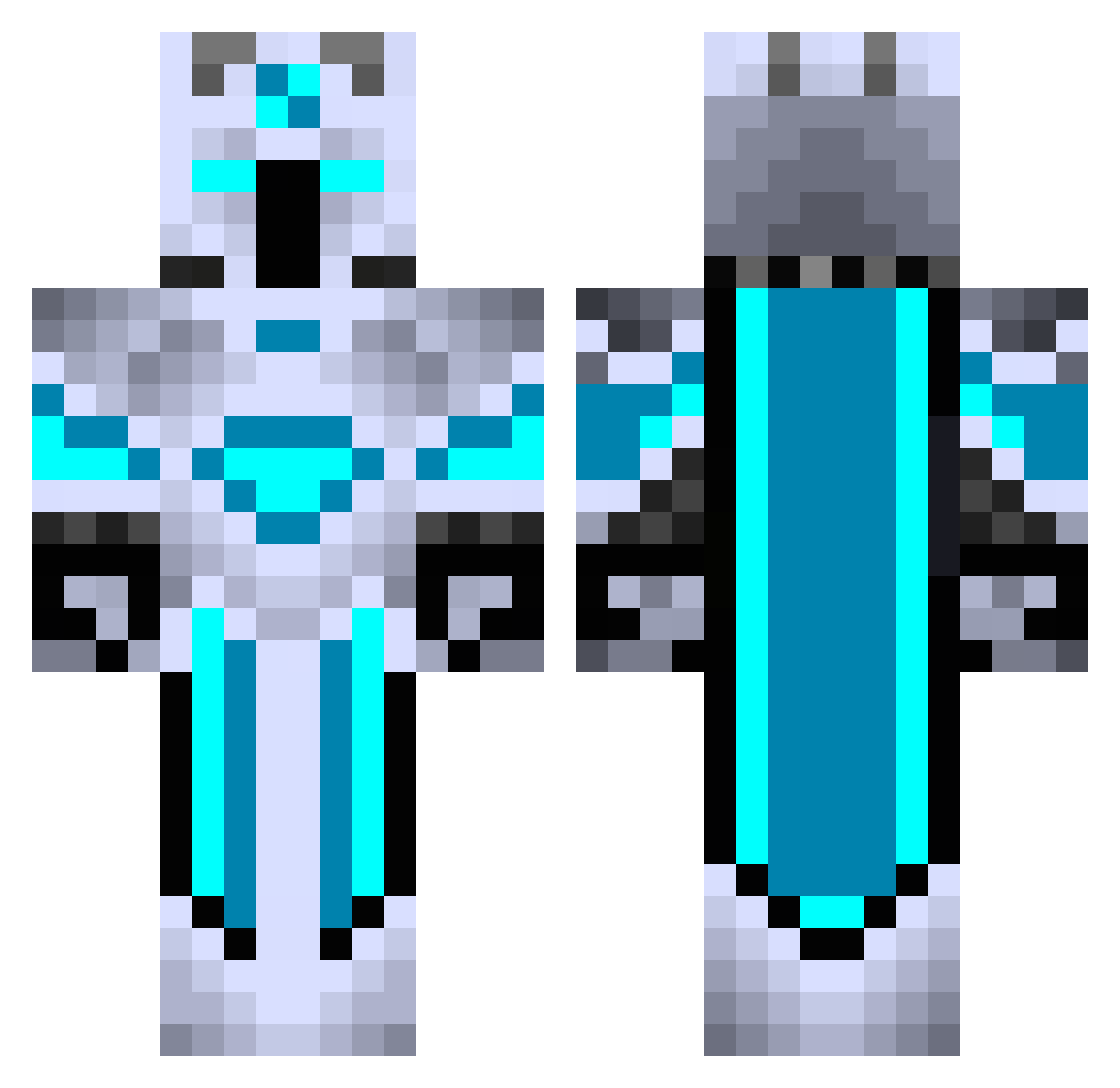
Current Minecraft skin of the player _LuckyLuke_12, loaded from the official Mojang API. Rotate the 3D model with your mouse or finger, then download the skin as a PNG file and use it in Minecraft: Bedrock Edition or Java Edition for free. When _LuckyLuke_12 changes their skin, this page updates automatically and the old skin stays in the history below.
Other players with this skin (440)
_LuckyLuke_12 was the 305th player we have seen with this skin, first spotted on 10.10.2026. The same skin was seen on these players. Open a nickname to see their current skin and skin history.
 isubucks stargamer4455 Disguised_Shark1 fenzy04 DeepfreezeXD ZizuGamer Ndraike Eason6000 SometimeKing InsaneTracks SuperRenatao ReiDemonio S_WOO4 Ratman2cool ProsDiamond DarkLegend340 Jeff_dc block_breaker999 Goyols DXpertor bluesharkouo Rimeallach RoyalSmiley5 ProPlayer_NL LeviRox BlitzEU Zafaryy Yousei_Z RFJST4REAL pureN44 dunkelier TiKa1382 Kevin42399 NEX_HSIU Chi3ts Haybeh RickSanches VDANI77 Chickeren429 KuruczPeti HiteshB Mkronos MHY123 Shiokara008 Cjet_ Markinho5k Metalarms10 LethalPressure44 Grathom4025 C9_Truth vans13 Michall1 Dopenger NightHawk132 ofri280109 Cagesss DAMOSAURS Realiity L_wntr2003 LegendaryFrost
More Glowing Minecraft skins
How to install the _LuckyLuke_12 skin
- Press the Download button above to save the skin as a PNG file.
- Minecraft: Bedrock Edition (PE): open the Dressing Room from the main menu (or tap your character → Edit Character), go to Classic Skins → Owned, press the + (new skin) button, choose the downloaded PNG and pick the Classic (Steve) model. Works on PC and mobile; consoles cannot import custom skins.
- Minecraft: Java Edition: open the Minecraft Launcher, go to the Skins tab, click New Skin, load the PNG, pick the Classic (Steve) model and press Save & Use. You can also upload it at minecraft.net → Profile → Change Skin.
The skin does not show up after import - what should I do?
Restart Minecraft and open the Dressing Room again - imported skins sometimes appear only after a restart. Also make sure you selected the imported skin and picked the Classic (Steve) model.
Which model should I choose, Classic or Slim?
This skin is designed for the Classic (Steve) model. If you pick the wrong model, the arms of the skin will look stretched or squeezed.
Is the skin of _LuckyLuke_12 free to download?
Yes. Press Download, save the PNG file and use it in Minecraft: Bedrock Edition or Java Edition - no payment or registration needed. The skin also works on multiplayer servers and Realms.
More skins
Looking for more? Go back to all Minecraft skins and check the top skins of the week, month and all time, or find any player's skin by nickname.