
Ziggy_Y - Minecraft Skins & Skin History
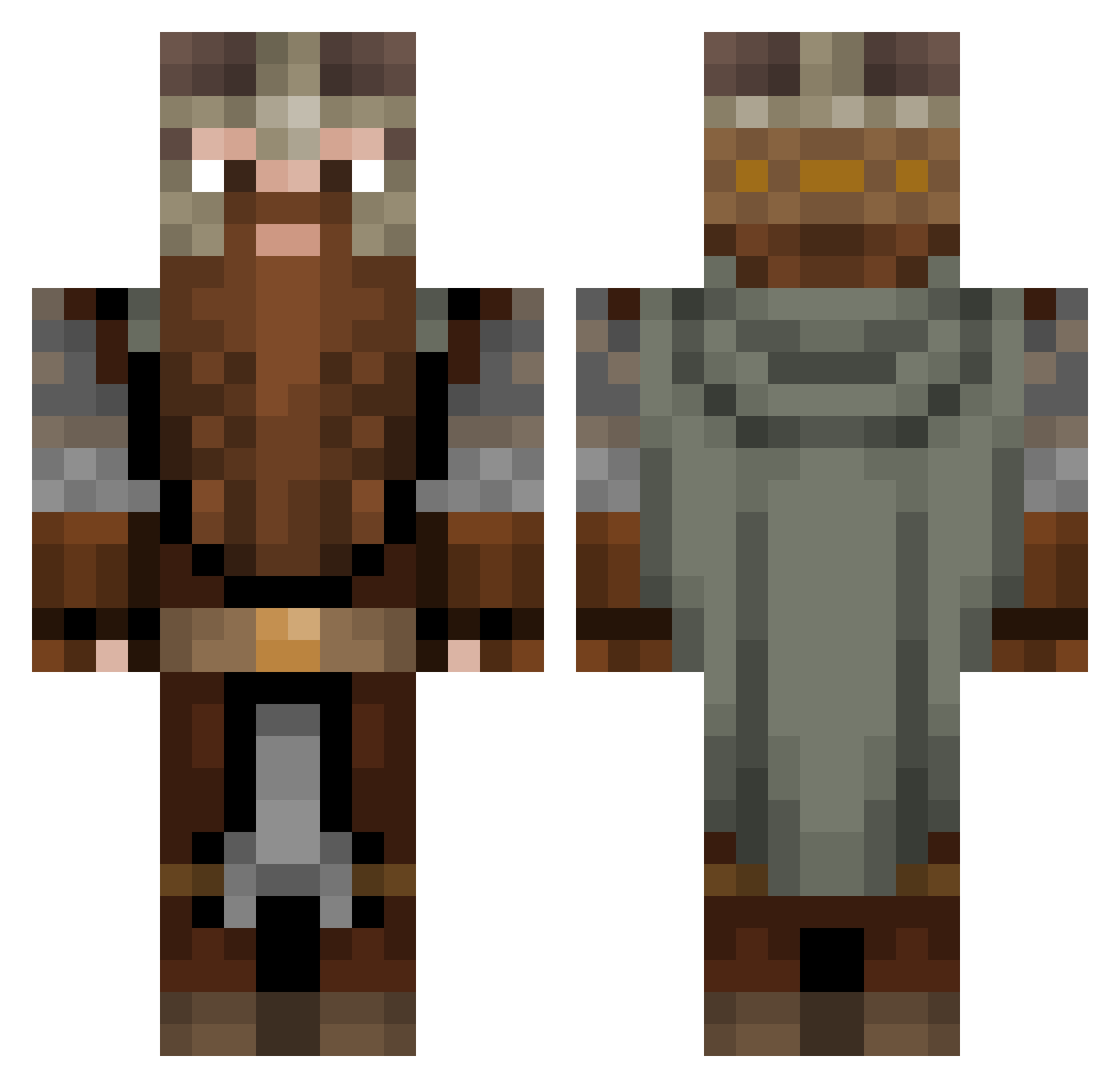
Current Minecraft skin of the player Ziggy_Y, loaded from the official Mojang API. Rotate the 3D model with your mouse or finger, then download the skin as a PNG file and use it in Minecraft: Bedrock Edition or Java Edition for free. When Ziggy_Y changes their skin, this page updates automatically and the old skin stays in the history below.
Other players with this skin (1082)
Ziggy_Y was the 848th player we have seen with this skin, first spotted on 14.10.2026. The same skin was seen on these players. Open a nickname to see their current skin and skin history.
 cojooboo Phuuutschi BobVonSnail DevylFelix2801 Ertheos Robi_Deca ajax228 BomberCZ2010 WolfgangII RestLIfepoints Golgor20 evilxan diegolo10 Bacorinhu _5nAkE96_ The_Dwarf_King BrianBoru105 ferservo98 MrGershom Bairogpro EndLessFreak Pocket_Meta TenthCate FluffBandit TYMB4RK Basti08x Synergy21 BigLeb014 Luthorget FChain Savourite Kyushi__ TH91 Smilingbear420 TeeDeees GroundHogDay2 Killo565 inoffensivename3 Brennessell mmhchase Astorais macieyR Kohlibri95 Moghume PauleFlo Aebe KarankawaDave MyoGaming MajorBurns21 bandarr9000 Seeadler123 Matt_Pie Leif9 ToastyKoala Grunard DaveMan_CZ OBeastAsian CrazyJOEkster Yabro10 Contour52
More Dwarf Minecraft skins
How to install the Ziggy_Y skin
- Press the Download button above to save the skin as a PNG file.
- Minecraft: Bedrock Edition (PE): open the Dressing Room from the main menu (or tap your character → Edit Character), go to Classic Skins → Owned, press the + (new skin) button, choose the downloaded PNG and pick the Classic (Steve) model. Works on PC and mobile; consoles cannot import custom skins.
- Minecraft: Java Edition: open the Minecraft Launcher, go to the Skins tab, click New Skin, load the PNG, pick the Classic (Steve) model and press Save & Use. You can also upload it at minecraft.net → Profile → Change Skin.
The skin does not show up after import - what should I do?
Restart Minecraft and open the Dressing Room again - imported skins sometimes appear only after a restart. Also make sure you selected the imported skin and picked the Classic (Steve) model.
Which model should I choose, Classic or Slim?
This skin is designed for the Classic (Steve) model. If you pick the wrong model, the arms of the skin will look stretched or squeezed.
Is the skin of Ziggy_Y free to download?
Yes. Press Download, save the PNG file and use it in Minecraft: Bedrock Edition or Java Edition - no payment or registration needed. The skin also works on multiplayer servers and Realms.
More skins
Looking for more? Go back to all Minecraft skins and check the top skins of the week, month and all time, or find any player's skin by nickname.