
ZayroxStreat - Minecraft Skins & Skin History
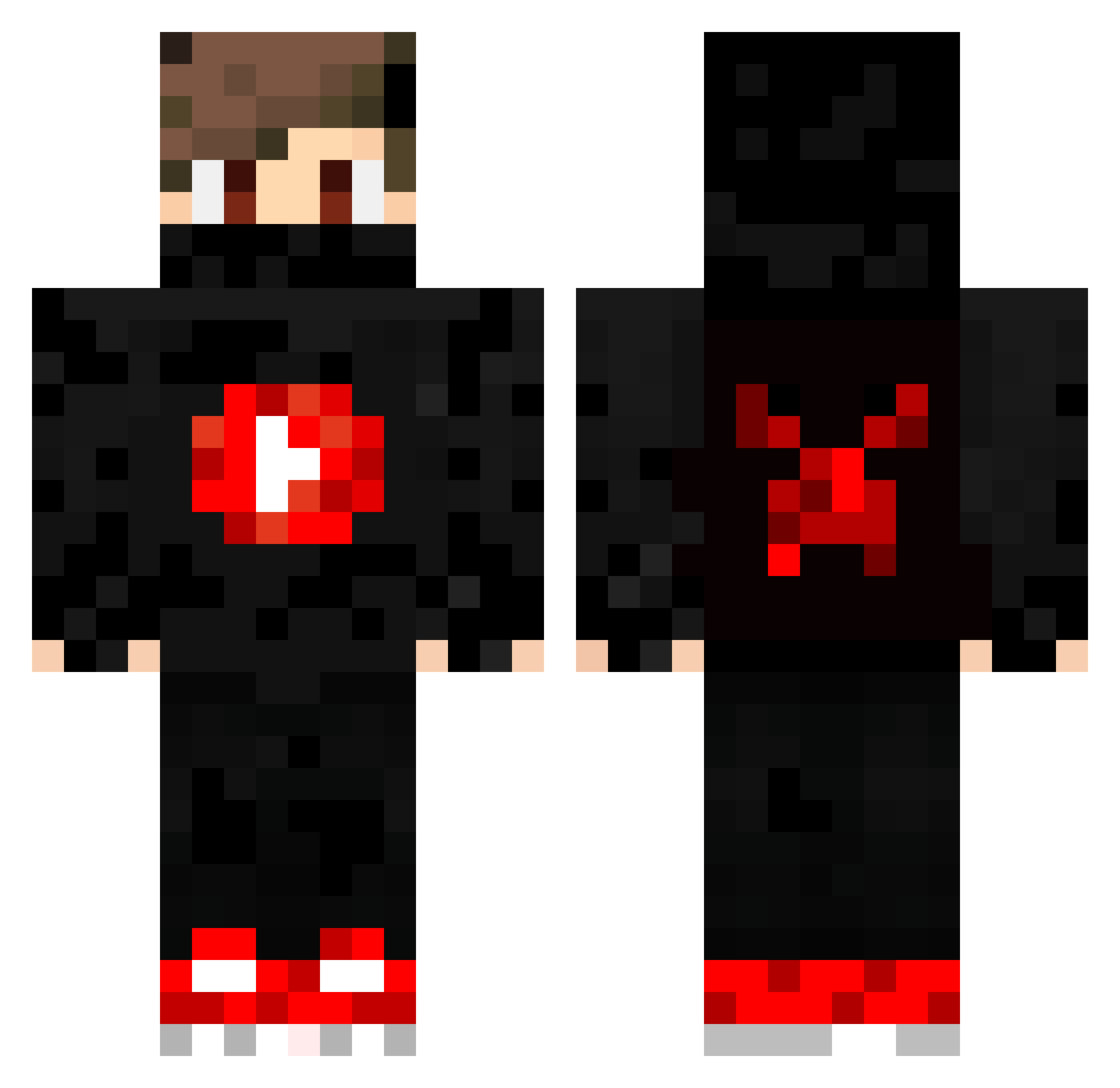
Current Minecraft skin of the player ZayroxStreat, loaded from the official Mojang API. Rotate the 3D model with your mouse or finger, then download the skin as a PNG file and use it in Minecraft: Bedrock Edition or Java Edition for free. When ZayroxStreat changes their skin, this page updates automatically and the old skin stays in the history below.
Other players with this skin (381)
ZayroxStreat was the 148th player we have seen with this skin, first spotted on 03.09.2026. The same skin was seen on these players. Open a nickname to see their current skin and skin history.
 Sthanke 04ia L1MON4K Soundgarden2572 Valeflash1 WyAn0 koshi_dono dragonlebossdu77 Ayushwarrior sakony666 RedArgo Marreco21 GORETloulou NicolasSonego Styv134 P3DRO_547 LIX4038 Billijean1_337 Ichinvine Skyfall_YT BurakErdem19 koliadodik Tintin123 The_NelsonXD DJ_MAX_87 micspamed Licas10 Lsimon8 luca_54524 THEIS_FAMILY_V2 EmreGameUHD KaanSRTL ShdofChaOs KrisPa112 GhreyTop ttuta RuzgarKahramanTR Talon1804 jo_joe MAURIZIO1977 GuiPvP847 1337Parox TrollMichaL marc_3d EntityWGF KuekenGirl Yukizi_226 Minipeka777 Nickar arthurgmw HDJFKE MrBadGuy_544 Davidkor Onely_PT HackOP18 Maurice2041 AFK_Noahpnr10 AdvitiyeJ Sertac009 matthewshh
More Mask Minecraft skins
How to install the ZayroxStreat skin
- Press the Download button above to save the skin as a PNG file.
- Minecraft: Bedrock Edition (PE): open the Dressing Room from the main menu (or tap your character → Edit Character), go to Classic Skins → Owned, press the + (new skin) button, choose the downloaded PNG and pick the Classic (Steve) model. Works on PC and mobile; consoles cannot import custom skins.
- Minecraft: Java Edition: open the Minecraft Launcher, go to the Skins tab, click New Skin, load the PNG, pick the Classic (Steve) model and press Save & Use. You can also upload it at minecraft.net → Profile → Change Skin.
The skin does not show up after import - what should I do?
Restart Minecraft and open the Dressing Room again - imported skins sometimes appear only after a restart. Also make sure you selected the imported skin and picked the Classic (Steve) model.
Which model should I choose, Classic or Slim?
This skin is designed for the Classic (Steve) model. If you pick the wrong model, the arms of the skin will look stretched or squeezed.
Is the skin of ZayroxStreat free to download?
Yes. Press Download, save the PNG file and use it in Minecraft: Bedrock Edition or Java Edition - no payment or registration needed. The skin also works on multiplayer servers and Realms.
More skins
Looking for more? Go back to all Minecraft skins and check the top skins of the week, month and all time, or find any player's skin by nickname.