
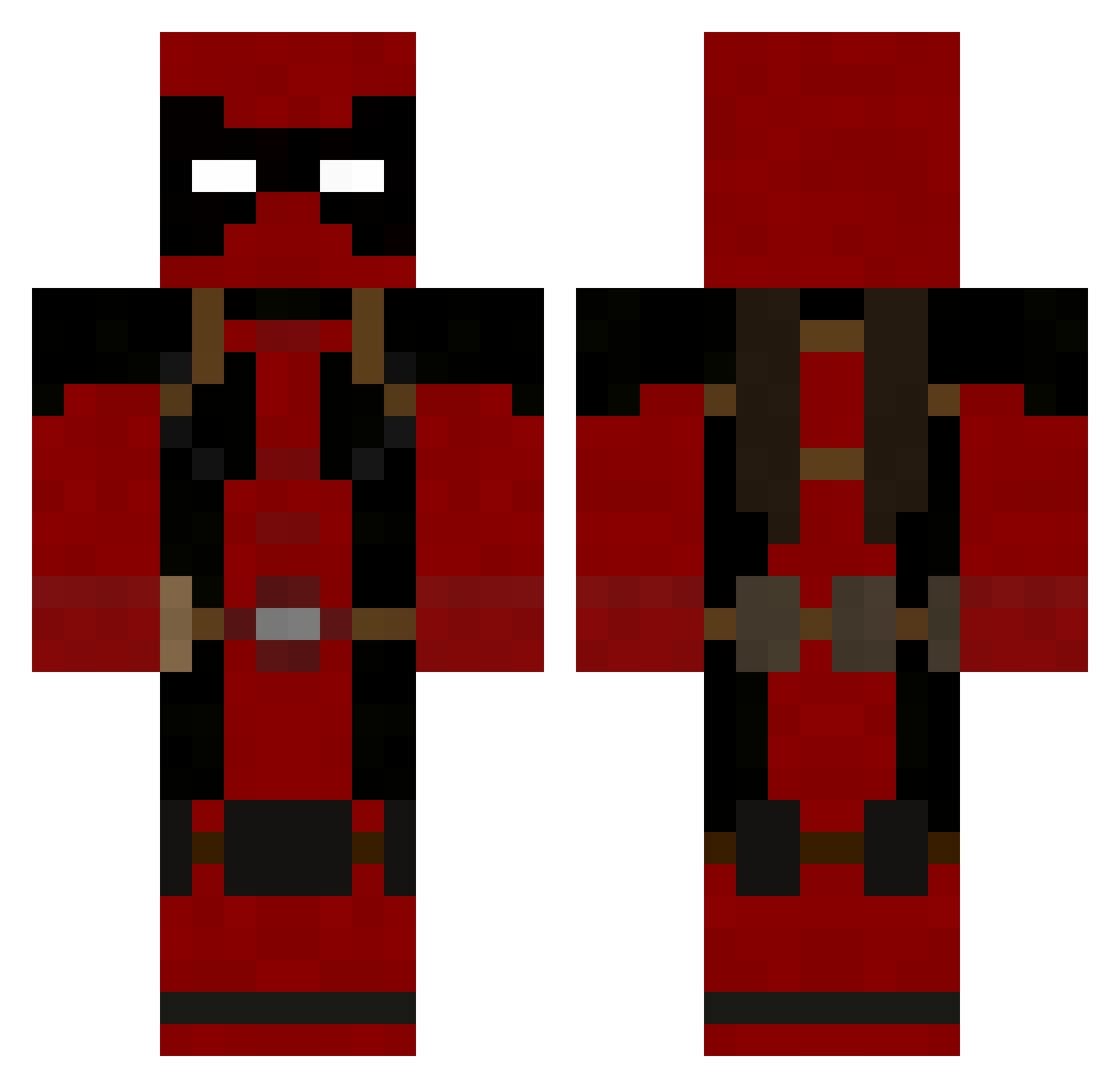
Current Minecraft skin of the player ZEXIX32, loaded from the official Mojang API. Rotate the 3D model with your mouse or finger, then download the skin as a PNG file and use it in Minecraft: Bedrock Edition or Java Edition for free. When ZEXIX32 changes their skin, this page updates automatically and the old skin stays in the history below.
Other players with this skin (46)
ZEXIX32 was the 25th player we have seen with this skin, first spotted on 28.08.2026. The same skin was seen on these players. Open a nickname to see their current skin and skin history.
 Alemanis pilot565 JessCN03 Dakrosich B00MTOWN wringenberg Faelkz Qwert3P NutMutt MoneyTear Melfi1234 MUSZKINFN Ser_Hassan Matiasleiden metalneck93 Jensu10 Bradisthebeast Koch7 Jaxsong16 wfacemire145 syedirfan4 xXRICHARXx NorKalz Anomaly19993 Til_Valhalla ttvloganator MarcoM_17 TheUntertischer Casey_Gameing Flaw008 ZAYY953 KKAMAXX neglin PaXeR98 PIPETA09 LUXY_777 benjax2324 Herik43 DaKookieMunsta Millernoid JSEBASTIANBM Luiswonito piyomaru3 Atish89 tomitus90 LuisLoL
More Deadpool Minecraft skins
How to install the ZEXIX32 skin
- Press the Download button above to save the skin as a PNG file.
- Minecraft: Bedrock Edition (PE): open the Dressing Room from the main menu (or tap your character → Edit Character), go to Classic Skins → Owned, press the + (new skin) button, choose the downloaded PNG and pick the Classic (Steve) model. Works on PC and mobile; consoles cannot import custom skins.
- Minecraft: Java Edition: open the Minecraft Launcher, go to the Skins tab, click New Skin, load the PNG, pick the Classic (Steve) model and press Save & Use. You can also upload it at minecraft.net → Profile → Change Skin.
The skin does not show up after import - what should I do?
Restart Minecraft and open the Dressing Room again - imported skins sometimes appear only after a restart. Also make sure you selected the imported skin and picked the Classic (Steve) model.
Which model should I choose, Classic or Slim?
This skin is designed for the Classic (Steve) model. If you pick the wrong model, the arms of the skin will look stretched or squeezed.
Is the skin of ZEXIX32 free to download?
Yes. Press Download, save the PNG file and use it in Minecraft: Bedrock Edition or Java Edition - no payment or registration needed. The skin also works on multiplayer servers and Realms.
More skins
Looking for more? Go back to all Minecraft skins and check the top skins of the week, month and all time, or find any player's skin by nickname.