
Yunyan05 - Minecraft Skins & Skin History
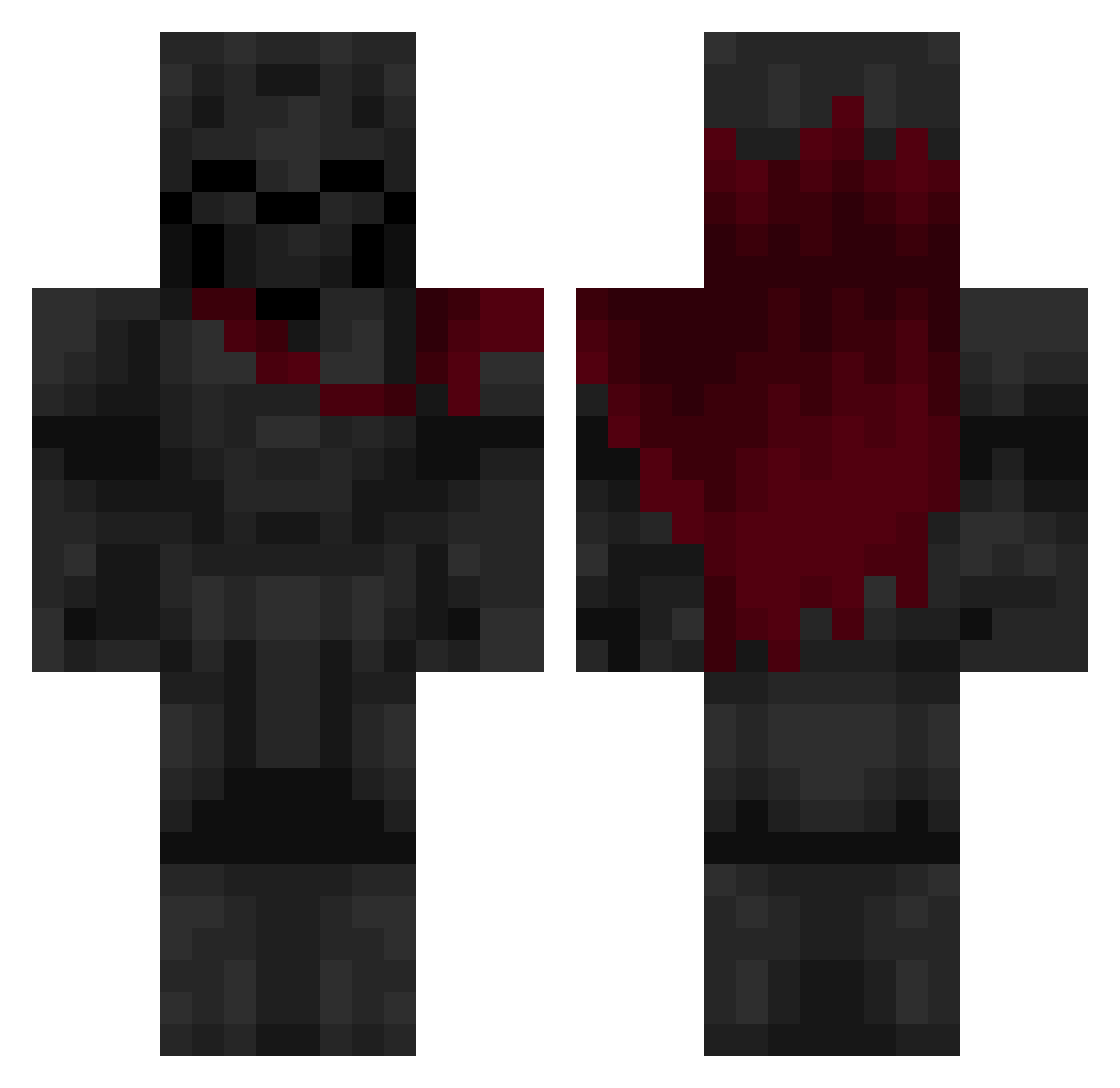
Current Minecraft skin of the player Yunyan05, loaded from the official Mojang API. Rotate the 3D model with your mouse or finger, then download the skin as a PNG file and use it in Minecraft: Bedrock Edition or Java Edition for free. When Yunyan05 changes their skin, this page updates automatically and the old skin stays in the history below.
Other players with this skin (640)
Yunyan05 was the 295th player we have seen with this skin, first spotted on 18.09.2026. The same skin was seen on these players. Open a nickname to see their current skin and skin history.
 Senku033 Askeladd10 KINGKAIYAN65 SamurayDoge hizaw Makoek whiskey_JA ffloodsz Marovoo Zigron BanAsh_ DaniAxe DaDevMan Wolper343 Zachattack563 PanDestrukcjia Cosmic7567 Tzartar QuitLOL TokyoYeager adielll Zoran_97 Encore_26 kafn01 KBA1 Ast0ra13 Caqoon Azuka1337 IwolloS LXXXIV bouncingbranch MonkeyWhisky SaamDark Balereon ThorKelI DEXX02 _sdxyz honeybadgerway RedReaper7 Tasema D7MI27 esivv Daughter_Dcc banbaji1324 FormedPrince760 PsGh_ maxshelby Fresh_Mathis rickey236 Thantic_ sk1b1d1_fr4nc3sc xpp_XiRev_0804 Finnben5800 tenazninja1 Natan155 Azh0ra ZaRoX_01 Chesko HeyItzZoom GodkinReaper
More Knight Minecraft skins
How to install the Yunyan05 skin
- Press the Download button above to save the skin as a PNG file.
- Minecraft: Bedrock Edition (PE): open the Dressing Room from the main menu (or tap your character → Edit Character), go to Classic Skins → Owned, press the + (new skin) button, choose the downloaded PNG and pick the Classic (Steve) model. Works on PC and mobile; consoles cannot import custom skins.
- Minecraft: Java Edition: open the Minecraft Launcher, go to the Skins tab, click New Skin, load the PNG, pick the Classic (Steve) model and press Save & Use. You can also upload it at minecraft.net → Profile → Change Skin.
The skin does not show up after import - what should I do?
Restart Minecraft and open the Dressing Room again - imported skins sometimes appear only after a restart. Also make sure you selected the imported skin and picked the Classic (Steve) model.
Which model should I choose, Classic or Slim?
This skin is designed for the Classic (Steve) model. If you pick the wrong model, the arms of the skin will look stretched or squeezed.
Is the skin of Yunyan05 free to download?
Yes. Press Download, save the PNG file and use it in Minecraft: Bedrock Edition or Java Edition - no payment or registration needed. The skin also works on multiplayer servers and Realms.
More skins
Looking for more? Go back to all Minecraft skins and check the top skins of the week, month and all time, or find any player's skin by nickname.