
Yuki_kira - Minecraft Skins & Skin History
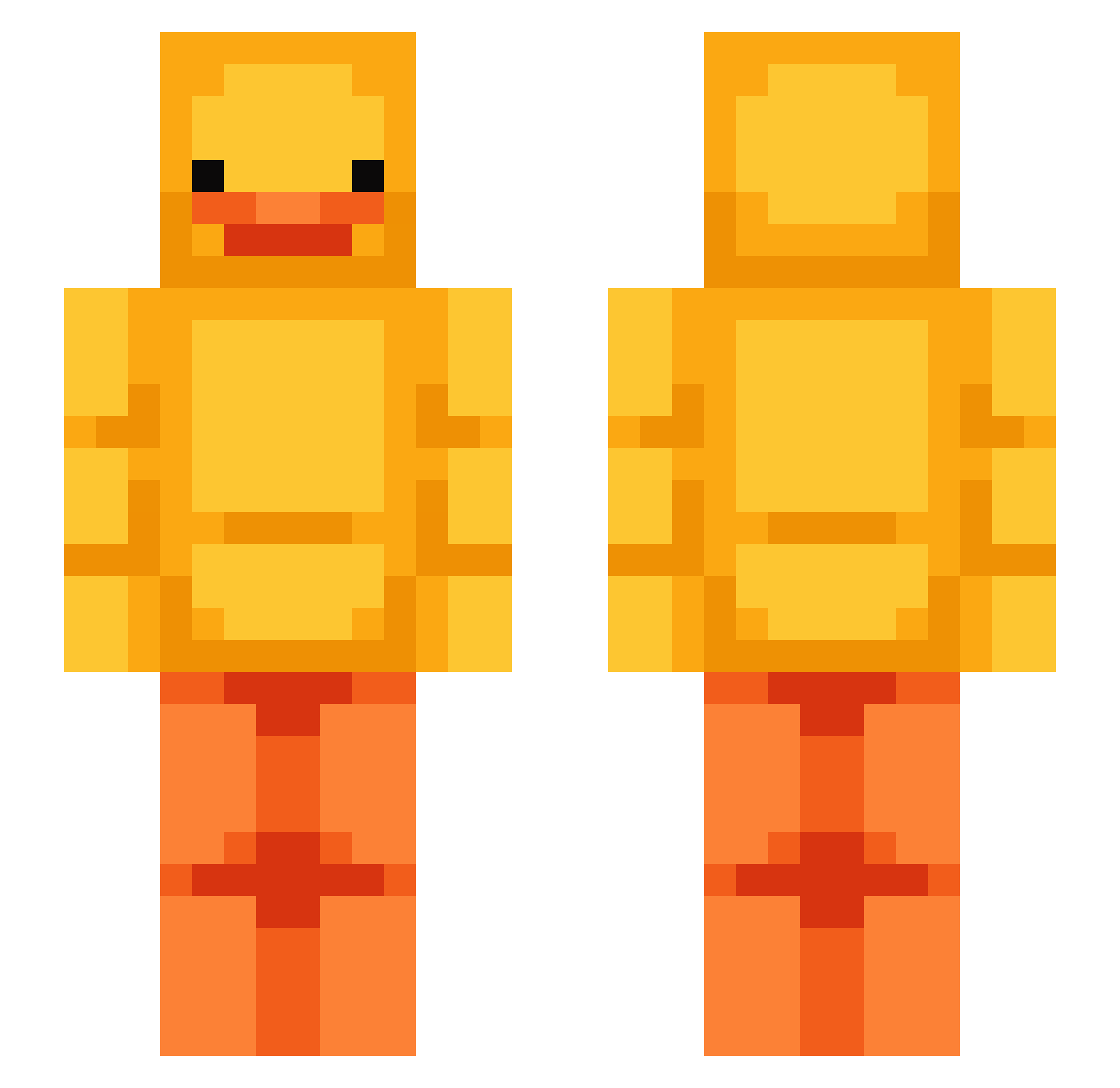
Current Minecraft skin of the player Yuki_kira, loaded from the official Mojang API. Rotate the 3D model with your mouse or finger, then download the skin as a PNG file and use it in Minecraft: Bedrock Edition or Java Edition for free. When Yuki_kira changes their skin, this page updates automatically and the old skin stays in the history below.
Other players with this skin (52)
Yuki_kira was the 26th player we have seen with this skin, first spotted on 08.09.2026. The same skin was seen on these players. Open a nickname to see their current skin and skin history.
 abbygil FreshBroccoli
 Lepetos truixa apriza Gorillaface197 Azza2205 Khangnee_14 Mikichicki Andersd14 kilyan246 Hevriim lsmie skinnybreak AkarniCookie KillVixen Annie2626 XmarvX4 NotIDrxp strgl47
 uzay1922 Dakattgod nightdrop2 Itsthrasr BrunoBrandao Priv4ty MATHIAS23543 jjimdaklover xItSkilla_ FOROG_BAMBI Zyno chubbycarrot bradlyn_ Goyerz KumaDD quinticx SaintBunny7x7x7 pedpiak eMinEmsMarTieS FaZeCracky GlaceonGirl hdderror2014 zhan9fu_ mem5829 LuckyDuck38 THOM2618 wowegg Bambiixx pangyu07 Iaac2 Gladi efitch203
More Duck Minecraft skins
How to install the Yuki_kira skin
- Press the Download button above to save the skin as a PNG file.
- Minecraft: Bedrock Edition (PE): open the Dressing Room from the main menu (or tap your character → Edit Character), go to Classic Skins → Owned, press the + (new skin) button, choose the downloaded PNG and pick the Slim (Alex) model. Works on PC and mobile; consoles cannot import custom skins.
- Minecraft: Java Edition: open the Minecraft Launcher, go to the Skins tab, click New Skin, load the PNG, pick the Slim (Alex) model and press Save & Use. You can also upload it at minecraft.net → Profile → Change Skin.
The skin does not show up after import - what should I do?
Restart Minecraft and open the Dressing Room again - imported skins sometimes appear only after a restart. Also make sure you selected the imported skin and picked the Slim (Alex) model.
Which model should I choose, Classic or Slim?
This skin is designed for the Slim (Alex) model. If you pick the wrong model, the arms of the skin will look stretched or squeezed.
Is the skin of Yuki_kira free to download?
Yes. Press Download, save the PNG file and use it in Minecraft: Bedrock Edition or Java Edition - no payment or registration needed. The skin also works on multiplayer servers and Realms.
More skins
Looking for more? Go back to all Minecraft skins and check the top skins of the week, month and all time, or find any player's skin by nickname.