
YueChenSaMa - Minecraft Skins & Skin History
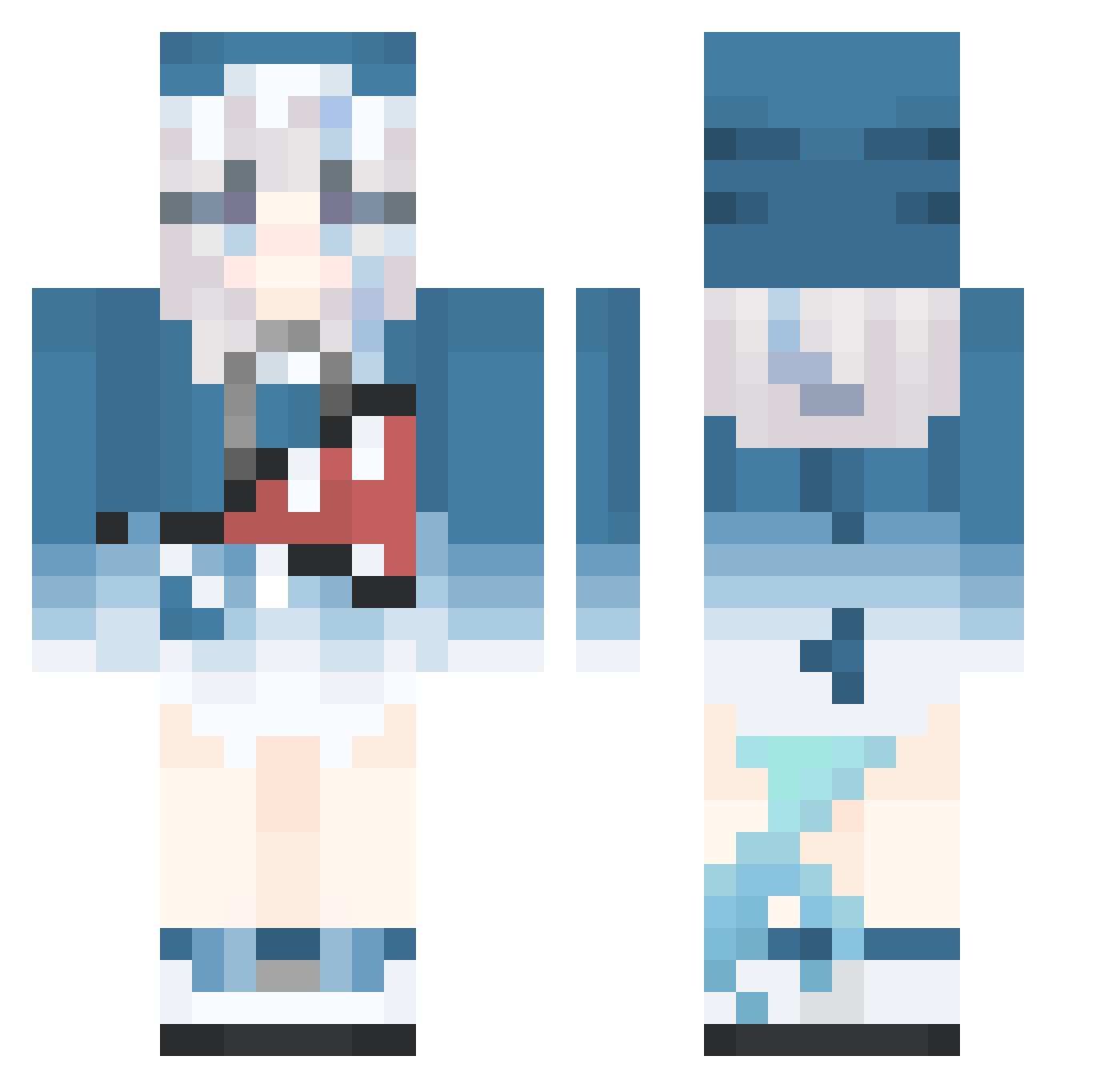
Current Minecraft skin of the player YueChenSaMa, loaded from the official Mojang API. Rotate the 3D model with your mouse or finger, then download the skin as a PNG file and use it in Minecraft: Bedrock Edition or Java Edition for free. When YueChenSaMa changes their skin, this page updates automatically and the old skin stays in the history below.
Other players with this skin (515)
YueChenSaMa was the 406th player we have seen with this skin, first spotted on 16.10.2026. The same skin was seen on these players. Open a nickname to see their current skin and skin history.
 XYLLSS U110 Aki_Natsu meiyou9 xiaoyubing qengdeng Jay_drone05 sdsdy CamilCamel bullsajow MyAngelKouhai Atsuiz sen_sama 666666HJ Sixth_Ice Eloim_Essaim_ OnEzR DJZimabwe chaengies Blitzendagen LiMoYe Noobly1470 Jimouu_ AwaSubar7 Suspicious_ball FoilSliver NainaiBear Toddlurz small_ray_ray gjl12 Zoky48 Blockdars NN_Aslier AvAlon0317 Cai_dudu JadedBroom xiaqianye Yanami_4nna iTaikus fatcity0402 Htfzat SandLaowang cooliothefatty WALKERJACK666 _Anko_O Benjamin3310 The_SHgua LewdAstolfo roooby44 Clarence1113 ningzhi66666 zheins Ca_cher coco6666667 yunli525 KathuwuCrafts jim4712 NANYUAN7821 linshenqian GJG66666
More Gawr Gura Minecraft skins
How to install the YueChenSaMa skin
- Press the Download button above to save the skin as a PNG file.
- Minecraft: Bedrock Edition (PE): open the Dressing Room from the main menu (or tap your character → Edit Character), go to Classic Skins → Owned, press the + (new skin) button, choose the downloaded PNG and pick the Classic (Steve) model. Works on PC and mobile; consoles cannot import custom skins.
- Minecraft: Java Edition: open the Minecraft Launcher, go to the Skins tab, click New Skin, load the PNG, pick the Classic (Steve) model and press Save & Use. You can also upload it at minecraft.net → Profile → Change Skin.
The skin does not show up after import - what should I do?
Restart Minecraft and open the Dressing Room again - imported skins sometimes appear only after a restart. Also make sure you selected the imported skin and picked the Classic (Steve) model.
Which model should I choose, Classic or Slim?
This skin is designed for the Classic (Steve) model. If you pick the wrong model, the arms of the skin will look stretched or squeezed.
Is the skin of YueChenSaMa free to download?
Yes. Press Download, save the PNG file and use it in Minecraft: Bedrock Edition or Java Edition - no payment or registration needed. The skin also works on multiplayer servers and Realms.
More skins
Looking for more? Go back to all Minecraft skins and check the top skins of the week, month and all time, or find any player's skin by nickname.