
Yeamemento - Minecraft Skins & Skin History
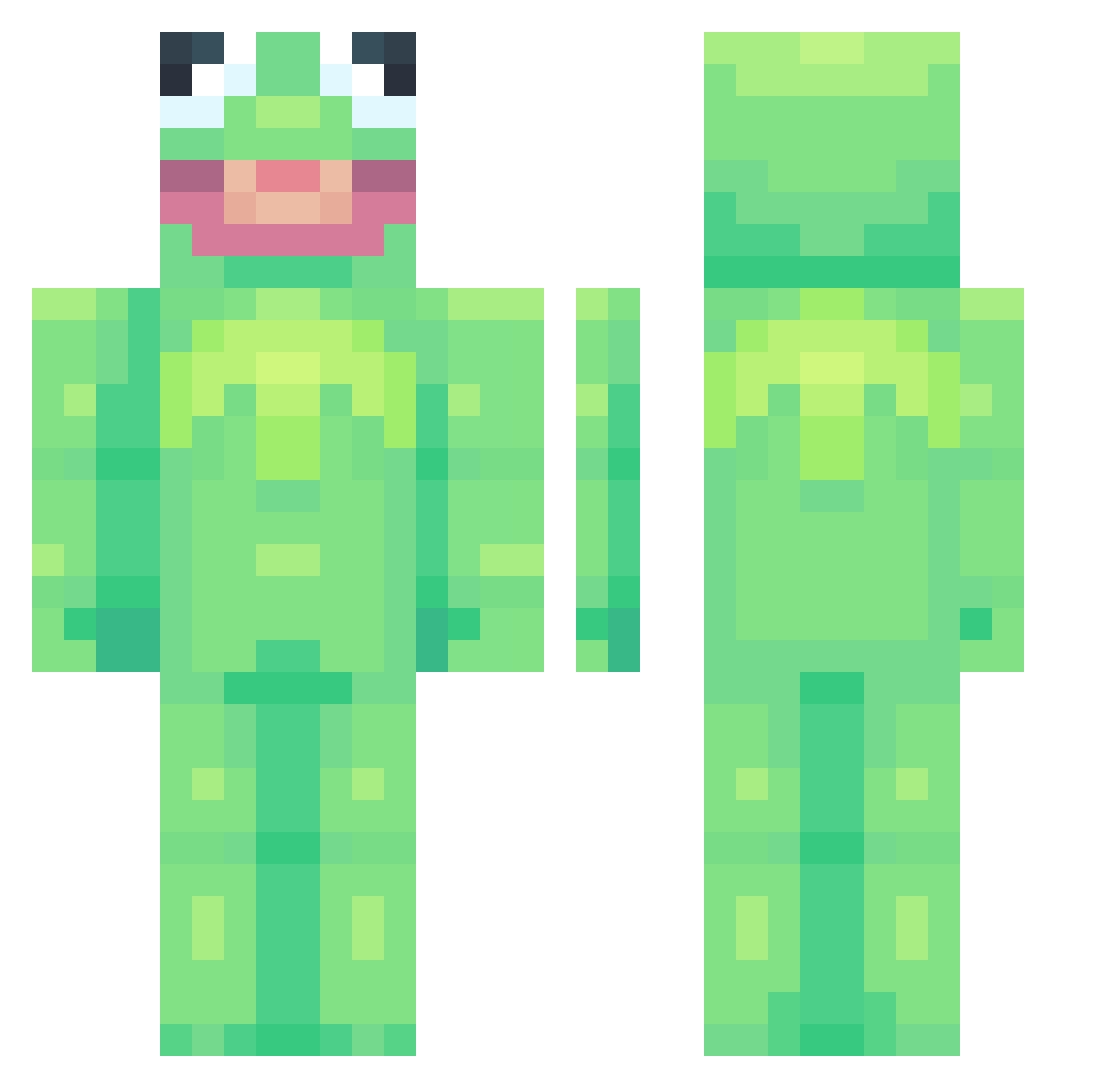
Current Minecraft skin of the player Yeamemento, loaded from the official Mojang API. Rotate the 3D model with your mouse or finger, then download the skin as a PNG file and use it in Minecraft: Bedrock Edition or Java Edition for free. When Yeamemento changes their skin, this page updates automatically and the old skin stays in the history below.
Other players with this skin (753)
Yeamemento was the 308th player we have seen with this skin, first spotted on 05.09.2026. The same skin was seen on these players. Open a nickname to see their current skin and skin history.
 Koosmik Sheeps_Rock Sw33tness JokedIcer Oddoddoddd Megaboy21 beadroc xKA3 ChungusBungusBun _LUNIX_ ElectricCore_ cakel1n its_Minato wisdomworks Chihuahua_queen bwyum_smif NottSwift SmolovJr FROGheim LuiSalsa07 johnson684 NatureLSD BigBooch55 jeBus0 mr_igor Hildivildi MissStingray Jujubes72 IVAN_ZAGOR psycholala SamiraMinecraft FrShY rockhoundd Nuhtmegg mountaindewgf terezis DustyDrewski EpicWarriorRy Clau54e1 avada_kedavra_ Hai_Paladin YehOkay daZZle_gsnipesYT Grawkins FoxTail_l Xx_PensiveClamp3 balenciagathroat Myro_med Yosra HasteFlash Kaisenshi Slorkiee XxDiegonchuxX uursuu Corona_VIRUS_69 Gellaa Girafreuse forkj DanielaNav Doul_1106
More Kermit The Frog Minecraft skins
See all 418 Kermit The Frog skins
How to install the Yeamemento skin
- Press the Download button above to save the skin as a PNG file.
- Minecraft: Bedrock Edition (PE): open the Dressing Room from the main menu (or tap your character → Edit Character), go to Classic Skins → Owned, press the + (new skin) button, choose the downloaded PNG and pick the Classic (Steve) model. Works on PC and mobile; consoles cannot import custom skins.
- Minecraft: Java Edition: open the Minecraft Launcher, go to the Skins tab, click New Skin, load the PNG, pick the Classic (Steve) model and press Save & Use. You can also upload it at minecraft.net → Profile → Change Skin.
The skin does not show up after import - what should I do?
Restart Minecraft and open the Dressing Room again - imported skins sometimes appear only after a restart. Also make sure you selected the imported skin and picked the Classic (Steve) model.
Which model should I choose, Classic or Slim?
This skin is designed for the Classic (Steve) model. If you pick the wrong model, the arms of the skin will look stretched or squeezed.
Is the skin of Yeamemento free to download?
Yes. Press Download, save the PNG file and use it in Minecraft: Bedrock Edition or Java Edition - no payment or registration needed. The skin also works on multiplayer servers and Realms.
More skins
Looking for more? Go back to all Minecraft skins and check the top skins of the week, month and all time, or find any player's skin by nickname.