
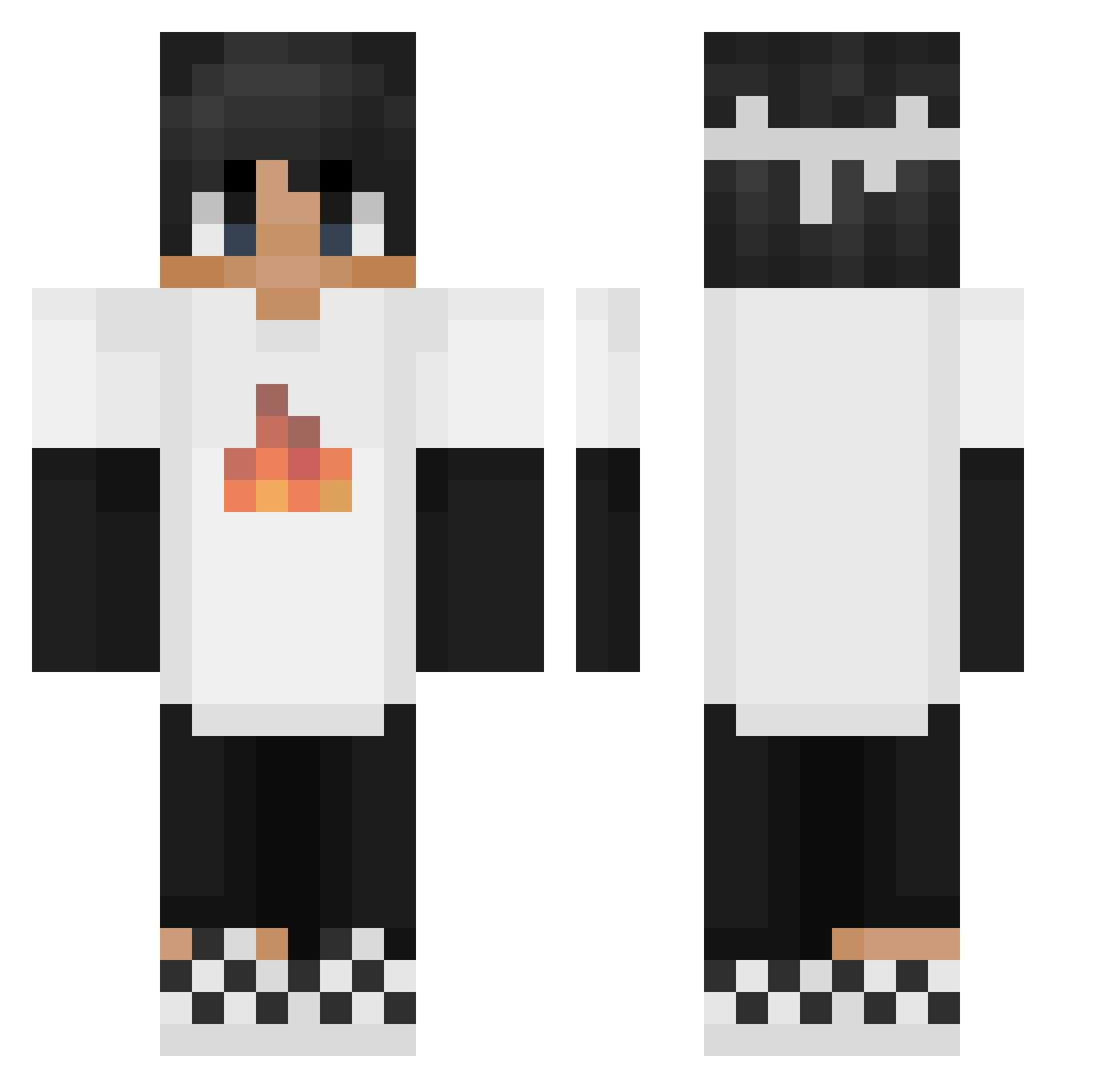
Current Minecraft skin of the player Yakuza256706, loaded from the official Mojang API. Rotate the 3D model with your mouse or finger, then download the skin as a PNG file and use it in Minecraft: Bedrock Edition or Java Edition for free. When Yakuza256706 changes their skin, this page updates automatically and the old skin stays in the history below.
Other players with this skin (213)
Yakuza256706 was the 163rd player we have seen with this skin, first spotted on 29.09.2026. The same skin was seen on these players. Open a nickname to see their current skin and skin history.
 Titou_sbd y7sf astrono02 yvtv bigben611 Pullibua Thunderbird_07 dorianbout yCruciatus xxsaroxx Szpachel29 99waze TacoDog23 WarMareElite Levim2014 Konrad1up Crowleyisgay f5top Cisco0404 bielzinhx1 JackMelonz BearSharkOne rongrong999 frailpro x2qow Oashie Zayrox9116 virre08080808 JTcoolboy KempBrothers ErenCT EmiGamerPT IMS1213 PurpleWalrus1324 fly18x woopaggaban01 soccergol01 MrPhysics007 catpenki KFCPacik wockybalboa Toweer littleyu07 mbx_sin Shulker_QYB beckettbot15 FBWhy Avdrh1110 Geovanni_3 Der_Spassvogel Heqwy Sappnap OnesAndZeroes hcebi09 cadegonz JoelQuezada Marce3 jr23160 truly_ch Movierel
More Checkerboard Shoes Minecraft skins
See all 35 Checkerboard Shoes skins
How to install the Yakuza256706 skin
- Press the Download button above to save the skin as a PNG file.
- Minecraft: Bedrock Edition (PE): open the Dressing Room from the main menu (or tap your character → Edit Character), go to Classic Skins → Owned, press the + (new skin) button, choose the downloaded PNG and pick the Classic (Steve) model. Works on PC and mobile; consoles cannot import custom skins.
- Minecraft: Java Edition: open the Minecraft Launcher, go to the Skins tab, click New Skin, load the PNG, pick the Classic (Steve) model and press Save & Use. You can also upload it at minecraft.net → Profile → Change Skin.
The skin does not show up after import - what should I do?
Restart Minecraft and open the Dressing Room again - imported skins sometimes appear only after a restart. Also make sure you selected the imported skin and picked the Classic (Steve) model.
Which model should I choose, Classic or Slim?
This skin is designed for the Classic (Steve) model. If you pick the wrong model, the arms of the skin will look stretched or squeezed.
Is the skin of Yakuza256706 free to download?
Yes. Press Download, save the PNG file and use it in Minecraft: Bedrock Edition or Java Edition - no payment or registration needed. The skin also works on multiplayer servers and Realms.
More skins
Looking for more? Go back to all Minecraft skins and check the top skins of the week, month and all time, or find any player's skin by nickname.