
Xx_sirex_xX - Minecraft Skins & Skin History
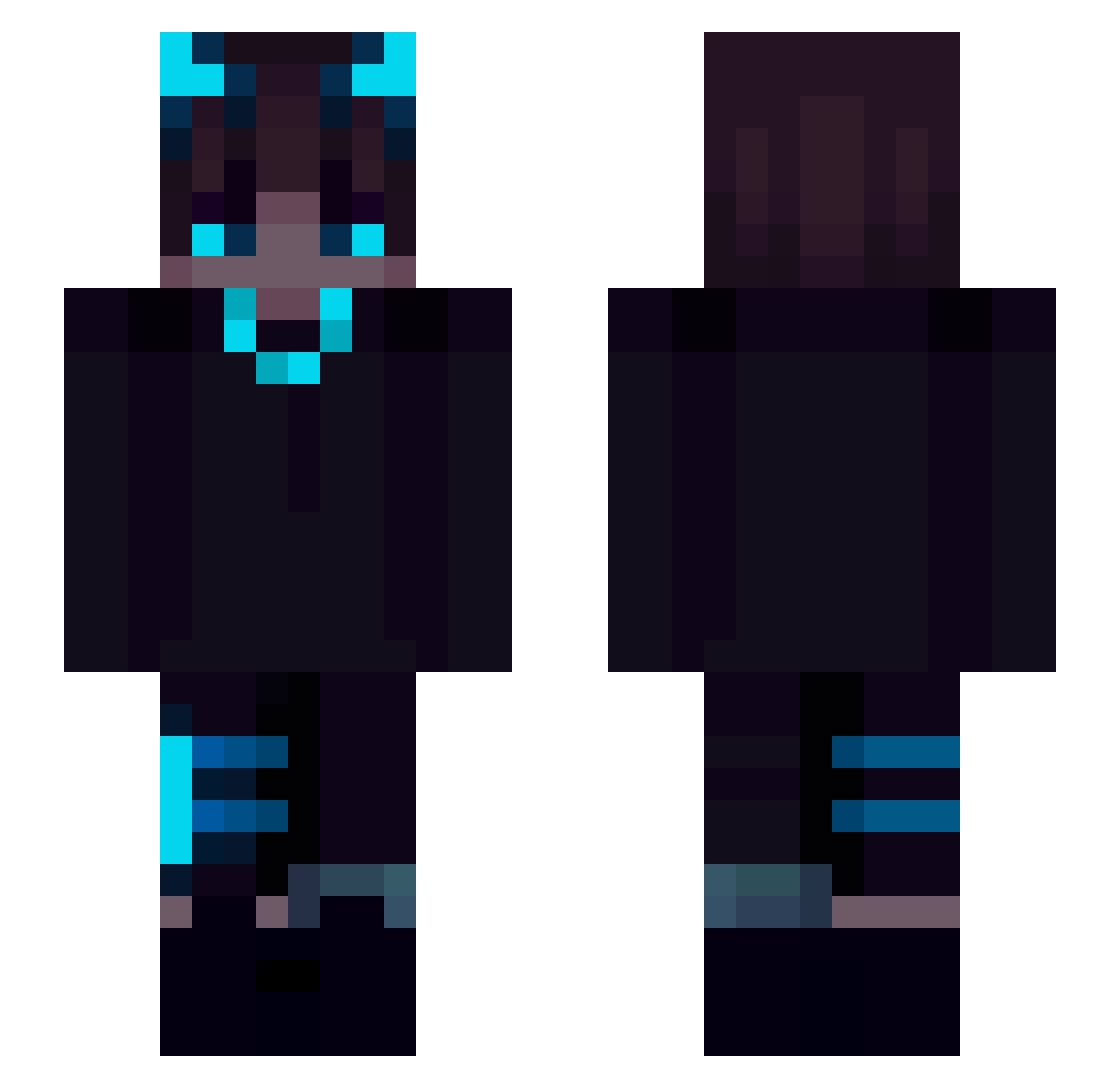
Current Minecraft skin of the player Xx_sirex_xX, loaded from the official Mojang API. Rotate the 3D model with your mouse or finger, then download the skin as a PNG file and use it in Minecraft: Bedrock Edition or Java Edition for free. When Xx_sirex_xX changes their skin, this page updates automatically and the old skin stays in the history below.
Other players with this skin (168)
Xx_sirex_xX was the 77th player we have seen with this skin, first spotted on 31.08.2026. The same skin was seen on these players. Open a nickname to see their current skin and skin history.
 aniol2004 ineedafriend69 JuanDark ToTor2 StRoPl HikariKazuki Ninisto odinpowernl linjenfa iMedoz overworkedchimp varufin LuckyPluss_Play _LionBite_ Serghe02 Kerem_Boss ZACY228 ZuruUwU IMA7MADx v3oq Saphiross Ayan19 kagechos SobiBigBrain bluetooth1647 Pauloc13 Quba9028 rrekos Shosch Thedev91 AleksaProto_YTB _Cla02_ B3TAV EvilSadness1312 _CTPAX_CMEPTi_ wincrazy Kacperinnos MC_Phantom Blocky_Gum ToxicJayyyy letalcat YoungShade Last_Ark GorgeousGaryGold eroneron Jaymz_03 _iTzRedBullsPvP_ Nick440707 ghosty_pepega KaninMC 53jk1 Neriito NaCl114514 Terpenoids BeratSelber Bunupyh LetsBuild430 ulice4p V1brantwind6 saidanyx
More Glowing Eyes Minecraft skins
See all 2333 Glowing Eyes skins
How to install the Xx_sirex_xX skin
- Press the Download button above to save the skin as a PNG file.
- Minecraft: Bedrock Edition (PE): open the Dressing Room from the main menu (or tap your character → Edit Character), go to Classic Skins → Owned, press the + (new skin) button, choose the downloaded PNG and pick the Slim (Alex) model. Works on PC and mobile; consoles cannot import custom skins.
- Minecraft: Java Edition: open the Minecraft Launcher, go to the Skins tab, click New Skin, load the PNG, pick the Slim (Alex) model and press Save & Use. You can also upload it at minecraft.net → Profile → Change Skin.
The skin does not show up after import - what should I do?
Restart Minecraft and open the Dressing Room again - imported skins sometimes appear only after a restart. Also make sure you selected the imported skin and picked the Slim (Alex) model.
Which model should I choose, Classic or Slim?
This skin is designed for the Slim (Alex) model. If you pick the wrong model, the arms of the skin will look stretched or squeezed.
Is the skin of Xx_sirex_xX free to download?
Yes. Press Download, save the PNG file and use it in Minecraft: Bedrock Edition or Java Edition - no payment or registration needed. The skin also works on multiplayer servers and Realms.
More skins
Looking for more? Go back to all Minecraft skins and check the top skins of the week, month and all time, or find any player's skin by nickname.