
Xlreight - Minecraft Skins & Skin History
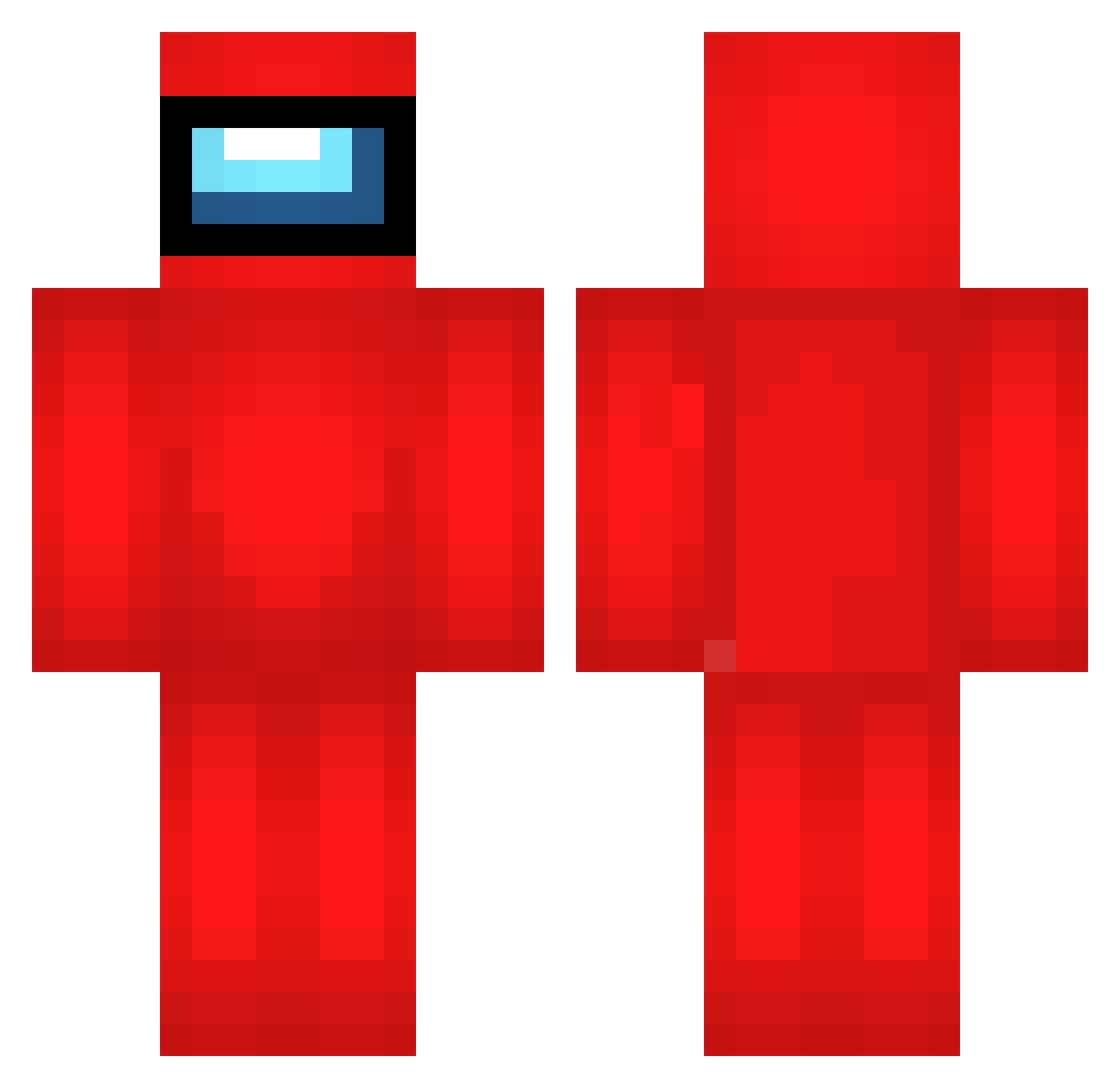
Current Minecraft skin of the player Xlreight, loaded from the official Mojang API. Rotate the 3D model with your mouse or finger, then download the skin as a PNG file and use it in Minecraft: Bedrock Edition or Java Edition for free. When Xlreight changes their skin, this page updates automatically and the old skin stays in the history below.
Other players with this skin (692)
Xlreight was the 234th player we have seen with this skin, first spotted on 01.09.2026. The same skin was seen on these players. Open a nickname to see their current skin and skin history.
 AWI843 WFH681 seG682 NyK406 grp984 TJJ881 GWO681 Feri269 ACU654 HRN533 VPI308 GuN604 yGn130 Ywx600 cxq181 pLy555 orM501 iWN212 wcH331 RWv109 SQo354 Stratfor SquidTube8222 CACHARRAMEN YeYu12 iOH126 Xgd942 Ppo980 TADAIMA9 ZHn768 WmF981 fBv94 IBn949 rQk446 XAk590 jvT756 Olik440 F4N2 ODk771 dogz_pro isaiahlolman1 ueu189 hmsters Guesthero WGL49 LDl749 lZo605 FWN113 kvb280 tEH536 AWe444 titansoxz eNm350 pUA247 MilkBeverage RRN239 KVB115 szy130 VFI853 Susmog
More Crewmate Minecraft skins
How to install the Xlreight skin
- Press the Download button above to save the skin as a PNG file.
- Minecraft: Bedrock Edition (PE): open the Dressing Room from the main menu (or tap your character → Edit Character), go to Classic Skins → Owned, press the + (new skin) button, choose the downloaded PNG and pick the Classic (Steve) model. Works on PC and mobile; consoles cannot import custom skins.
- Minecraft: Java Edition: open the Minecraft Launcher, go to the Skins tab, click New Skin, load the PNG, pick the Classic (Steve) model and press Save & Use. You can also upload it at minecraft.net → Profile → Change Skin.
The skin does not show up after import - what should I do?
Restart Minecraft and open the Dressing Room again - imported skins sometimes appear only after a restart. Also make sure you selected the imported skin and picked the Classic (Steve) model.
Which model should I choose, Classic or Slim?
This skin is designed for the Classic (Steve) model. If you pick the wrong model, the arms of the skin will look stretched or squeezed.
Is the skin of Xlreight free to download?
Yes. Press Download, save the PNG file and use it in Minecraft: Bedrock Edition or Java Edition - no payment or registration needed. The skin also works on multiplayer servers and Realms.
More skins
Looking for more? Go back to all Minecraft skins and check the top skins of the week, month and all time, or find any player's skin by nickname.