
Xbqa_ - Minecraft Skins & Skin History
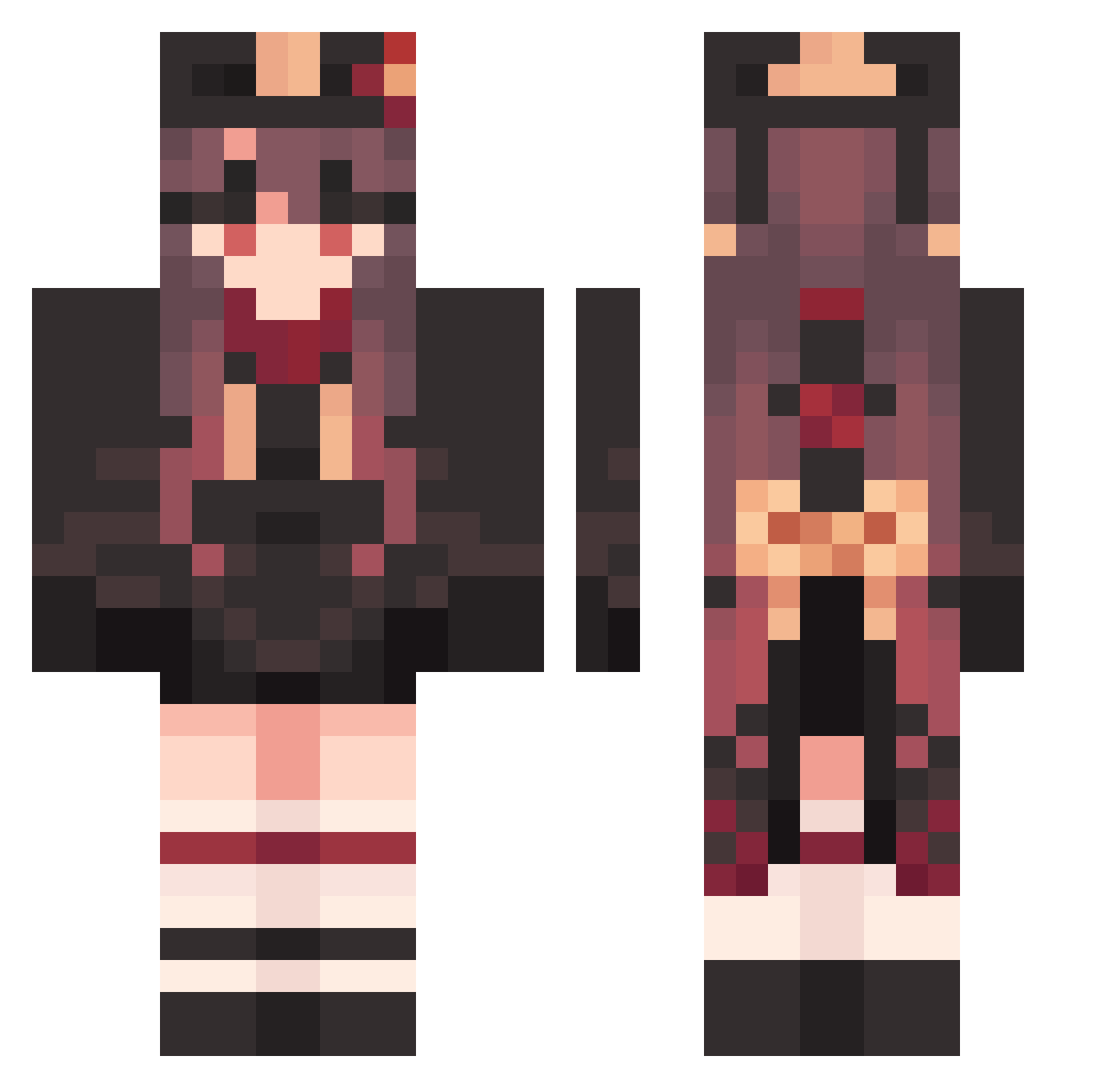
Current Minecraft skin of the player Xbqa_, loaded from the official Mojang API. Rotate the 3D model with your mouse or finger, then download the skin as a PNG file and use it in Minecraft: Bedrock Edition or Java Edition for free. When Xbqa_ changes their skin, this page updates automatically and the old skin stays in the history below.
Other players with this skin (1585)
Xbqa_ was the 344th player we have seen with this skin, first spotted on 18.08.2026. The same skin was seen on these players. Open a nickname to see their current skin and skin history.
 ClammyBerserk136 Hutao_WfdNikk106 Hutao_hAF660 ArrogantClumsy36 FullMetalFalco WretchedFresh681 AloofAlluring975 QuickLyrical447 Hutao_YDgJiil145 TEA31 Jesse_James_2020 Hutao_pPOZqwC818 zhuzi___ Xdrec W1nn1e727 TartAbsorbing955 JNGkame PrettyAbusive171 BroadAberrant294 BerserkAmused651 AzQ63 SuperbDefiant616 FaultyOptimal698 HangingSick986_ Hutao_KwiGJqL915 Minteryop Mikan222 MasterMonku ihe485 Hutao_jYIwXSM677 Hutao_emRIgNR758 HalfDefective618 SeemlyVague72 sirayuki0914 FranticModern431 MushyDemonic135 SaltyCrabby999 SNN706 FlatWilling103 ElfinUnbiased968 PuffyWorkable863 mitarasi6988 Hutao_bnpfuMT735 cyhperfect WorkableLight770 9r0m0n Hutao_OwO37 krinoj nagisa1015 TartStimulating7 vondis Theyluvbabyj jerryexplore CertainUnable462 Moyinghh Hutao_XBRVluh717 TAIYOCA Hutao_phU555 Eba666 yang10123
More Hu Tao Minecraft skins
How to install the Xbqa_ skin
- Press the Download button above to save the skin as a PNG file.
- Minecraft: Bedrock Edition (PE): open the Dressing Room from the main menu (or tap your character → Edit Character), go to Classic Skins → Owned, press the + (new skin) button, choose the downloaded PNG and pick the Classic (Steve) model. Works on PC and mobile; consoles cannot import custom skins.
- Minecraft: Java Edition: open the Minecraft Launcher, go to the Skins tab, click New Skin, load the PNG, pick the Classic (Steve) model and press Save & Use. You can also upload it at minecraft.net → Profile → Change Skin.
The skin does not show up after import - what should I do?
Restart Minecraft and open the Dressing Room again - imported skins sometimes appear only after a restart. Also make sure you selected the imported skin and picked the Classic (Steve) model.
Which model should I choose, Classic or Slim?
This skin is designed for the Classic (Steve) model. If you pick the wrong model, the arms of the skin will look stretched or squeezed.
Is the skin of Xbqa_ free to download?
Yes. Press Download, save the PNG file and use it in Minecraft: Bedrock Edition or Java Edition - no payment or registration needed. The skin also works on multiplayer servers and Realms.
More skins
Looking for more? Go back to all Minecraft skins and check the top skins of the week, month and all time, or find any player's skin by nickname.