
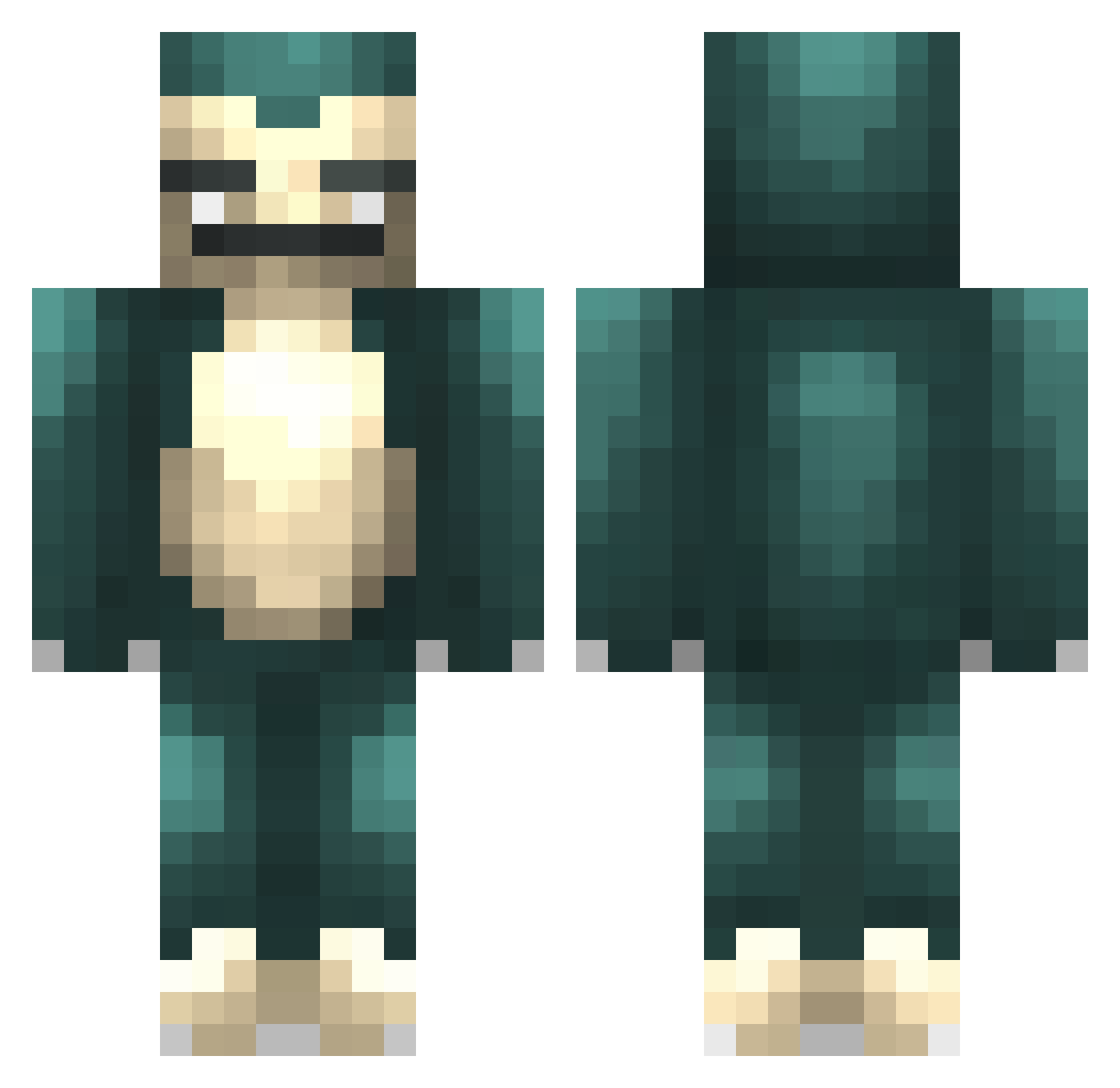
Current Minecraft skin of the player Wodzionka, loaded from the official Mojang API. Rotate the 3D model with your mouse or finger, then download the skin as a PNG file and use it in Minecraft: Bedrock Edition or Java Edition for free. When Wodzionka changes their skin, this page updates automatically and the old skin stays in the history below.
Other players with this skin (356)
Wodzionka was the 279th player we have seen with this skin, first spotted on 03.10.2026. The same skin was seen on these players. Open a nickname to see their current skin and skin history.
 Gybolg Andrew777Johnson Gamewhisperer80 AnimeFanatic21 jeffro278 parkydigdog camandcow EisCreaam NettHD _Johnos_ MULLA_LIGHT ButterNinja5000 Yevlo Miriam994 funobosi sipali KRByOCE J01001101 Hairy_Apex WrathOfCheese JayMelons Meowmurs47 LegitMite5 falconssoccer general_gigino NinjaFlash11 MightyChippi JustinLiu223 TeoxPvP POLITANch knrasmussen collision234 LivetoGetRadical Mathros kongming dayoco CxLxS robosam123 ElectraHeartxo nilsson124 allmustfall76 eskimogoose bowjay86 _d00d XxmrnuttyxX22 william0937 cottonphone1 ChefJeff0312 attackforce jason_the_pirate leodragon2007 XZzeERroO magicthijs Nimitz11 SandDetector Alvis10 moykamoyka Squeetie FrostyChilled krapo94
More Snorlax Minecraft skins
How to install the Wodzionka skin
- Press the Download button above to save the skin as a PNG file.
- Minecraft: Bedrock Edition (PE): open the Dressing Room from the main menu (or tap your character → Edit Character), go to Classic Skins → Owned, press the + (new skin) button, choose the downloaded PNG and pick the Classic (Steve) model. Works on PC and mobile; consoles cannot import custom skins.
- Minecraft: Java Edition: open the Minecraft Launcher, go to the Skins tab, click New Skin, load the PNG, pick the Classic (Steve) model and press Save & Use. You can also upload it at minecraft.net → Profile → Change Skin.
The skin does not show up after import - what should I do?
Restart Minecraft and open the Dressing Room again - imported skins sometimes appear only after a restart. Also make sure you selected the imported skin and picked the Classic (Steve) model.
Which model should I choose, Classic or Slim?
This skin is designed for the Classic (Steve) model. If you pick the wrong model, the arms of the skin will look stretched or squeezed.
Is the skin of Wodzionka free to download?
Yes. Press Download, save the PNG file and use it in Minecraft: Bedrock Edition or Java Edition - no payment or registration needed. The skin also works on multiplayer servers and Realms.
More skins
Looking for more? Go back to all Minecraft skins and check the top skins of the week, month and all time, or find any player's skin by nickname.