
WilderPhoeniXx - Minecraft Skins & Skin History
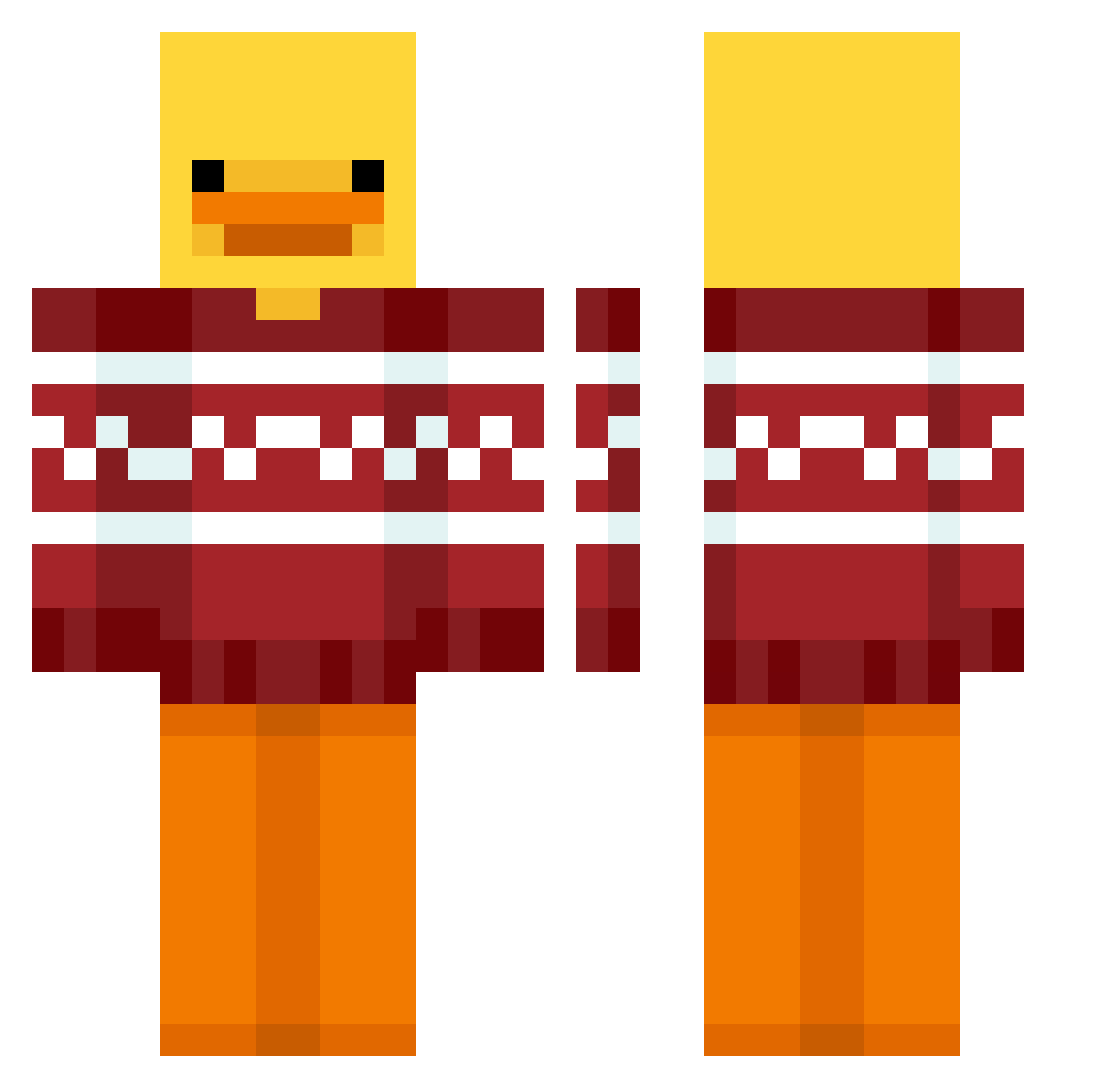
Current Minecraft skin of the player WilderPhoeniXx, loaded from the official Mojang API. Rotate the 3D model with your mouse or finger, then download the skin as a PNG file and use it in Minecraft: Bedrock Edition or Java Edition for free. When WilderPhoeniXx changes their skin, this page updates automatically and the old skin stays in the history below.
Other players with this skin (55)
WilderPhoeniXx was the 49th player we have seen with this skin, first spotted on 30.10.2026. The same skin was seen on these players. Open a nickname to see their current skin and skin history.
 ibrodis Pedrito2023GAMER Tilin3422 DanTa Mozzzi_7 FireAbuser69 JustNOx_DEV MasTakill38 nineducks drreeaamm Tommyisnotokay DAVIIDAH KOR_Min8195 Helvijs77 Tokosi_ SmokinGun2023 zZen1th DJEricB6 minecraftorek MartiM_200100 unazon maellemgy alan_pac14 oaovrk opsonetap DuckySins DDiego1 TheRizzles NoSoyBrandy 3pointMASON amvh SiuT0619 Liefde_ CrispGeoduck9021 jiyulhhh daBlindOne Shiimacho Samuel1456 AutumnSpider150 Linus__tv Lamma_Handsome Lascarica c0smxc_ JustTerbra Stefiiik JaaakubJez Zavoy1 Qual69 vicentearrau12 Sityur Kaspookyy B1rro jeterliu nibi420 RottenToeFungus
More Duck Minecraft skins
How to install the WilderPhoeniXx skin
- Press the Download button above to save the skin as a PNG file.
- Minecraft: Bedrock Edition (PE): open the Dressing Room from the main menu (or tap your character → Edit Character), go to Classic Skins → Owned, press the + (new skin) button, choose the downloaded PNG and pick the Classic (Steve) model. Works on PC and mobile; consoles cannot import custom skins.
- Minecraft: Java Edition: open the Minecraft Launcher, go to the Skins tab, click New Skin, load the PNG, pick the Classic (Steve) model and press Save & Use. You can also upload it at minecraft.net → Profile → Change Skin.
The skin does not show up after import - what should I do?
Restart Minecraft and open the Dressing Room again - imported skins sometimes appear only after a restart. Also make sure you selected the imported skin and picked the Classic (Steve) model.
Which model should I choose, Classic or Slim?
This skin is designed for the Classic (Steve) model. If you pick the wrong model, the arms of the skin will look stretched or squeezed.
Is the skin of WilderPhoeniXx free to download?
Yes. Press Download, save the PNG file and use it in Minecraft: Bedrock Edition or Java Edition - no payment or registration needed. The skin also works on multiplayer servers and Realms.
More skins
Looking for more? Go back to all Minecraft skins and check the top skins of the week, month and all time, or find any player's skin by nickname.