
WifiSpy_ - Minecraft Skins & Skin History
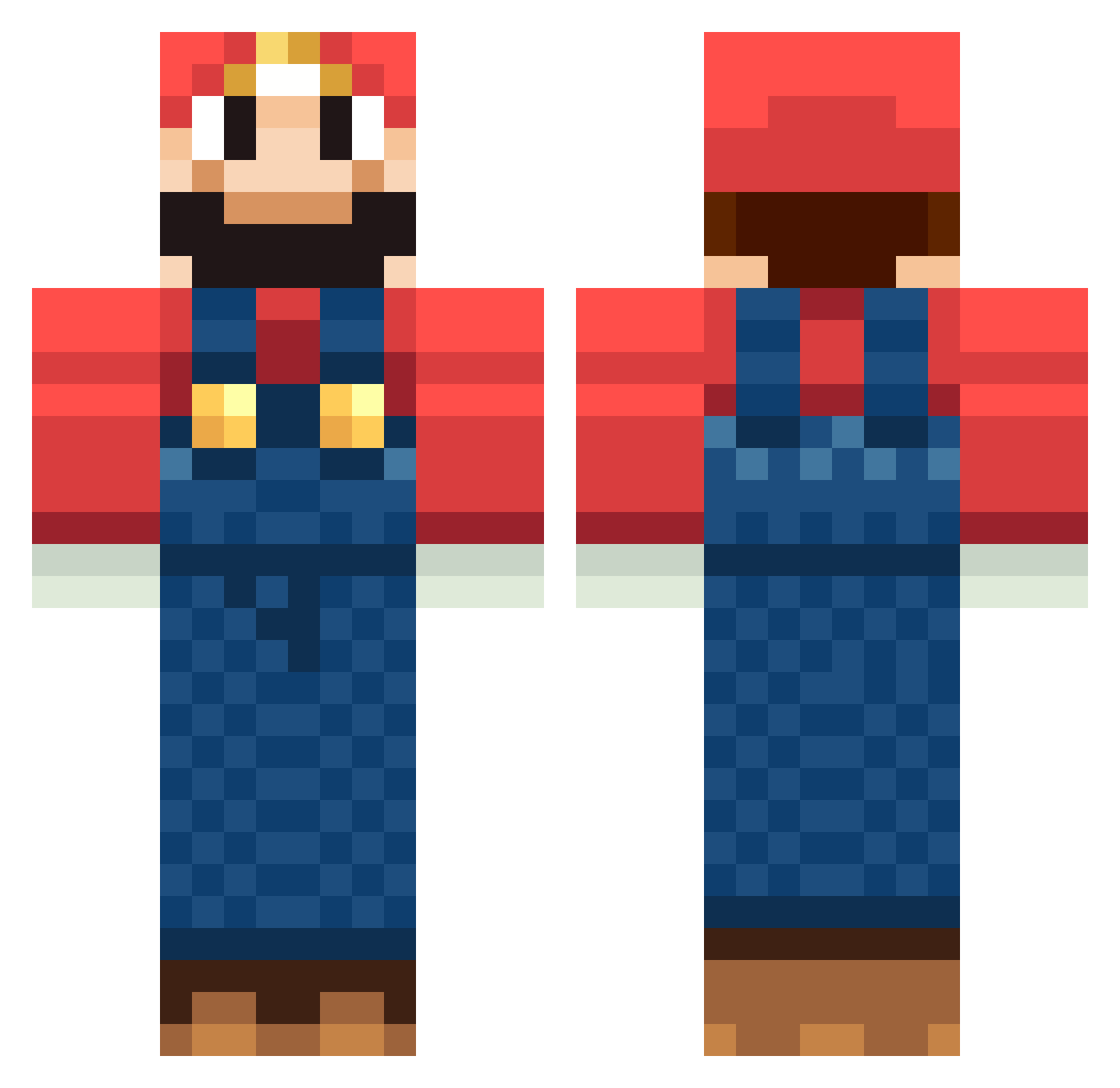
Current Minecraft skin of the player WifiSpy_, loaded from the official Mojang API. Rotate the 3D model with your mouse or finger, then download the skin as a PNG file and use it in Minecraft: Bedrock Edition or Java Edition for free. When WifiSpy_ changes their skin, this page updates automatically and the old skin stays in the history below.
Other players with this skin (1263)
WifiSpy_ was the 242nd player we have seen with this skin, first spotted on 16.08.2026. The same skin was seen on these players. Open a nickname to see their current skin and skin history.
 xqwxqw TJ_IS_BACK BlizzagaLantean xAmazeHD ChibiFalso King_Aire Hypknox starki93 JakeVaughan garrettread JuiceOut nblum bentzilla kinggoatee choloslayer SamStorms Dileet Koma_moka Giampi05 kopakai GTXuv alexander3050 peanuters1234 Presidenthero romanovski TehMunky epboyd25 Tharidor luagerlez Marioluigi684 brync feldtja simo9866 IsoSymmetry OGdree LoudSilence cademan25 sang1031 MinecraftJunkies Varliukas mintmagpie1 johannried1 axy25 Wifebeta Warlordstoff420 drb763 DextroNick Deskart SGS1995 laserOCK deAlt95 ficiallee AJswift NumNutz_1 dellmaster DoctorRockso85 Cabezen imhiya maurice0303 phonyfrog
More Mario Minecraft skins
How to install the WifiSpy_ skin
- Press the Download button above to save the skin as a PNG file.
- Minecraft: Bedrock Edition (PE): open the Dressing Room from the main menu (or tap your character → Edit Character), go to Classic Skins → Owned, press the + (new skin) button, choose the downloaded PNG and pick the Classic (Steve) model. Works on PC and mobile; consoles cannot import custom skins.
- Minecraft: Java Edition: open the Minecraft Launcher, go to the Skins tab, click New Skin, load the PNG, pick the Classic (Steve) model and press Save & Use. You can also upload it at minecraft.net → Profile → Change Skin.
The skin does not show up after import - what should I do?
Restart Minecraft and open the Dressing Room again - imported skins sometimes appear only after a restart. Also make sure you selected the imported skin and picked the Classic (Steve) model.
Which model should I choose, Classic or Slim?
This skin is designed for the Classic (Steve) model. If you pick the wrong model, the arms of the skin will look stretched or squeezed.
Is the skin of WifiSpy_ free to download?
Yes. Press Download, save the PNG file and use it in Minecraft: Bedrock Edition or Java Edition - no payment or registration needed. The skin also works on multiplayer servers and Realms.
More skins
Looking for more? Go back to all Minecraft skins and check the top skins of the week, month and all time, or find any player's skin by nickname.