
Weedhacker77 - Minecraft Skins & Skin History
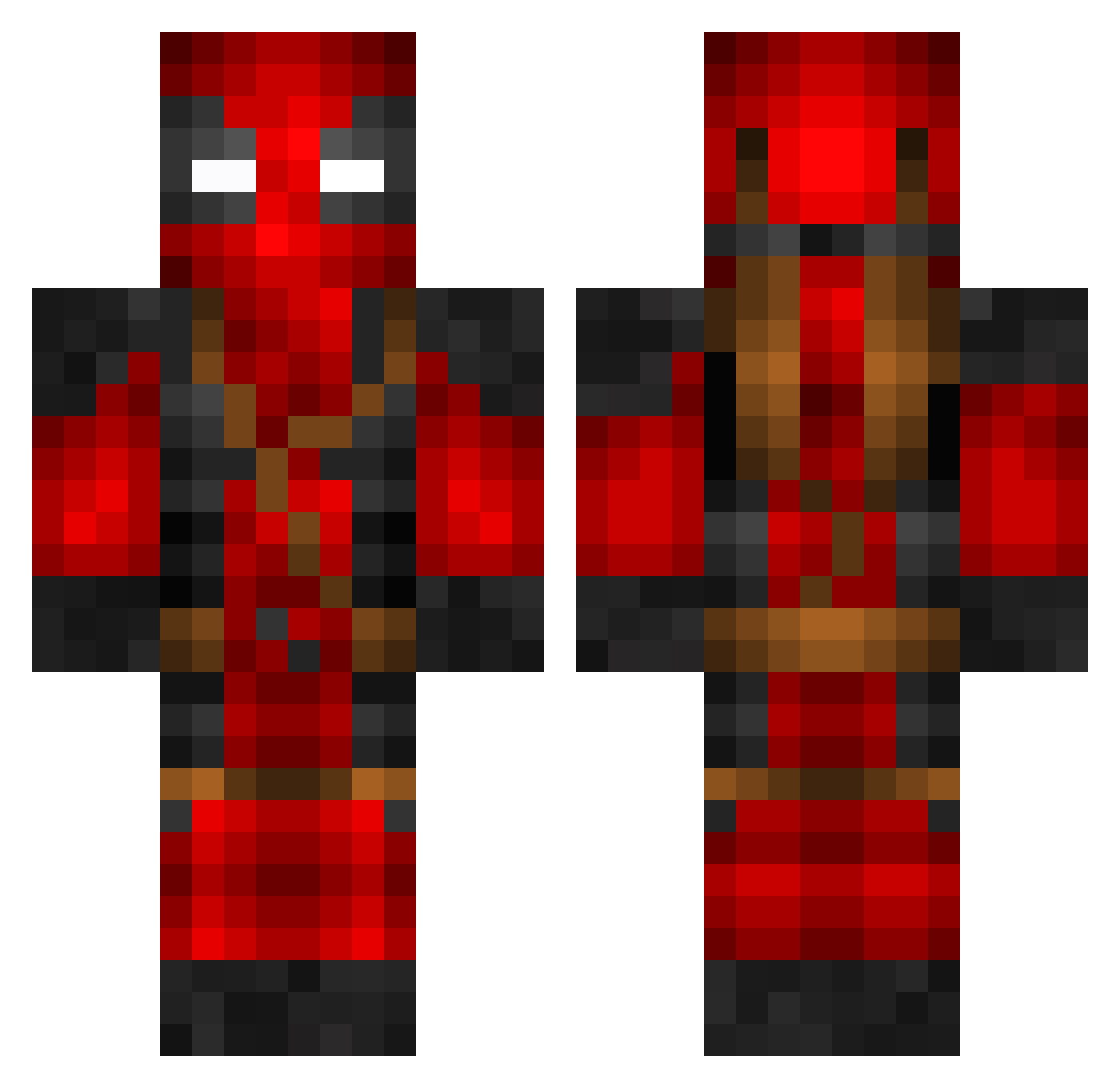
Current Minecraft skin of the player Weedhacker77, loaded from the official Mojang API. Rotate the 3D model with your mouse or finger, then download the skin as a PNG file and use it in Minecraft: Bedrock Edition or Java Edition for free. When Weedhacker77 changes their skin, this page updates automatically and the old skin stays in the history below.
Other players with this skin (800)
Weedhacker77 was the 216th player we have seen with this skin, first spotted on 26.08.2026. The same skin was seen on these players. Open a nickname to see their current skin and skin history.
 Boinna Peakz_ Cab00sebe dp_666 welshsniper Ace_1408 BonkRipper87 ManuP_01 batuhank3k Bartekcito maggiescooler Flembo69 supernoob999541 zKonver DragonTakumi Yasons wolf2334 Wadeimus Cursador N7k3zz Jayjost Brad2608 wildrdon Turtle1404 TIDDIDawg maxxiok NickHonings BazemanDK MHPYNE dario97a NATECYBER ARosssiii elHabana ksn0d0 Gamingreaction7 Chungus_Grande TattyGore Teraforma101 Lifeliss koltmonger jeankuzey Roscacha69 DRAGZ_911 gdog760 DarkKnightJR9 aksilli Hdd79 Delay6565 Plasima DrBrown98 Pinkyness YejiangGG Haribonugget ProfessorHaseo __Jxchxn__ WMHPlayz w_vdg BiggyBaer Wxsted_Potential flea211
More Deadpool Minecraft skins
How to install the Weedhacker77 skin
- Press the Download button above to save the skin as a PNG file.
- Minecraft: Bedrock Edition (PE): open the Dressing Room from the main menu (or tap your character → Edit Character), go to Classic Skins → Owned, press the + (new skin) button, choose the downloaded PNG and pick the Classic (Steve) model. Works on PC and mobile; consoles cannot import custom skins.
- Minecraft: Java Edition: open the Minecraft Launcher, go to the Skins tab, click New Skin, load the PNG, pick the Classic (Steve) model and press Save & Use. You can also upload it at minecraft.net → Profile → Change Skin.
The skin does not show up after import - what should I do?
Restart Minecraft and open the Dressing Room again - imported skins sometimes appear only after a restart. Also make sure you selected the imported skin and picked the Classic (Steve) model.
Which model should I choose, Classic or Slim?
This skin is designed for the Classic (Steve) model. If you pick the wrong model, the arms of the skin will look stretched or squeezed.
Is the skin of Weedhacker77 free to download?
Yes. Press Download, save the PNG file and use it in Minecraft: Bedrock Edition or Java Edition - no payment or registration needed. The skin also works on multiplayer servers and Realms.
More skins
Looking for more? Go back to all Minecraft skins and check the top skins of the week, month and all time, or find any player's skin by nickname.