
WRCkar - Minecraft Skins & Skin History
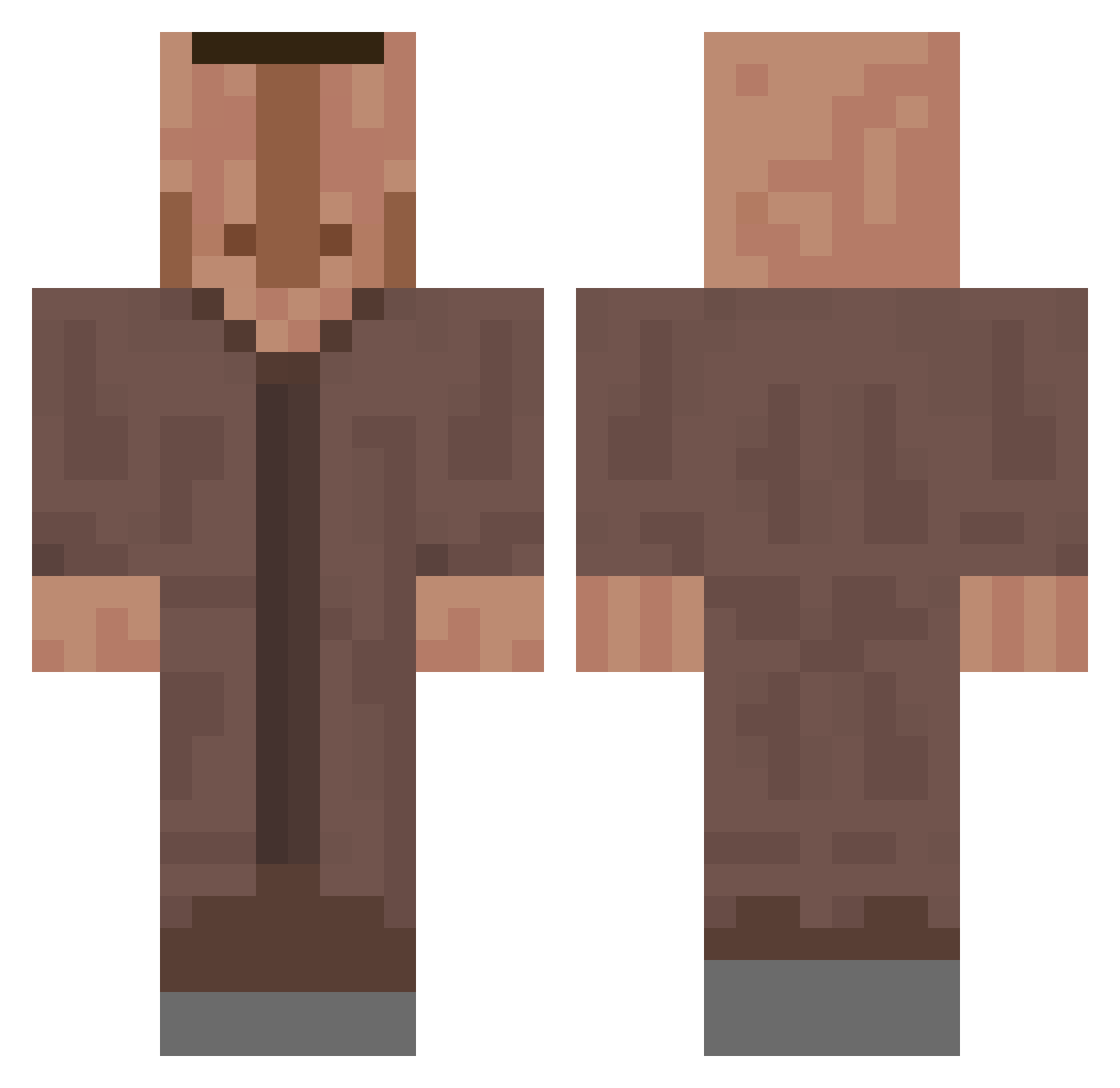
Current Minecraft skin of the player WRCkar, loaded from the official Mojang API. Rotate the 3D model with your mouse or finger, then download the skin as a PNG file and use it in Minecraft: Bedrock Edition or Java Edition for free. When WRCkar changes their skin, this page updates automatically and the old skin stays in the history below.
Other players with this skin (635)
WRCkar was the 317th player we have seen with this skin, first spotted on 23.09.2026. The same skin was seen on these players. Open a nickname to see their current skin and skin history.
 BIGmonkeMAN3581 arata0501 Kry1881 Enzocc2007 yxnga pecuri Kup08 Alperen1131 cacumber DUUDENG 777GUY Niccl_ Powercraft Zyk1337 Schwammalragout AcidPsytrance iamdkv Gidrapoyuza LemonadeTree520 andrewtitanius alain1419 kamilszuper Anekis ibandix helicopterHelmut xysss0 IchigoGoatbankai Shmitty20 Eisamstiehl xinardil Trey_Is_DeadPool Lamadog26 YaYeetYeeter noriccc MelonC0ck TRIGGETYpretzel Pidorasi0 filipe_ramos VedattvCZ Maxihof maximilian2009 hoteltr Roookman Ratomix Adrian272004a juanitobee Senjukai Akiiras120_ ZazouPowerQc DESCO78 inspire3927 MarcoChaos_ tubbyfishyuwu Zqpex1 NAILLEK59116 mImAmAmEmImAA JP73RS Anrugasvel d4phn3_ Trans_Destroyer
More Villager Minecraft skins
How to install the WRCkar skin
- Press the Download button above to save the skin as a PNG file.
- Minecraft: Bedrock Edition (PE): open the Dressing Room from the main menu (or tap your character → Edit Character), go to Classic Skins → Owned, press the + (new skin) button, choose the downloaded PNG and pick the Classic (Steve) model. Works on PC and mobile; consoles cannot import custom skins.
- Minecraft: Java Edition: open the Minecraft Launcher, go to the Skins tab, click New Skin, load the PNG, pick the Classic (Steve) model and press Save & Use. You can also upload it at minecraft.net → Profile → Change Skin.
The skin does not show up after import - what should I do?
Restart Minecraft and open the Dressing Room again - imported skins sometimes appear only after a restart. Also make sure you selected the imported skin and picked the Classic (Steve) model.
Which model should I choose, Classic or Slim?
This skin is designed for the Classic (Steve) model. If you pick the wrong model, the arms of the skin will look stretched or squeezed.
Is the skin of WRCkar free to download?
Yes. Press Download, save the PNG file and use it in Minecraft: Bedrock Edition or Java Edition - no payment or registration needed. The skin also works on multiplayer servers and Realms.
More skins
Looking for more? Go back to all Minecraft skins and check the top skins of the week, month and all time, or find any player's skin by nickname.