
Vortexx95 - Minecraft Skins & Skin History
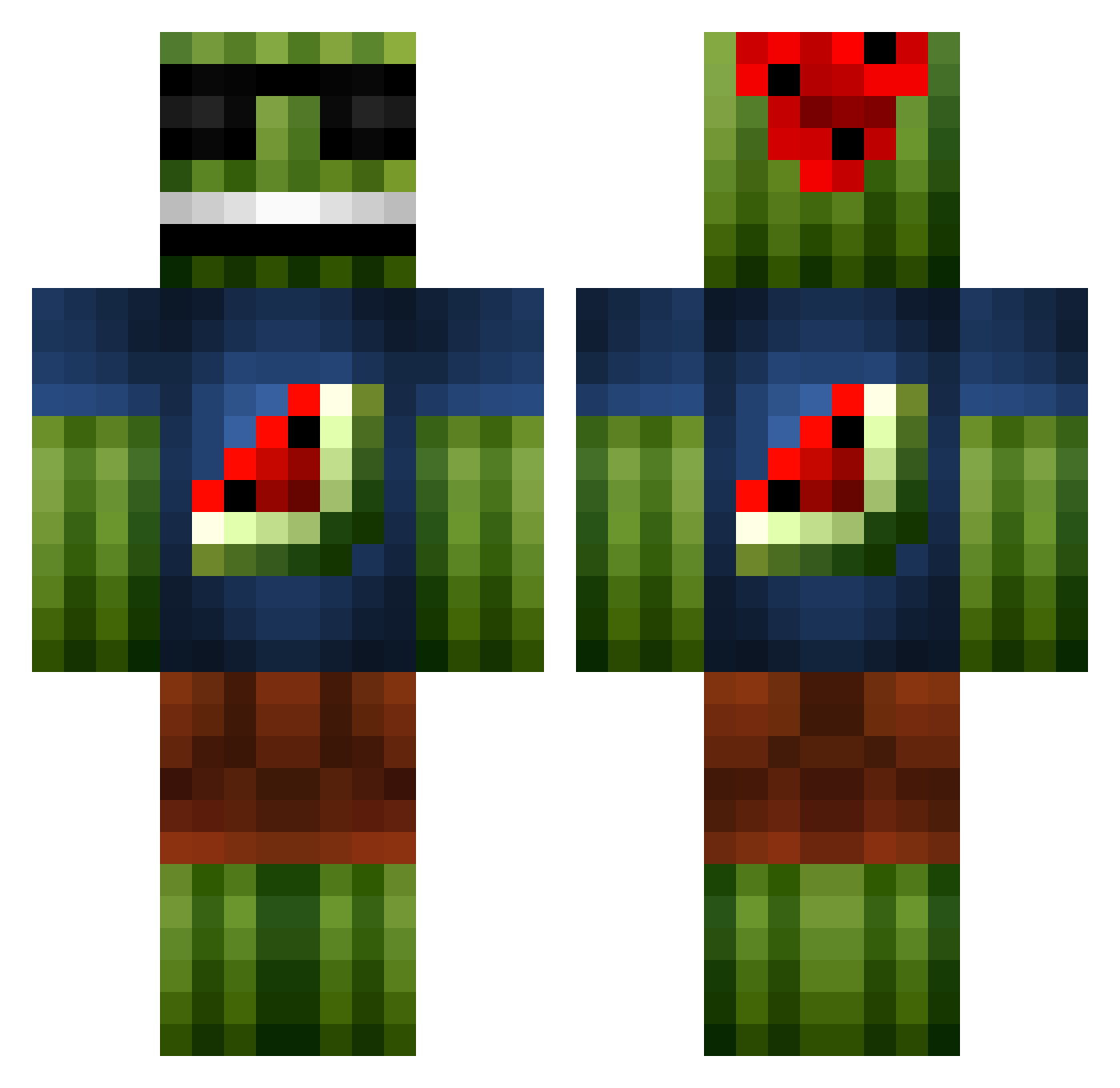
Current Minecraft skin of the player Vortexx95, loaded from the official Mojang API. Rotate the 3D model with your mouse or finger, then download the skin as a PNG file and use it in Minecraft: Bedrock Edition or Java Edition for free. When Vortexx95 changes their skin, this page updates automatically and the old skin stays in the history below.
Other players with this skin (1087)
Vortexx95 was the 20th player we have seen with this skin, first spotted on 23.07.2026. The same skin was seen on these players. Open a nickname to see their current skin and skin history.
 redapple126 augusttk midgeghetto Ellan2004 tiecon jellybean911 casey_bert jackborrett10 _Destructive QasKing007 brock477 ajbastic WakeTheAwaken I_LIKE_TRAINS_86 PhilDawg jpp222 i_am_epic123 LeMangusta69 Cunzhang_v ben9844 AdamE77 mrzombi3 FagPvP Lucas_226 irishdragon123 Alitimebabo SUT_MIG_TOM zipper_a AssassinTurtle2 zokawatha Lucke_A IsaacBeaston JanickAT Ralozzek nichprez HarryMindCraft bave1 Remstar08 Miner_Derek ChalkNZ DRDOOM55 Krago80 GamerGui4life Minimajs3 Daly_Dude MrFlex19 Kubiny66 JRWcool9 rileyjs MonKeYxSkiLLZ_ nialltopping JacksonVan2003 Swish03 XxyoshislayerxX deadlock2008 NIGEL6666 PJH12 vzskiraly
 pro4gam3r99 Miny14
More Watermelon Minecraft skins
How to install the Vortexx95 skin
- Press the Download button above to save the skin as a PNG file.
- Minecraft: Bedrock Edition (PE): open the Dressing Room from the main menu (or tap your character → Edit Character), go to Classic Skins → Owned, press the + (new skin) button, choose the downloaded PNG and pick the Classic (Steve) model. Works on PC and mobile; consoles cannot import custom skins.
- Minecraft: Java Edition: open the Minecraft Launcher, go to the Skins tab, click New Skin, load the PNG, pick the Classic (Steve) model and press Save & Use. You can also upload it at minecraft.net → Profile → Change Skin.
The skin does not show up after import - what should I do?
Restart Minecraft and open the Dressing Room again - imported skins sometimes appear only after a restart. Also make sure you selected the imported skin and picked the Classic (Steve) model.
Which model should I choose, Classic or Slim?
This skin is designed for the Classic (Steve) model. If you pick the wrong model, the arms of the skin will look stretched or squeezed.
Is the skin of Vortexx95 free to download?
Yes. Press Download, save the PNG file and use it in Minecraft: Bedrock Edition or Java Edition - no payment or registration needed. The skin also works on multiplayer servers and Realms.
More skins
Looking for more? Go back to all Minecraft skins and check the top skins of the week, month and all time, or find any player's skin by nickname.