
Vivimorte - Minecraft Skins & Skin History
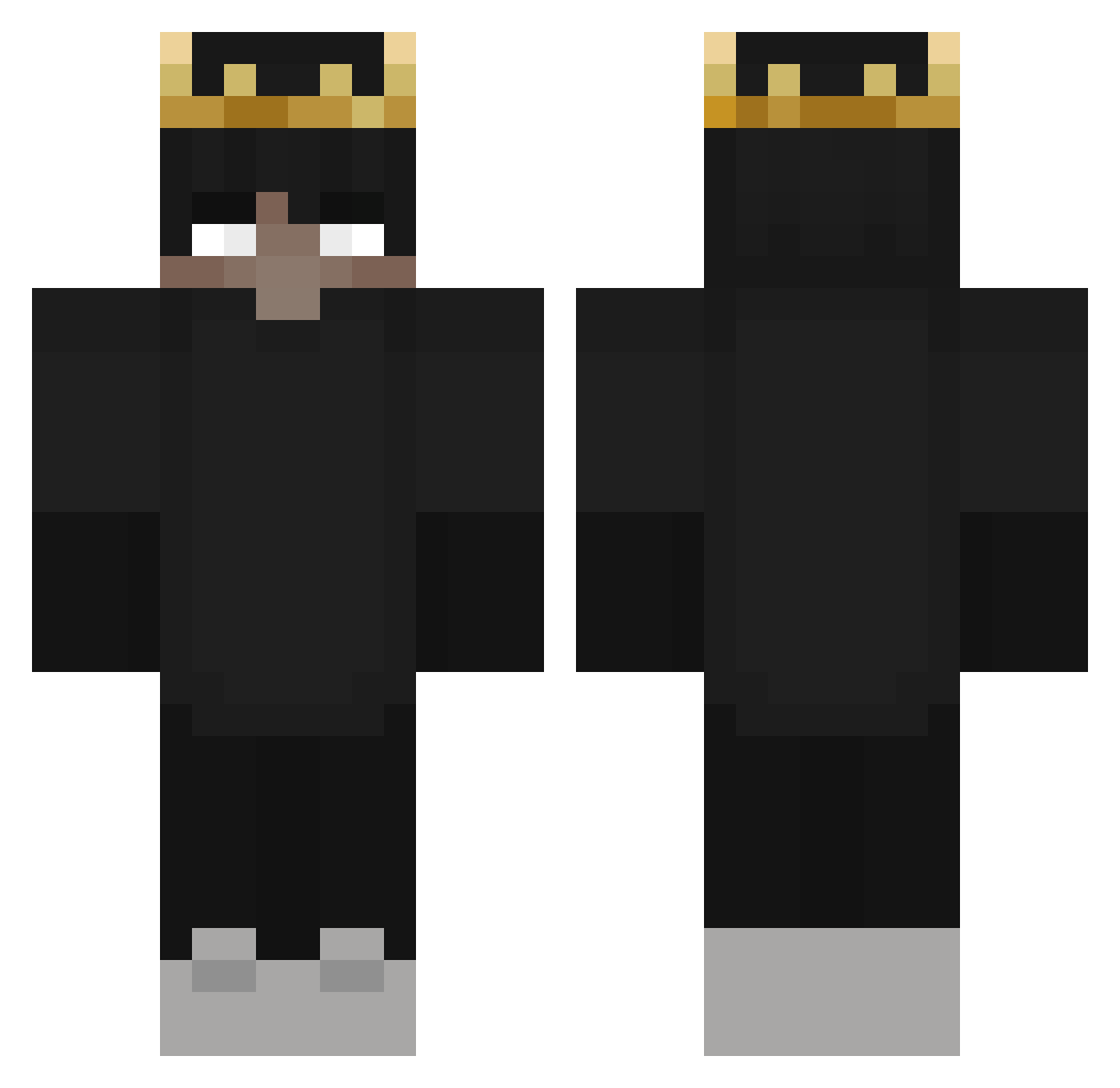
Current Minecraft skin of the player Vivimorte, loaded from the official Mojang API. Rotate the 3D model with your mouse or finger, then download the skin as a PNG file and use it in Minecraft: Bedrock Edition or Java Edition for free. When Vivimorte changes their skin, this page updates automatically and the old skin stays in the history below.
Other players with this skin (325)
Vivimorte was the 41st player we have seen with this skin, first spotted on 11.08.2026. The same skin was seen on these players. Open a nickname to see their current skin and skin history.
 HypeCoin BenNZL ItsTheCaveman LosRego JaxxClayton Thadamartz AxerioSS Cuzimbxn TheRealLeoG0D zionlehnert eatrare fisherman225 brycemoney2 LIAMMEEEE Lu4n_BedWars Kocakose Joda_like2 Vandetta1337 DodsHaven IMMadaaaaa JORKAVS ConanJu Srxson1254 tom_psyco00 VeljkoTesic SHAD0WLIAM IM_NOT_BEAM CousinEddy levib_501 xxWichtiger09 GetStrafedzZ FexoraNET_YT luklesone ZeroMazer Sarnaxx tarheelfanatic9 Szuumciak Scheibinhos sullyx05 L4TWIUTKO Wasko28 CanyKot sk9z5 Hal_of_D0ver YouTuBe__utJLto Aso_GG ShizuWitch N3ptunXR wolfytofn MeneerTubbie DantesCross BitZerrrr Ramonaxd_ B4Ushout4 CarvedAmoeba300 masloigor Koga143 vibescentral SHADOW_ALIVE_ IlgarBek
More Ranboo Minecraft skins
How to install the Vivimorte skin
- Press the Download button above to save the skin as a PNG file.
- Minecraft: Bedrock Edition (PE): open the Dressing Room from the main menu (or tap your character → Edit Character), go to Classic Skins → Owned, press the + (new skin) button, choose the downloaded PNG and pick the Classic (Steve) model. Works on PC and mobile; consoles cannot import custom skins.
- Minecraft: Java Edition: open the Minecraft Launcher, go to the Skins tab, click New Skin, load the PNG, pick the Classic (Steve) model and press Save & Use. You can also upload it at minecraft.net → Profile → Change Skin.
The skin does not show up after import - what should I do?
Restart Minecraft and open the Dressing Room again - imported skins sometimes appear only after a restart. Also make sure you selected the imported skin and picked the Classic (Steve) model.
Which model should I choose, Classic or Slim?
This skin is designed for the Classic (Steve) model. If you pick the wrong model, the arms of the skin will look stretched or squeezed.
Is the skin of Vivimorte free to download?
Yes. Press Download, save the PNG file and use it in Minecraft: Bedrock Edition or Java Edition - no payment or registration needed. The skin also works on multiplayer servers and Realms.
More skins
Looking for more? Go back to all Minecraft skins and check the top skins of the week, month and all time, or find any player's skin by nickname.