
ViktorMachtWuff - Minecraft Skins & Skin History
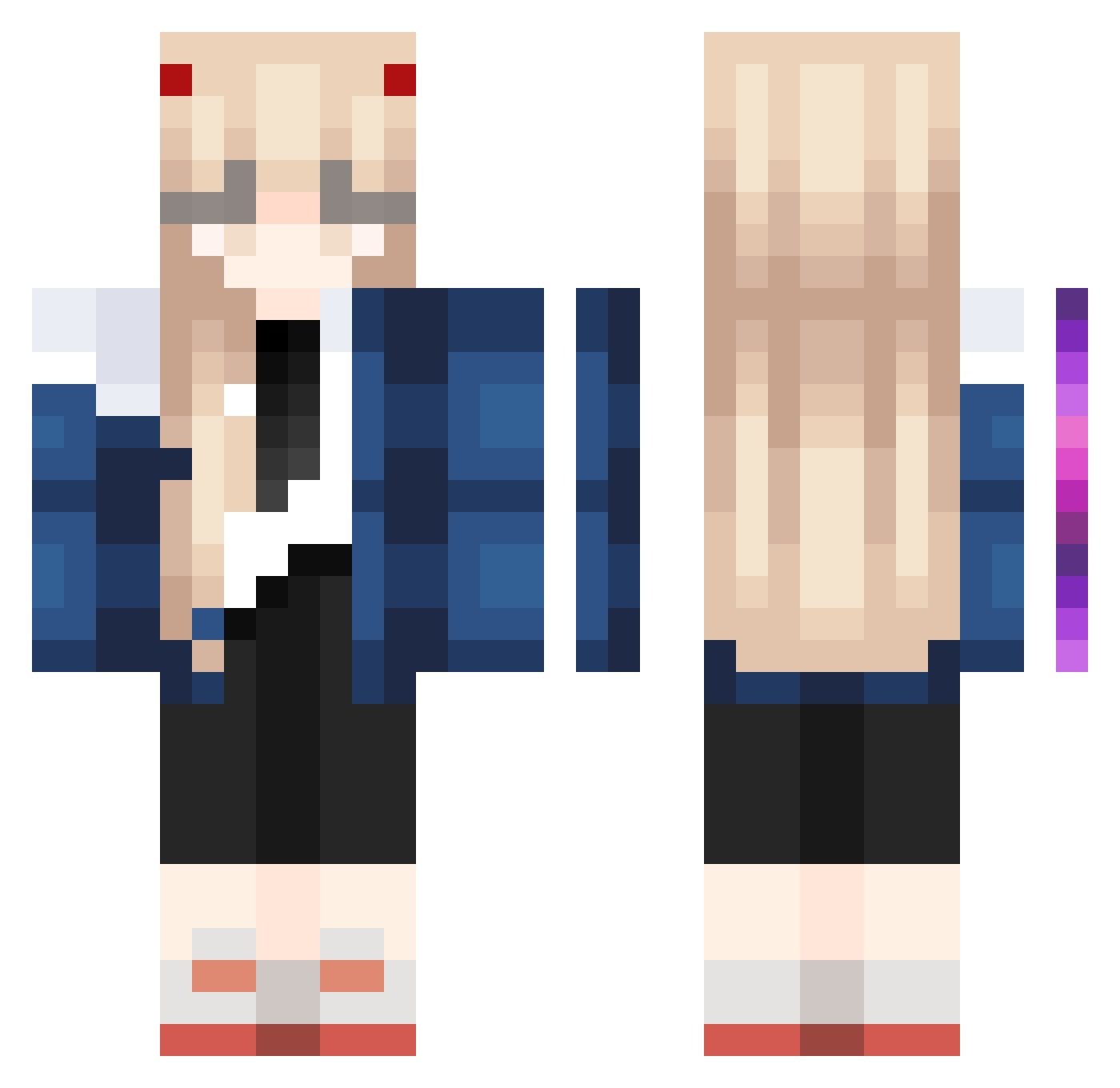
Current Minecraft skin of the player ViktorMachtWuff, loaded from the official Mojang API. Rotate the 3D model with your mouse or finger, then download the skin as a PNG file and use it in Minecraft: Bedrock Edition or Java Edition for free. When ViktorMachtWuff changes their skin, this page updates automatically and the old skin stays in the history below.
Other players with this skin (1023)
ViktorMachtWuff was the 889th player we have seen with this skin, first spotted on 25.10.2026. The same skin was seen on these players. Open a nickname to see their current skin and skin history.
 Ambersandishi kqcypher WMKWD cabezadepin15400 chiknkennugeget unsmokel Tinaq jojo_7513 Takahiro2001 shenki02 hvick217 suzume190 Bubngus Hi2920 KeptBell0935548 yudage11 qinciy chiaramlml LoveU4Ev3r dioresai sicarius233 yezixiaoyi Vibez0910 kota333 classy_witch 1337_Ggou Trashboa69 Ganmo7 Takuyaer69 zxcvano69 jingjing0204 Jamalskrt eckszz MilkBrown12 _Fucha_ Cheesewizzzzzz susu0023 JackCurry123 SilverCosmos17 KaiserNot a29806257 Alejojoako Shyynop jin_926 itsNightmaree bukjoy Mggchn Spazso_ OldClient1337 WaTer_Chi Becket1 rinu465 Ertryche LaoWangBaaa LeighKie1019 Sheep4545 okane_hoshii Maikelss TecnoMask levvv09
More Zero Two Minecraft skins
How to install the ViktorMachtWuff skin
- Press the Download button above to save the skin as a PNG file.
- Minecraft: Bedrock Edition (PE): open the Dressing Room from the main menu (or tap your character → Edit Character), go to Classic Skins → Owned, press the + (new skin) button, choose the downloaded PNG and pick the Classic (Steve) model. Works on PC and mobile; consoles cannot import custom skins.
- Minecraft: Java Edition: open the Minecraft Launcher, go to the Skins tab, click New Skin, load the PNG, pick the Classic (Steve) model and press Save & Use. You can also upload it at minecraft.net → Profile → Change Skin.
The skin does not show up after import - what should I do?
Restart Minecraft and open the Dressing Room again - imported skins sometimes appear only after a restart. Also make sure you selected the imported skin and picked the Classic (Steve) model.
Which model should I choose, Classic or Slim?
This skin is designed for the Classic (Steve) model. If you pick the wrong model, the arms of the skin will look stretched or squeezed.
Is the skin of ViktorMachtWuff free to download?
Yes. Press Download, save the PNG file and use it in Minecraft: Bedrock Edition or Java Edition - no payment or registration needed. The skin also works on multiplayer servers and Realms.
More skins
Looking for more? Go back to all Minecraft skins and check the top skins of the week, month and all time, or find any player's skin by nickname.