
Vielite - Minecraft Skins & Skin History
Current Minecraft skin of the player Vielite, loaded from the official Mojang API. Rotate the 3D model with your mouse or finger, then download the skin as a PNG file and use it in Minecraft: Bedrock Edition or Java Edition for free. When Vielite changes their skin, this page updates automatically and the old skin stays in the history below.
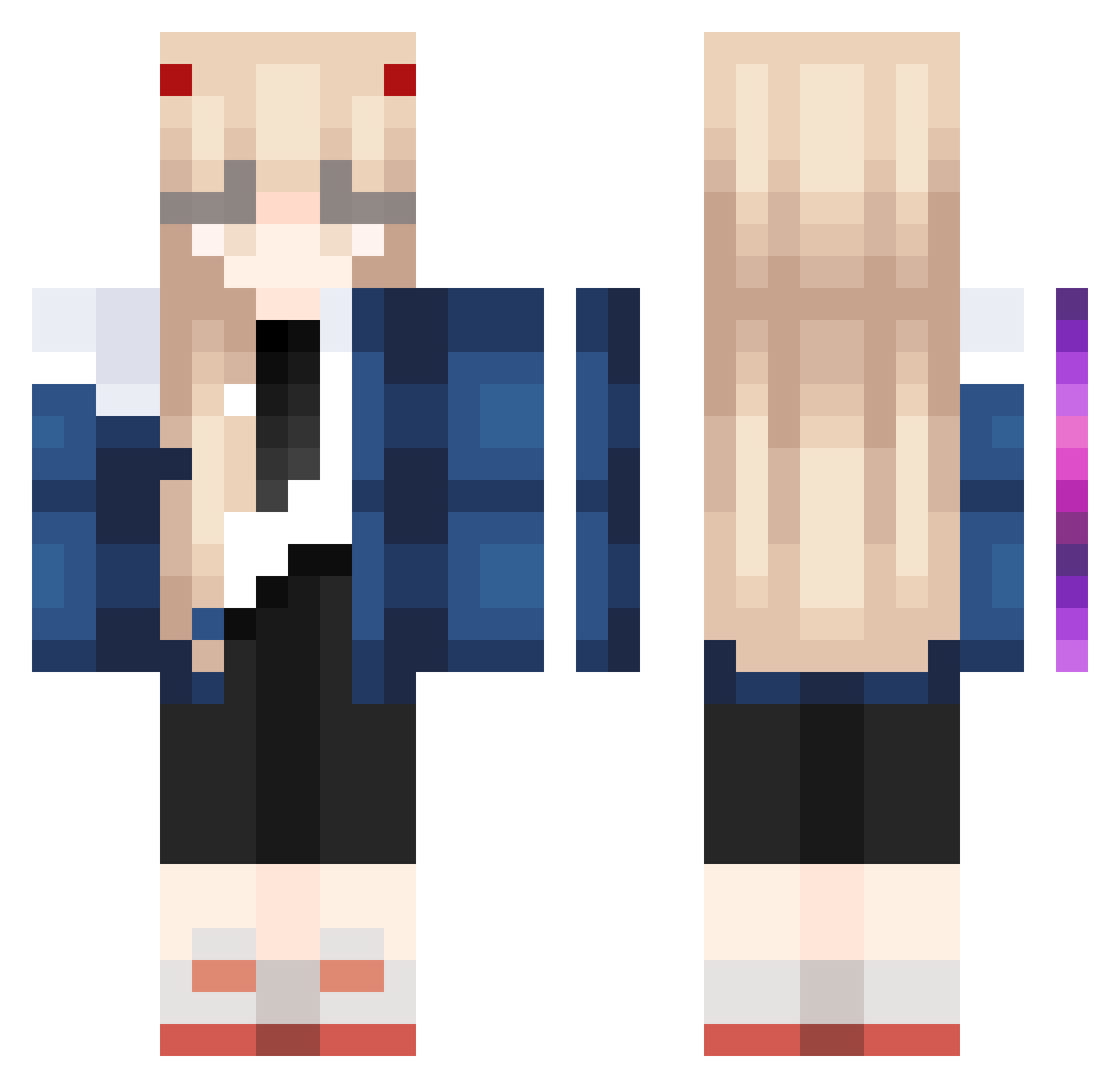
Other players with this skin (1023)
Vielite was the 305th player we have seen with this skin, first spotted on 27.08.2026. The same skin was seen on these players. Open a nickname to see their current skin and skin history.
 kebsikxd1
 globglobabgalab ValXK_ RaeghalTvR juplum zSebv czyy66 LL222 Chxtoxxyz Rainbowunicorn02 Darksky_sz ZENITH_NAPO BeatrixPotter05 hurd_sky Dee___x3 GTWO7134 E33U MaiQi1127 Saltystina weishenggong straytar0 Vononcyka SweetDevilxD ramucat1010 sio_sio_ littlecatuwu gujiasai Amanojakuma32 makaveliinthis96 NekoArcXD Elma_Chido snowfish_1212 bootaku miinminiie TheParable qtDomi Gogi_GI NicolaZeroTwo Hxmix Rimure h4mz__ Rosemary76 uniuri _Sigma4ka_ Noxelf Apriiiill MiniPepper97750 Notitube Zeppeliii chilei6 _smoth shyalmond Q_qingshi gPqls04 NoSpamming ChrisBumstedX xiaomouren2 alex9010xpress Ken123321 yused02
More Zero Two Minecraft skins
How to install the Vielite skin
- Press the Download button above to save the skin as a PNG file.
- Minecraft: Bedrock Edition (PE): open the Dressing Room from the main menu (or tap your character → Edit Character), go to Classic Skins → Owned, press the + (new skin) button, choose the downloaded PNG and pick the Classic (Steve) model. Works on PC and mobile; consoles cannot import custom skins.
- Minecraft: Java Edition: open the Minecraft Launcher, go to the Skins tab, click New Skin, load the PNG, pick the Classic (Steve) model and press Save & Use. You can also upload it at minecraft.net → Profile → Change Skin.
The skin does not show up after import - what should I do?
Restart Minecraft and open the Dressing Room again - imported skins sometimes appear only after a restart. Also make sure you selected the imported skin and picked the Classic (Steve) model.
Which model should I choose, Classic or Slim?
This skin is designed for the Classic (Steve) model. If you pick the wrong model, the arms of the skin will look stretched or squeezed.
Is the skin of Vielite free to download?
Yes. Press Download, save the PNG file and use it in Minecraft: Bedrock Edition or Java Edition - no payment or registration needed. The skin also works on multiplayer servers and Realms.
More skins
Looking for more? Go back to all Minecraft skins and check the top skins of the week, month and all time, or find any player's skin by nickname.