
Valemtus - Minecraft Skins & Skin History
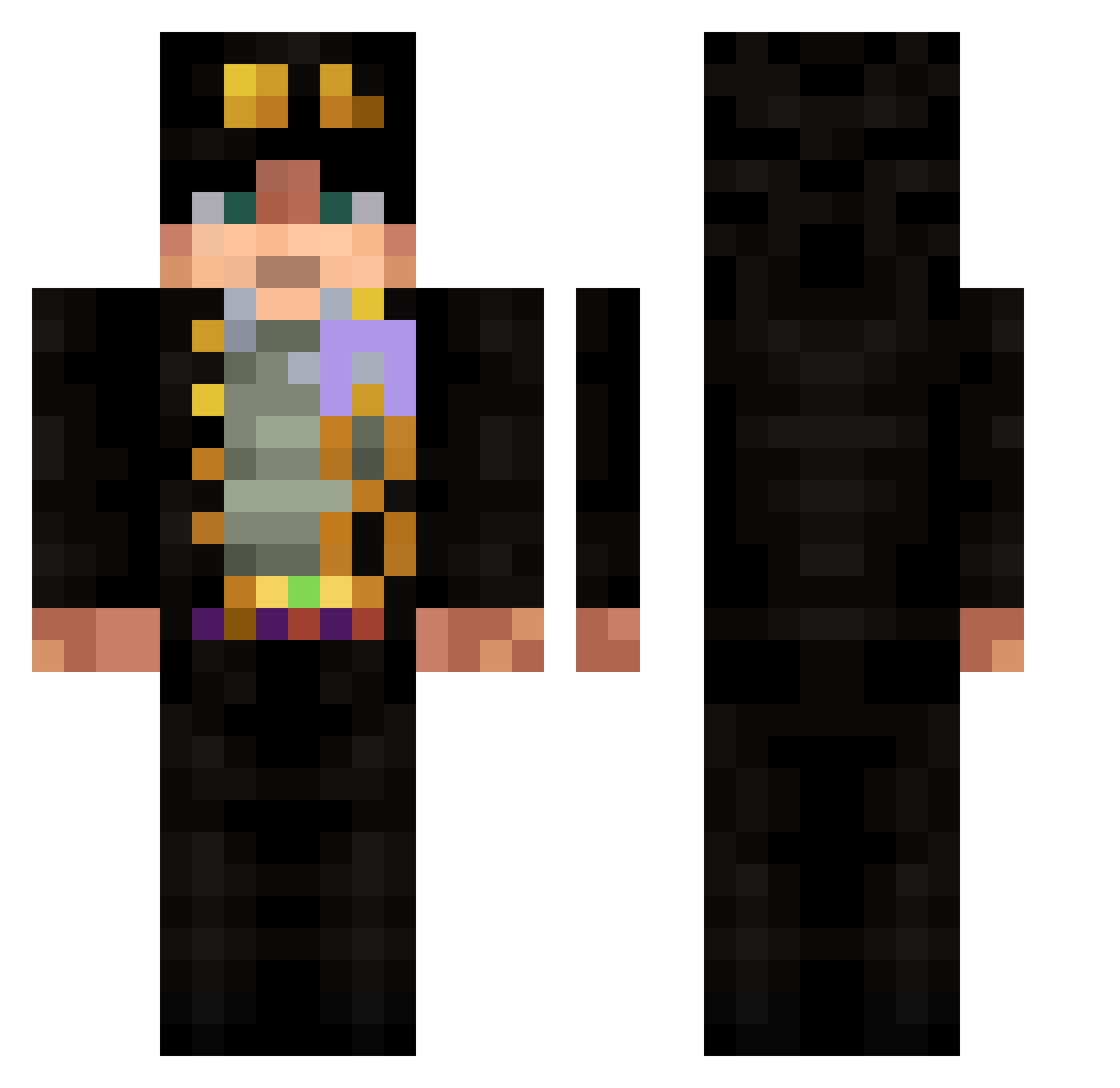
Current Minecraft skin of the player Valemtus, loaded from the official Mojang API. Rotate the 3D model with your mouse or finger, then download the skin as a PNG file and use it in Minecraft: Bedrock Edition or Java Edition for free. When Valemtus changes their skin, this page updates automatically and the old skin stays in the history below.
Other players with this skin (688)
Valemtus was the 590th player we have seen with this skin, first spotted on 27.10.2026. The same skin was seen on these players. Open a nickname to see their current skin and skin history.
 zjy01 mNoriGGs TMSpace6 Memou96 ylc267 Mozart_Kaktus tenshiningstones Goodgrief270 Dexsueko jimmy0410 Br4e8 K1ng_q RealRhox sebadeba RadioctiveFall AbdelwKujoh Spyrodino m1okhh Danniz9087 TPackT Joe_Scott MarkMiner23 RedEyedNova PAPICALEB SuJonBae specialgun123 Zayker_TV RockySullivan Melma ShUnRi0127 Iamnothza xsazc Varedux78 fradantu21 ammolifter Gargolum GOLDEXPERIENC3 greml1 Dimasik945 Zaknoir atractiveghost Douglas073 bobby_benadryl Griadria Mr_NotHuman _EvilTech SaaBenEbubekir Codeeman22 NoobUlcard Jonyplus Nehemiha Qelen craftdex fishingrodxd ann1hilus Meekoooooo CALIIS Djzie976 FileJoJo tangore
More Jotaro Kujo Minecraft skins
How to install the Valemtus skin
- Press the Download button above to save the skin as a PNG file.
- Minecraft: Bedrock Edition (PE): open the Dressing Room from the main menu (or tap your character → Edit Character), go to Classic Skins → Owned, press the + (new skin) button, choose the downloaded PNG and pick the Classic (Steve) model. Works on PC and mobile; consoles cannot import custom skins.
- Minecraft: Java Edition: open the Minecraft Launcher, go to the Skins tab, click New Skin, load the PNG, pick the Classic (Steve) model and press Save & Use. You can also upload it at minecraft.net → Profile → Change Skin.
The skin does not show up after import - what should I do?
Restart Minecraft and open the Dressing Room again - imported skins sometimes appear only after a restart. Also make sure you selected the imported skin and picked the Classic (Steve) model.
Which model should I choose, Classic or Slim?
This skin is designed for the Classic (Steve) model. If you pick the wrong model, the arms of the skin will look stretched or squeezed.
Is the skin of Valemtus free to download?
Yes. Press Download, save the PNG file and use it in Minecraft: Bedrock Edition or Java Edition - no payment or registration needed. The skin also works on multiplayer servers and Realms.
More skins
Looking for more? Go back to all Minecraft skins and check the top skins of the week, month and all time, or find any player's skin by nickname.