
VENYNIILO - Minecraft Skins & Skin History
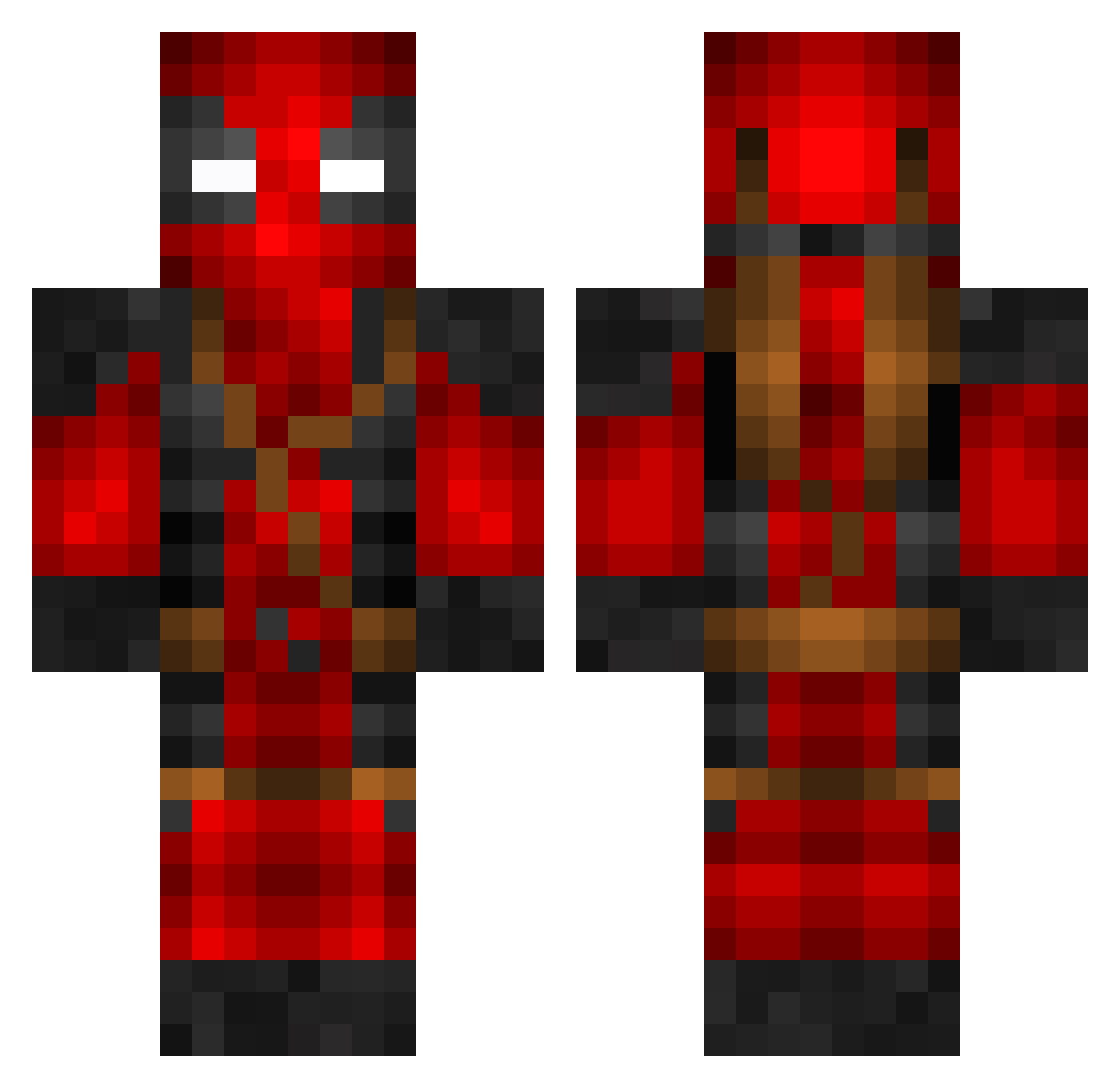
Current Minecraft skin of the player VENYNIILO, loaded from the official Mojang API. Rotate the 3D model with your mouse or finger, then download the skin as a PNG file and use it in Minecraft: Bedrock Edition or Java Edition for free. When VENYNIILO changes their skin, this page updates automatically and the old skin stays in the history below.
Other players with this skin (801)
VENYNIILO was the 508th player we have seen with this skin, first spotted on 03.10.2026. The same skin was seen on these players. Open a nickname to see their current skin and skin history.
 DeadshotObey Bezny__ TheGrim186 Mijulin BeyondRico GarciaE cherokee96 ChnkyMnky289 ZeeBlade E_Sport_Keks stefankingprince IK007 FandouGarden PaVBoyCZ CingoOmega Josen99 wuchuya Coppertops artureitor4 TheGewv TearsFilm Robin_B1rd Noahrs125r Ll10s Doflomingo Cywaz cross_star agasee123 mandutaco imnotFFF Aiden_Hakon S2ungm1n_ lightningq25 ManiaReFlexZ DecayingSilence Piterep J4y_VEE Derek5807 prizmatika GamerFr3ak12 leopolew64 Rob2602 Begulinha DeMiHjo dkrame iamgaffel sinmincheol HomerSimpson127 dieserVibez Rettv021 SCOMOSK fridayayhey DeadManWade1776 Enderweb V4RUN Bloodkrazee TheMagicPanda SoulRepear24 jessyboy2010 RedneckMechanic
More Deadpool Minecraft skins
How to install the VENYNIILO skin
- Press the Download button above to save the skin as a PNG file.
- Minecraft: Bedrock Edition (PE): open the Dressing Room from the main menu (or tap your character → Edit Character), go to Classic Skins → Owned, press the + (new skin) button, choose the downloaded PNG and pick the Classic (Steve) model. Works on PC and mobile; consoles cannot import custom skins.
- Minecraft: Java Edition: open the Minecraft Launcher, go to the Skins tab, click New Skin, load the PNG, pick the Classic (Steve) model and press Save & Use. You can also upload it at minecraft.net → Profile → Change Skin.
The skin does not show up after import - what should I do?
Restart Minecraft and open the Dressing Room again - imported skins sometimes appear only after a restart. Also make sure you selected the imported skin and picked the Classic (Steve) model.
Which model should I choose, Classic or Slim?
This skin is designed for the Classic (Steve) model. If you pick the wrong model, the arms of the skin will look stretched or squeezed.
Is the skin of VENYNIILO free to download?
Yes. Press Download, save the PNG file and use it in Minecraft: Bedrock Edition or Java Edition - no payment or registration needed. The skin also works on multiplayer servers and Realms.
More skins
Looking for more? Go back to all Minecraft skins and check the top skins of the week, month and all time, or find any player's skin by nickname.