
VADER_EMPIRE_22 - Minecraft Skins & Skin History
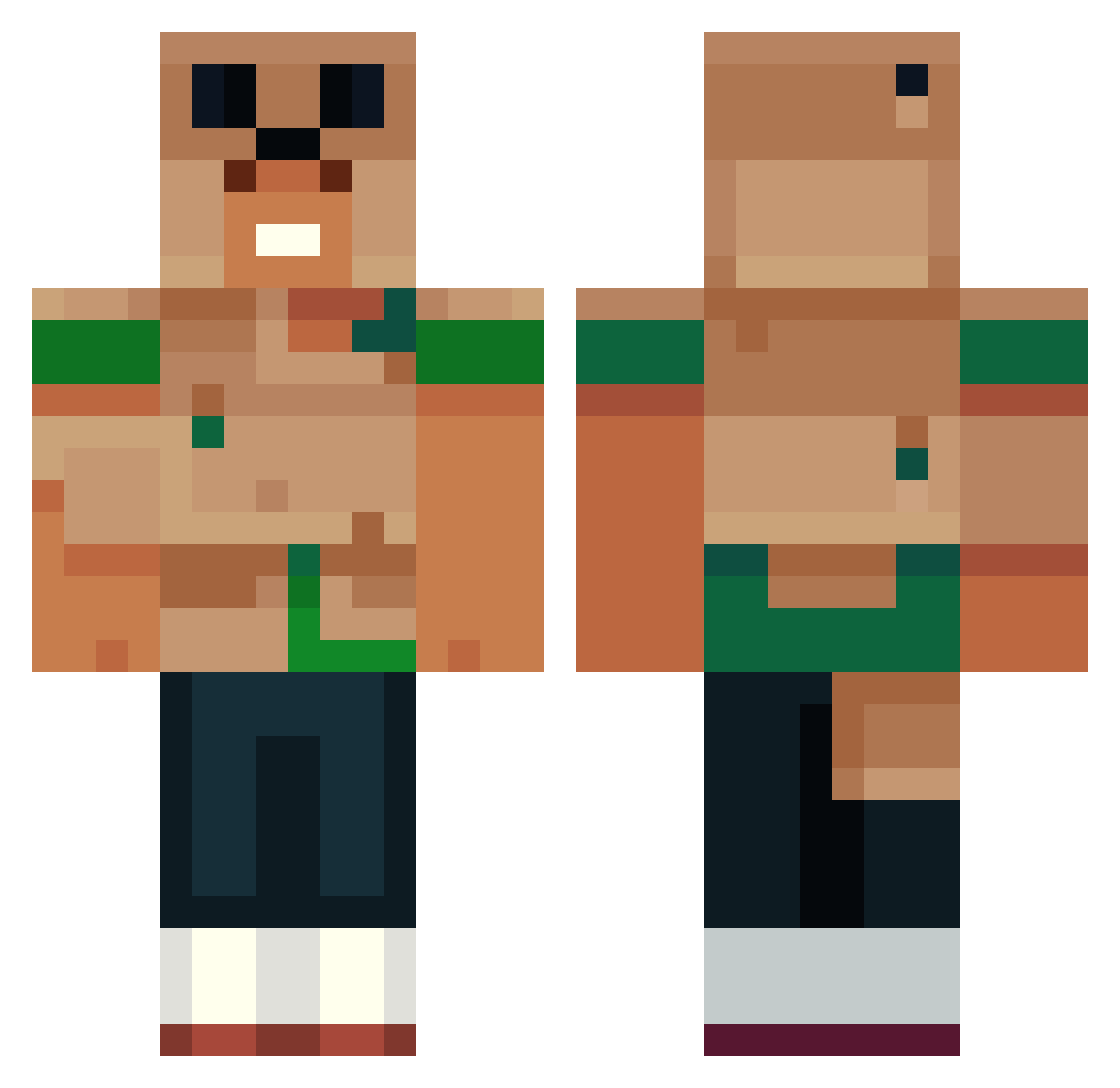
Current Minecraft skin of the player VADER_EMPIRE_22, loaded from the official Mojang API. Rotate the 3D model with your mouse or finger, then download the skin as a PNG file and use it in Minecraft: Bedrock Edition or Java Edition for free. When VADER_EMPIRE_22 changes their skin, this page updates automatically and the old skin stays in the history below.
Other players with this skin (551)
VADER_EMPIRE_22 was the 253rd player we have seen with this skin, first spotted on 17.09.2026. The same skin was seen on these players. Open a nickname to see their current skin and skin history.
 GekkeJoep WaterDragonFun SussyBoy1563 Walrus92 illemap Tlrow10 juninhoxit Vyykso BDHelios Hansman123 AbruptLandShark Low_Tab Karter2299 Herobirne4693 wetheZOMBIES RamenRunner Ricky520 Xvenger21 Moostacheeoh ts3t3n Stiekem okaybrey limelust1 soulMonkey420 ZOomcrafter03 hbmaf Big_LAGGY Dimalol555 NewForester20 Drack669 Frowniebrownies Cjlums ImAlexzxD _mamgo BOOBi32 charliejb77 TiBBIS SindiEntes OCE_Magiee Ju7cee TRDingo_ Dominic0_0 PugBurger karamole BorisMoris123 huy191huy 59DragonPaladin LaySideR dougeto76 onz_oof IdosoCheiroso emisteris RioT_Ion ArtemisPhases NoseyBullets DragonMan8048 Qvigstad bzinqx Oyanokodji doodlebob828
More Animal Minecraft skins
How to install the VADER_EMPIRE_22 skin
- Press the Download button above to save the skin as a PNG file.
- Minecraft: Bedrock Edition (PE): open the Dressing Room from the main menu (or tap your character → Edit Character), go to Classic Skins → Owned, press the + (new skin) button, choose the downloaded PNG and pick the Classic (Steve) model. Works on PC and mobile; consoles cannot import custom skins.
- Minecraft: Java Edition: open the Minecraft Launcher, go to the Skins tab, click New Skin, load the PNG, pick the Classic (Steve) model and press Save & Use. You can also upload it at minecraft.net → Profile → Change Skin.
The skin does not show up after import - what should I do?
Restart Minecraft and open the Dressing Room again - imported skins sometimes appear only after a restart. Also make sure you selected the imported skin and picked the Classic (Steve) model.
Which model should I choose, Classic or Slim?
This skin is designed for the Classic (Steve) model. If you pick the wrong model, the arms of the skin will look stretched or squeezed.
Is the skin of VADER_EMPIRE_22 free to download?
Yes. Press Download, save the PNG file and use it in Minecraft: Bedrock Edition or Java Edition - no payment or registration needed. The skin also works on multiplayer servers and Realms.
More skins
Looking for more? Go back to all Minecraft skins and check the top skins of the week, month and all time, or find any player's skin by nickname.