
Unwithering - Minecraft Skins & Skin History
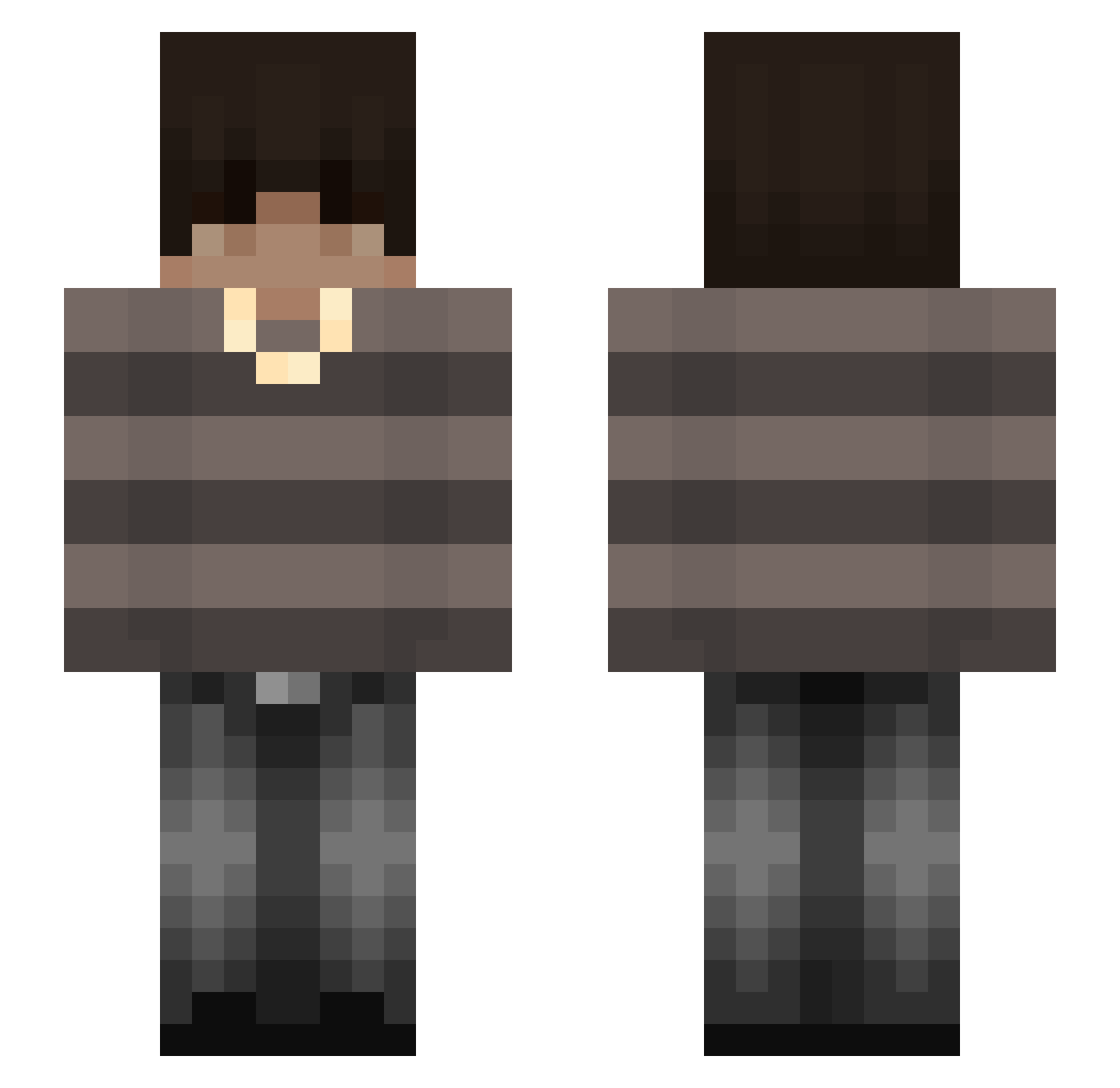
Current Minecraft skin of the player Unwithering, loaded from the official Mojang API. Rotate the 3D model with your mouse or finger, then download the skin as a PNG file and use it in Minecraft: Bedrock Edition or Java Edition for free. When Unwithering changes their skin, this page updates automatically and the old skin stays in the history below.
Other players with this skin (109)
Unwithering was the 94th player we have seen with this skin, first spotted on 17.10.2026. The same skin was seen on these players. Open a nickname to see their current skin and skin history.
 xN1boe Li_Oon Stick_7414 zKyyroo luvcynn Blue_3111 Shadowek19 danielbalakir Snyzyx__Mc BBLtrizzy Szpecioo SoullessBean kolamse tanktoolies YongHsu_TW delowix Scrappy5841 Shubhh23 WiktorKaktusss s_oulfracs MRBrayanek xkashi0_ Elchmp LucIsDat sohvereign Ve1vex GoodJackMan H5nryyy Reven_Xu flstudiouser werzt Igoros22 theolame Plecak67 Nileeq BigPlaysOnly Play_force04 _lxcv a1ex4 BamBam4ick KingAle 1AboM7md_ roksekq iAsteroSD_ Maribear_0 WasMaken LeonOGYouTube Itzjulixn Zgredegk Riosma32 alsoquasar Yam_ouo T_E_T SMBXB ItzSachin_ Acronix907 XQzero Ayushg66 saka_110 AdaptedAlpha
Previous skins of Unwithering
Skins that Unwithering wore before, newest first. Click a skin to open its page and download it.
More Emo Minecraft skins
How to install the Unwithering skin
- Press the Download button above to save the skin as a PNG file.
- Minecraft: Bedrock Edition (PE): open the Dressing Room from the main menu (or tap your character → Edit Character), go to Classic Skins → Owned, press the + (new skin) button, choose the downloaded PNG and pick the Slim (Alex) model. Works on PC and mobile; consoles cannot import custom skins.
- Minecraft: Java Edition: open the Minecraft Launcher, go to the Skins tab, click New Skin, load the PNG, pick the Slim (Alex) model and press Save & Use. You can also upload it at minecraft.net → Profile → Change Skin.
The skin does not show up after import - what should I do?
Restart Minecraft and open the Dressing Room again - imported skins sometimes appear only after a restart. Also make sure you selected the imported skin and picked the Slim (Alex) model.
Which model should I choose, Classic or Slim?
This skin is designed for the Slim (Alex) model. If you pick the wrong model, the arms of the skin will look stretched or squeezed.
Is the skin of Unwithering free to download?
Yes. Press Download, save the PNG file and use it in Minecraft: Bedrock Edition or Java Edition - no payment or registration needed. The skin also works on multiplayer servers and Realms.
More skins
Looking for more? Go back to all Minecraft skins and check the top skins of the week, month and all time, or find any player's skin by nickname.