
Unix726 - Minecraft Skins & Skin History
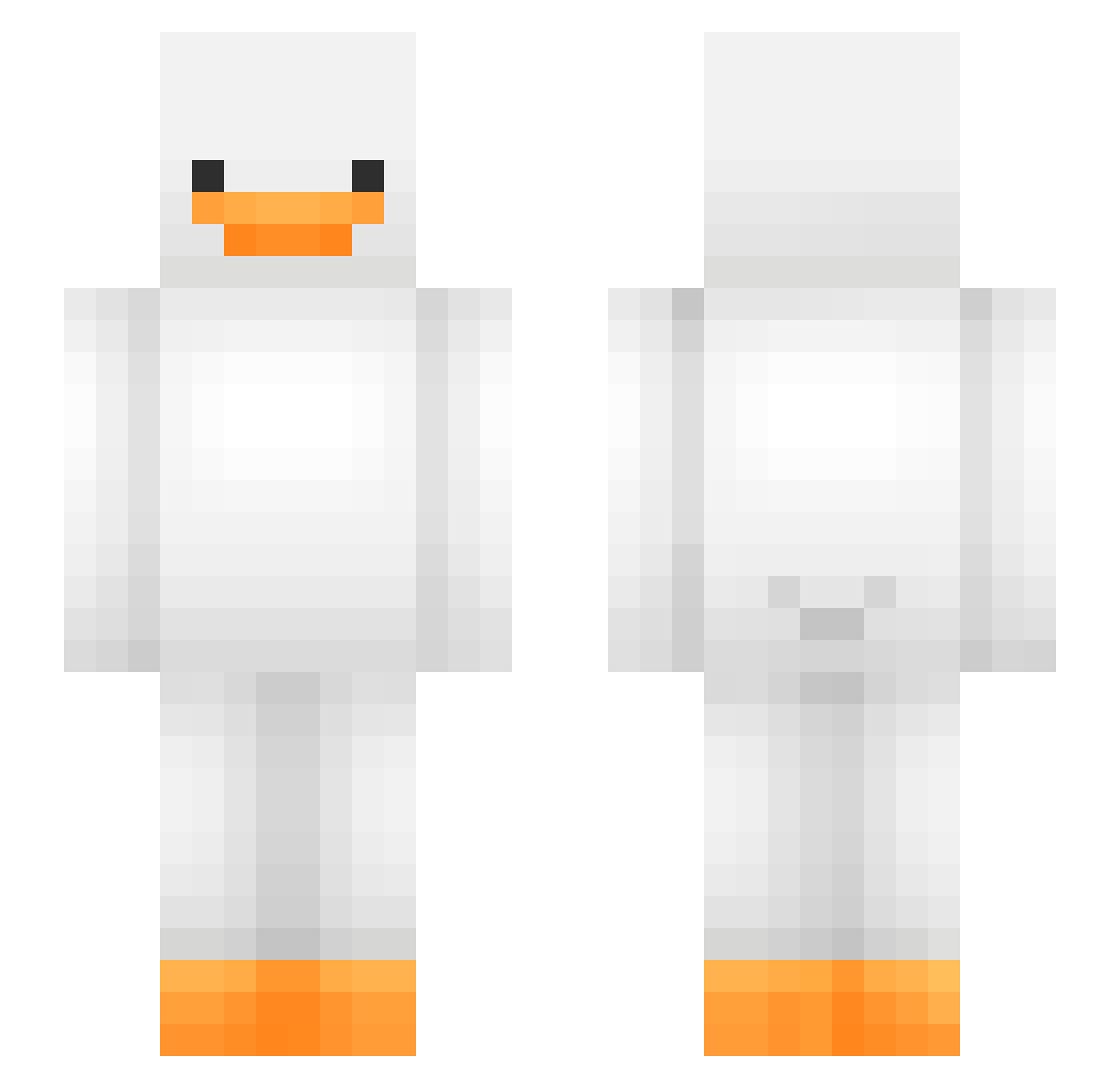
Current Minecraft skin of the player Unix726, loaded from the official Mojang API. Rotate the 3D model with your mouse or finger, then download the skin as a PNG file and use it in Minecraft: Bedrock Edition or Java Edition for free. When Unix726 changes their skin, this page updates automatically and the old skin stays in the history below.
Other players with this skin (558)
Unix726 was the 501st player we have seen with this skin, first spotted on 08.11.2026. The same skin was seen on these players. Open a nickname to see their current skin and skin history.
 SuduBesi Saffronfour5 dirtissigma zeropots KDawg2703 iTriXo OoOoOoOo212 PeppyPheonix Aice1996 slix_mg HaramBoy94 timothee04 llomBiscuits badyoshi16 paco_el_pato annelis1708 _Gumball_the_Rat SizziMz10 FaffyPancakes MrrGen MrBuck88 OATSofGRAIN Geon02Bbang16 _Laxitives_ junseo120329 Fishball_Yun Aggphobia simplymute B_JINY RXY620 CardBoardBoxxy AllegroxdPL Eallaser claire1016 skittleswag7 JTen1O8 ClintDog19 ssiimo CarefulPine nebulamin Sebasterdsuiker ArjiParji BongasaurusRex LavaLesley Asher_BB Tex_wsy heurgh flingflingfling vinateehee Skylerdog24 Lucky__cannon xeraider OffPete hiloha_ _TTU_ Lagon14 Trapletz nopig08 Stinky_Catt D3vious_Dr4k0n
More Duck Minecraft skins
How to install the Unix726 skin
- Press the Download button above to save the skin as a PNG file.
- Minecraft: Bedrock Edition (PE): open the Dressing Room from the main menu (or tap your character → Edit Character), go to Classic Skins → Owned, press the + (new skin) button, choose the downloaded PNG and pick the Slim (Alex) model. Works on PC and mobile; consoles cannot import custom skins.
- Minecraft: Java Edition: open the Minecraft Launcher, go to the Skins tab, click New Skin, load the PNG, pick the Slim (Alex) model and press Save & Use. You can also upload it at minecraft.net → Profile → Change Skin.
The skin does not show up after import - what should I do?
Restart Minecraft and open the Dressing Room again - imported skins sometimes appear only after a restart. Also make sure you selected the imported skin and picked the Slim (Alex) model.
Which model should I choose, Classic or Slim?
This skin is designed for the Slim (Alex) model. If you pick the wrong model, the arms of the skin will look stretched or squeezed.
Is the skin of Unix726 free to download?
Yes. Press Download, save the PNG file and use it in Minecraft: Bedrock Edition or Java Edition - no payment or registration needed. The skin also works on multiplayer servers and Realms.
More skins
Looking for more? Go back to all Minecraft skins and check the top skins of the week, month and all time, or find any player's skin by nickname.