
UltimateBorker - Minecraft Skins & Skin History
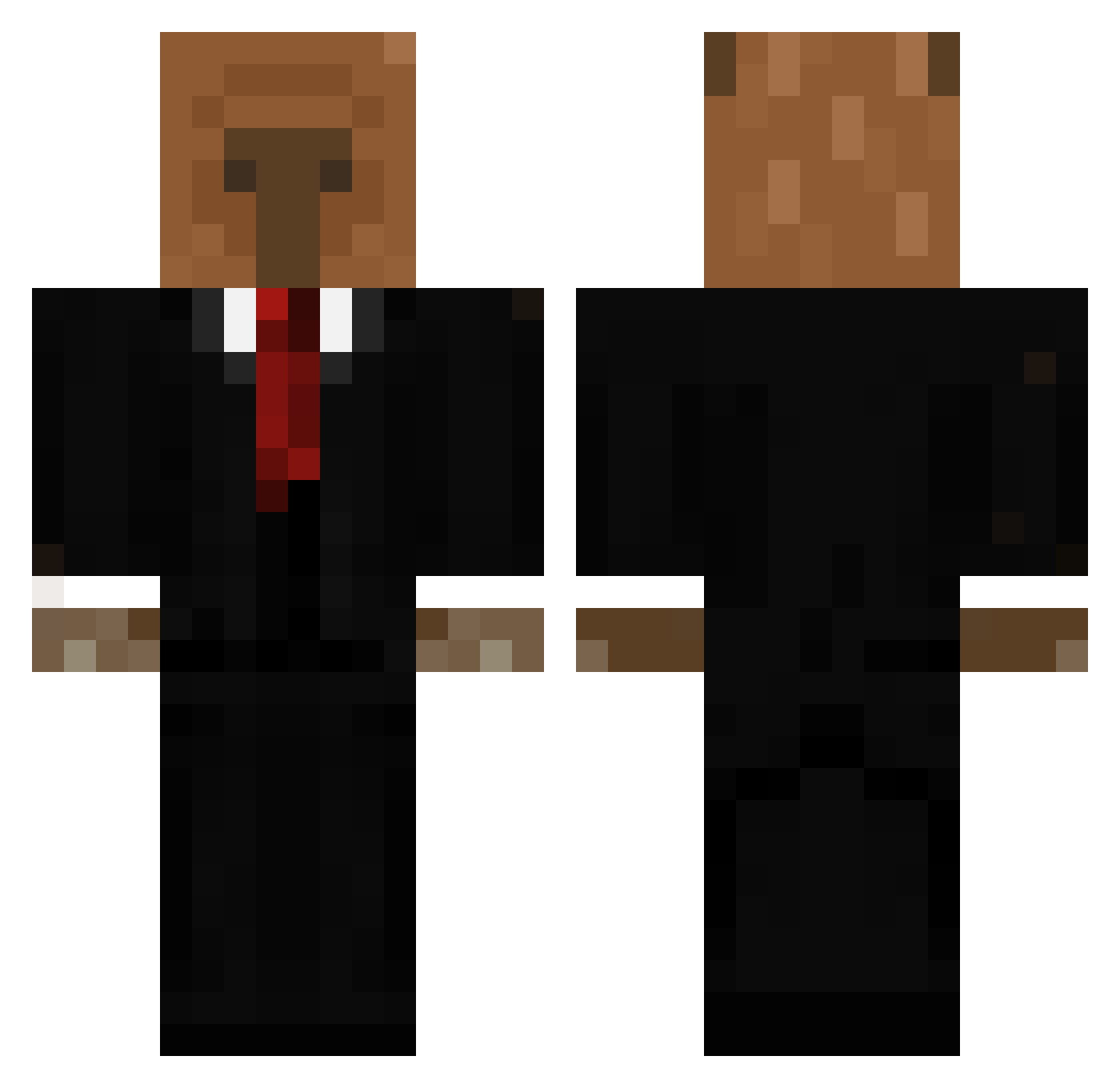
Current Minecraft skin of the player UltimateBorker, loaded from the official Mojang API. Rotate the 3D model with your mouse or finger, then download the skin as a PNG file and use it in Minecraft: Bedrock Edition or Java Edition for free. When UltimateBorker changes their skin, this page updates automatically and the old skin stays in the history below.
Other players with this skin (656)
UltimateBorker was the 37th player we have seen with this skin, first spotted on 30.07.2026. The same skin was seen on these players. Open a nickname to see their current skin and skin history.
 MiIkzz MP_costa mrn1rd 8ti3n killah5800 xXAngeXx34 cxndyshap kaicardenas0618 FlavioF03 xxx_polaczek_xxx _Ariaw_ PerroquetInShape DESTRUBOY ElDorito_MC MarvinBoehnke MINUKIDA1 PeluzaXD oliverz05 coobarn GTGMASTER69 yuampi weeb_slayer_114 MM0R1 kyndiabless SrKbruncu
 Katoffelkrieger RapidFuZe EstebanUmba Szczurkobara amelt0s tomcrack27 Tobgal2018 Chamois_agile williambuddy2011 CrookedClown loki1212 zuza_zuzu FusionZz_is_QT michh122334 kacperfrytka CristianFil3s ArnoldPalmerd ElseaBKN TYoshi54 BlockDroid13
 Xkinho jjbbc3 Frizzy_55 LuckyMilaneso MasterChase100 PRETTYEPAPI Darkgoat8444 Petonchik Whuatson744 SirREAV PedroooxD ThePiphus Estebann372 Skptan fexdi
More Business Bear Minecraft skins
See all 11 Business Bear skins
How to install the UltimateBorker skin
- Press the Download button above to save the skin as a PNG file.
- Minecraft: Bedrock Edition (PE): open the Dressing Room from the main menu (or tap your character → Edit Character), go to Classic Skins → Owned, press the + (new skin) button, choose the downloaded PNG and pick the Classic (Steve) model. Works on PC and mobile; consoles cannot import custom skins.
- Minecraft: Java Edition: open the Minecraft Launcher, go to the Skins tab, click New Skin, load the PNG, pick the Classic (Steve) model and press Save & Use. You can also upload it at minecraft.net → Profile → Change Skin.
The skin does not show up after import - what should I do?
Restart Minecraft and open the Dressing Room again - imported skins sometimes appear only after a restart. Also make sure you selected the imported skin and picked the Classic (Steve) model.
Which model should I choose, Classic or Slim?
This skin is designed for the Classic (Steve) model. If you pick the wrong model, the arms of the skin will look stretched or squeezed.
Is the skin of UltimateBorker free to download?
Yes. Press Download, save the PNG file and use it in Minecraft: Bedrock Edition or Java Edition - no payment or registration needed. The skin also works on multiplayer servers and Realms.
More skins
Looking for more? Go back to all Minecraft skins and check the top skins of the week, month and all time, or find any player's skin by nickname.