
Petonchik - Minecraft Skins & Skin History
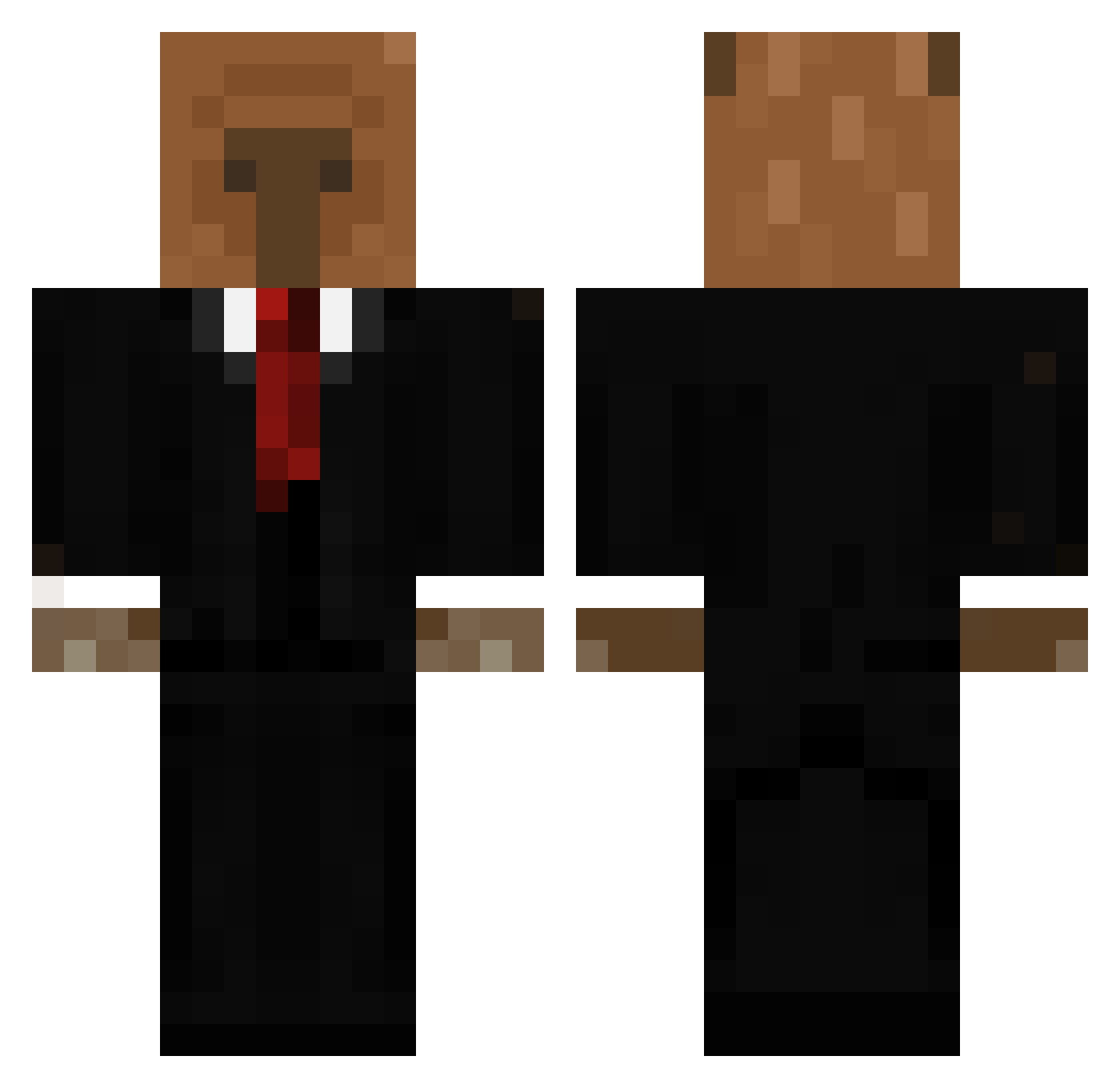
Current Minecraft skin of the player Petonchik, loaded from the official Mojang API. Rotate the 3D model with your mouse or finger, then download the skin as a PNG file and use it in Minecraft: Bedrock Edition or Java Edition for free. When Petonchik changes their skin, this page updates automatically and the old skin stays in the history below.
Other players with this skin (656)
Petonchik was the 62nd player we have seen with this skin, first spotted on 06.08.2026. The same skin was seen on these players. Open a nickname to see their current skin and skin history.
 PedroooxD ThePiphus Darkgoat8444 Estebann372 Metanight9000 SwarnPR0D pdrere manulg8 LuckyMilaneso JackSmith200 Douuffy_ Frizzy_55 Filadelfi14 ZIZON_TAEGYUN BlockDroid13 drcroctor Arash1 Sun_zea ElseaBKN TridusXd Lithe_Luan 5555555T5555555 A13jandro280 CristianFil3s noenss1 LoveAvidity SirWumpton FusionZz_is_QT loki1212 Mattiamoma Cavalo2223 CrookedClown Suyibyerol blankito777 creyisnt ppp16 Jaswna tomcrack27 Szczurkobara Tijnw2009 Nekro_14 tin_vargas30
 Katoffelkrieger Matholumgoo merxcury69 MM0R1 weeb_slayer_114 oliverz05 Danigoll13 Butter4899 MarvinBoehnke ElDorito_MC PerroquetInShape SenkoHow _Ariaw_ ProdByVESSEL Samoslavcz Kogoesmoooo JanPar7 Patocrator
More Business Bear Minecraft skins
See all 11 Business Bear skins
How to install the Petonchik skin
- Press the Download button above to save the skin as a PNG file.
- Minecraft: Bedrock Edition (PE): open the Dressing Room from the main menu (or tap your character → Edit Character), go to Classic Skins → Owned, press the + (new skin) button, choose the downloaded PNG and pick the Classic (Steve) model. Works on PC and mobile; consoles cannot import custom skins.
- Minecraft: Java Edition: open the Minecraft Launcher, go to the Skins tab, click New Skin, load the PNG, pick the Classic (Steve) model and press Save & Use. You can also upload it at minecraft.net → Profile → Change Skin.
The skin does not show up after import - what should I do?
Restart Minecraft and open the Dressing Room again - imported skins sometimes appear only after a restart. Also make sure you selected the imported skin and picked the Classic (Steve) model.
Which model should I choose, Classic or Slim?
This skin is designed for the Classic (Steve) model. If you pick the wrong model, the arms of the skin will look stretched or squeezed.
Is the skin of Petonchik free to download?
Yes. Press Download, save the PNG file and use it in Minecraft: Bedrock Edition or Java Edition - no payment or registration needed. The skin also works on multiplayer servers and Realms.
More skins
Looking for more? Go back to all Minecraft skins and check the top skins of the week, month and all time, or find any player's skin by nickname.