
Tuoamas - Minecraft Skins & Skin History
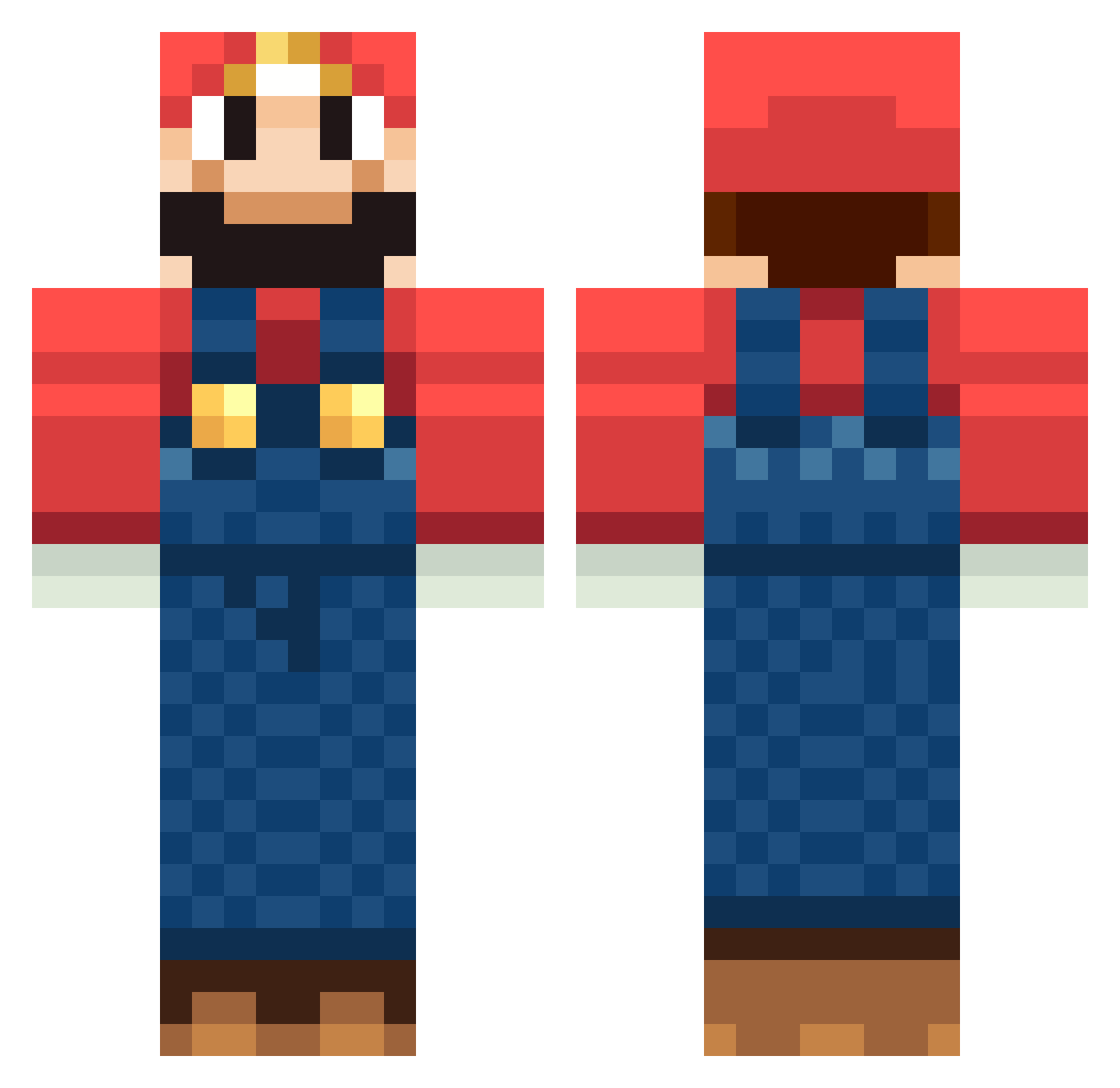
Current Minecraft skin of the player Tuoamas, loaded from the official Mojang API. Rotate the 3D model with your mouse or finger, then download the skin as a PNG file and use it in Minecraft: Bedrock Edition or Java Edition for free. When Tuoamas changes their skin, this page updates automatically and the old skin stays in the history below.
Other players with this skin (1266)
Tuoamas was the 737th player we have seen with this skin, first spotted on 28.09.2026. The same skin was seen on these players. Open a nickname to see their current skin and skin history.
 oliverthegreat10 ITz_Dimi iHack89 SuperMario219 JanSnxw Bumlol MuscleRumble Fozzoo91 PlasmaEnte MagnusMaximus sam123999 Franceska17 BiGMat82 ramrod292 Miles1995 chris294 DarthTardo Calamario Sezumakishi drewtonka PlanetEngland takuan_4 Sorrg92 Raiz____ jebus_jnr vickwalksmydog14 zwalas cerunnos89 kamali15 jooeon Murph_Munch Enemy_Onion LittleJbadbone niek_crafter GG96 Calpis55 Brady254 resalg oso13 simon_smyth matt_4902 dannybono Xx_Marfa_xX Zelevan yuaaaaaa osxnop Baked_Man Crafter_FailzZ jz41523 HypnosisOut UrbanBl devydev14 SlamWalls Lasse407 toebob DatBlockBoy Pugmaster0110 bogartxxx CraftyCanadian03 scorpion77
More Mario Minecraft skins
How to install the Tuoamas skin
- Press the Download button above to save the skin as a PNG file.
- Minecraft: Bedrock Edition (PE): open the Dressing Room from the main menu (or tap your character → Edit Character), go to Classic Skins → Owned, press the + (new skin) button, choose the downloaded PNG and pick the Classic (Steve) model. Works on PC and mobile; consoles cannot import custom skins.
- Minecraft: Java Edition: open the Minecraft Launcher, go to the Skins tab, click New Skin, load the PNG, pick the Classic (Steve) model and press Save & Use. You can also upload it at minecraft.net → Profile → Change Skin.
The skin does not show up after import - what should I do?
Restart Minecraft and open the Dressing Room again - imported skins sometimes appear only after a restart. Also make sure you selected the imported skin and picked the Classic (Steve) model.
Which model should I choose, Classic or Slim?
This skin is designed for the Classic (Steve) model. If you pick the wrong model, the arms of the skin will look stretched or squeezed.
Is the skin of Tuoamas free to download?
Yes. Press Download, save the PNG file and use it in Minecraft: Bedrock Edition or Java Edition - no payment or registration needed. The skin also works on multiplayer servers and Realms.
More skins
Looking for more? Go back to all Minecraft skins and check the top skins of the week, month and all time, or find any player's skin by nickname.