
Traksian - Minecraft Skins & Skin History
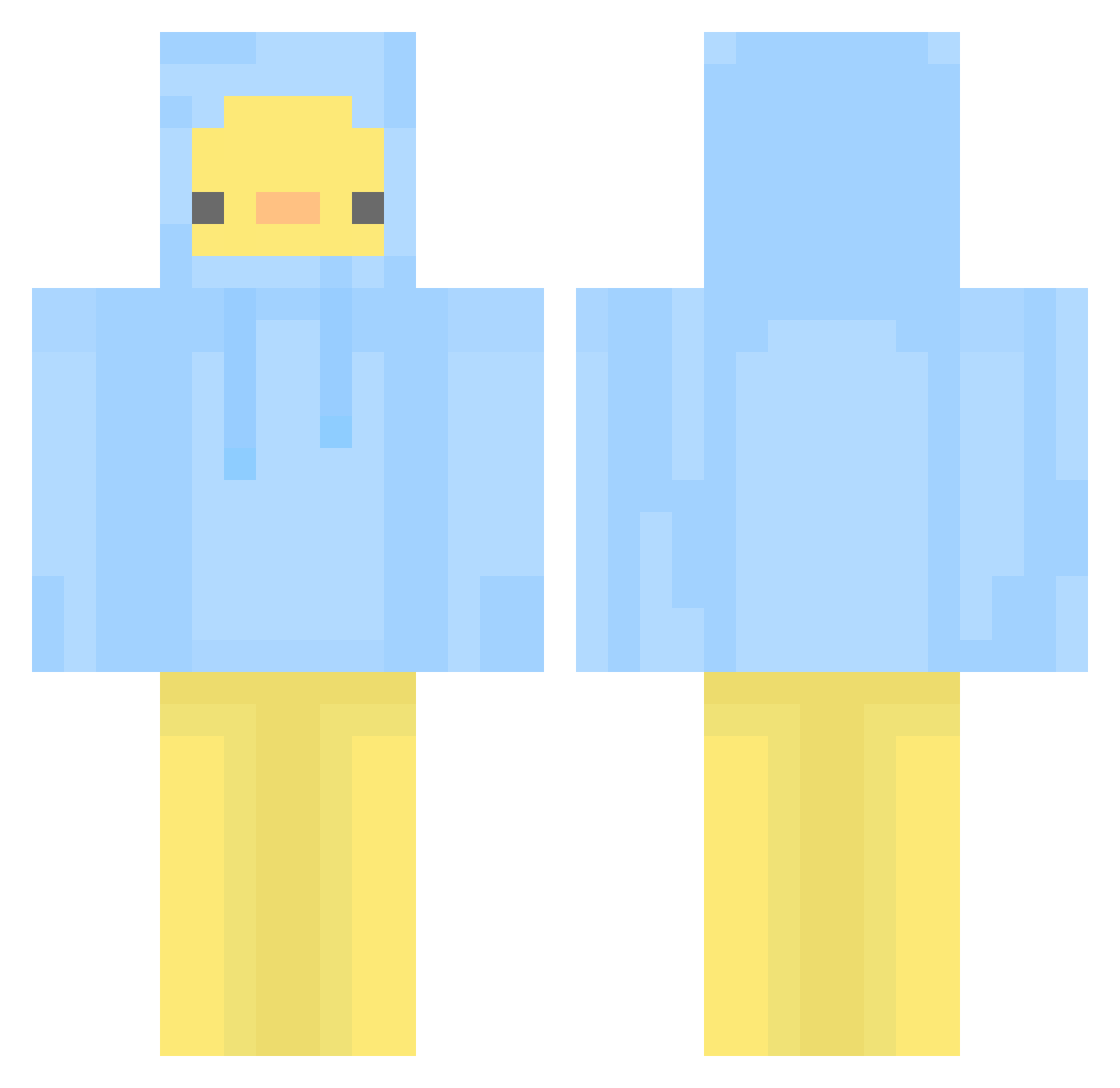
Current Minecraft skin of the player Traksian, loaded from the official Mojang API. Rotate the 3D model with your mouse or finger, then download the skin as a PNG file and use it in Minecraft: Bedrock Edition or Java Edition for free. When Traksian changes their skin, this page updates automatically and the old skin stays in the history below.
Other players with this skin (581)
Traksian was the 500th player we have seen with this skin, first spotted on 31.10.2026. The same skin was seen on these players. Open a nickname to see their current skin and skin history.
 gxxexx beens107 LittleHorangi yourahn xiaoleii Xiaoliu277 aobBlindFish shawtyiscold JinDel2 Zelret _purple_dani_ Ahem__ Okara_79 Curts_pushin_p timmytree asaaaaaan koty93 ChipChip01 super_nayu__girl lavilin strawberrybreyer suwoon01 root_jeong lullubaby Patito32 _hyejoo Takemu01 KawaKaj mliu865 ssattdaBro ingwong mayo0830 masu0125 barcalekk HoKoHoKu asdzxcvbnasd boradori_2 LittleWalker7 mather999 LucidMelodys Kayolto hyangdam thdgml_0209 slavikitarista99 Nozzang123 leoleko yeo_yeo Min__niM KyoTar mimimiae opuim BananaBiBi Abderyt iliosjae DuRyeong Mellowcaustic tjalstjr123 Lipler_ FalseGrimm JW234
More Duck Minecraft skins
How to install the Traksian skin
- Press the Download button above to save the skin as a PNG file.
- Minecraft: Bedrock Edition (PE): open the Dressing Room from the main menu (or tap your character → Edit Character), go to Classic Skins → Owned, press the + (new skin) button, choose the downloaded PNG and pick the Classic (Steve) model. Works on PC and mobile; consoles cannot import custom skins.
- Minecraft: Java Edition: open the Minecraft Launcher, go to the Skins tab, click New Skin, load the PNG, pick the Classic (Steve) model and press Save & Use. You can also upload it at minecraft.net → Profile → Change Skin.
The skin does not show up after import - what should I do?
Restart Minecraft and open the Dressing Room again - imported skins sometimes appear only after a restart. Also make sure you selected the imported skin and picked the Classic (Steve) model.
Which model should I choose, Classic or Slim?
This skin is designed for the Classic (Steve) model. If you pick the wrong model, the arms of the skin will look stretched or squeezed.
Is the skin of Traksian free to download?
Yes. Press Download, save the PNG file and use it in Minecraft: Bedrock Edition or Java Edition - no payment or registration needed. The skin also works on multiplayer servers and Realms.
More skins
Looking for more? Go back to all Minecraft skins and check the top skins of the week, month and all time, or find any player's skin by nickname.