
TimAlex1 - Minecraft Skins & Skin History
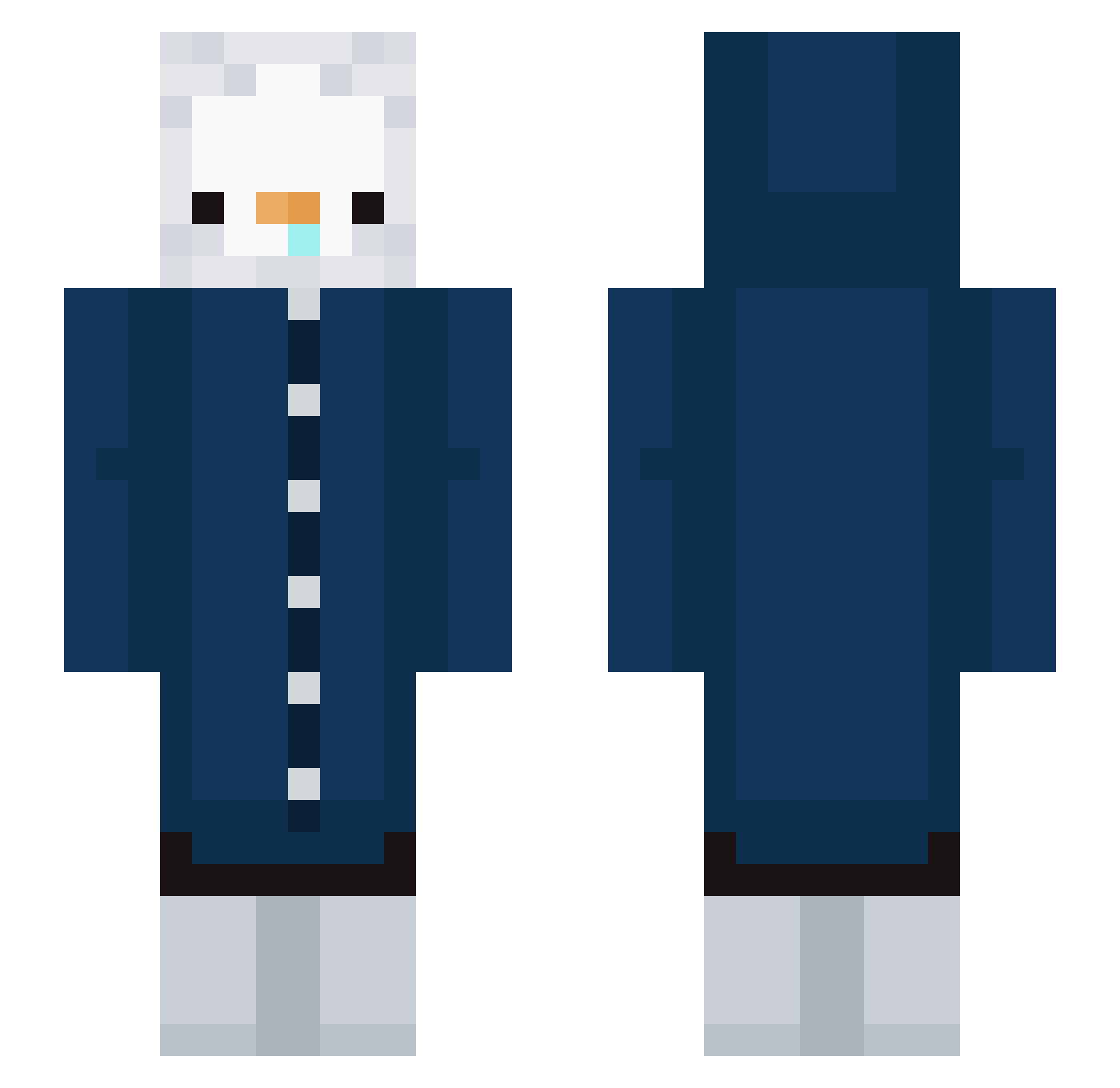
Current Minecraft skin of the player TimAlex1, loaded from the official Mojang API. Rotate the 3D model with your mouse or finger, then download the skin as a PNG file and use it in Minecraft: Bedrock Edition or Java Edition for free. When TimAlex1 changes their skin, this page updates automatically and the old skin stays in the history below.
Other players with this skin (223)
TimAlex1 was the 111th player we have seen with this skin, first spotted on 12.09.2026. The same skin was seen on these players. Open a nickname to see their current skin and skin history.
 Maxmk04 chover_ lulu413 Pinzhang xD4rkz yaekzin Beckerfv_ Gonzales_17 Merxcy2 Kurgan28 Couid0701 Paint01 DANTANDOO yourjin ItsSeb10 polivod1 LameloMelon Matti_B4 0ur_h4v3n hyejicho KoalaMTS junseobabo LeFameux ByMySold_ Niccopinguino17 Konsti077 issy722 Navvh beyensuyayu mikanroom GROGGY950814 ussiy777 Roofer_A cheetah702 Tensely Wipednewb 1_MRatao_1 pukok TylerCaveness baseballcraft10 baru0922 scaredycat12 Perfumy Ping___9 CleanupDart9204 Peng_b123 Attico_neto eat_ratatouille Eving lizachhkaa protob008g choaeri Black_Poni WeadenT_ k3_daz0 willmac7 Zyberorg swagginout H4rupkun0226 aimoun12
More Duck Minecraft skins
How to install the TimAlex1 skin
- Press the Download button above to save the skin as a PNG file.
- Minecraft: Bedrock Edition (PE): open the Dressing Room from the main menu (or tap your character → Edit Character), go to Classic Skins → Owned, press the + (new skin) button, choose the downloaded PNG and pick the Slim (Alex) model. Works on PC and mobile; consoles cannot import custom skins.
- Minecraft: Java Edition: open the Minecraft Launcher, go to the Skins tab, click New Skin, load the PNG, pick the Slim (Alex) model and press Save & Use. You can also upload it at minecraft.net → Profile → Change Skin.
The skin does not show up after import - what should I do?
Restart Minecraft and open the Dressing Room again - imported skins sometimes appear only after a restart. Also make sure you selected the imported skin and picked the Slim (Alex) model.
Which model should I choose, Classic or Slim?
This skin is designed for the Slim (Alex) model. If you pick the wrong model, the arms of the skin will look stretched or squeezed.
Is the skin of TimAlex1 free to download?
Yes. Press Download, save the PNG file and use it in Minecraft: Bedrock Edition or Java Edition - no payment or registration needed. The skin also works on multiplayer servers and Realms.
More skins
Looking for more? Go back to all Minecraft skins and check the top skins of the week, month and all time, or find any player's skin by nickname.