
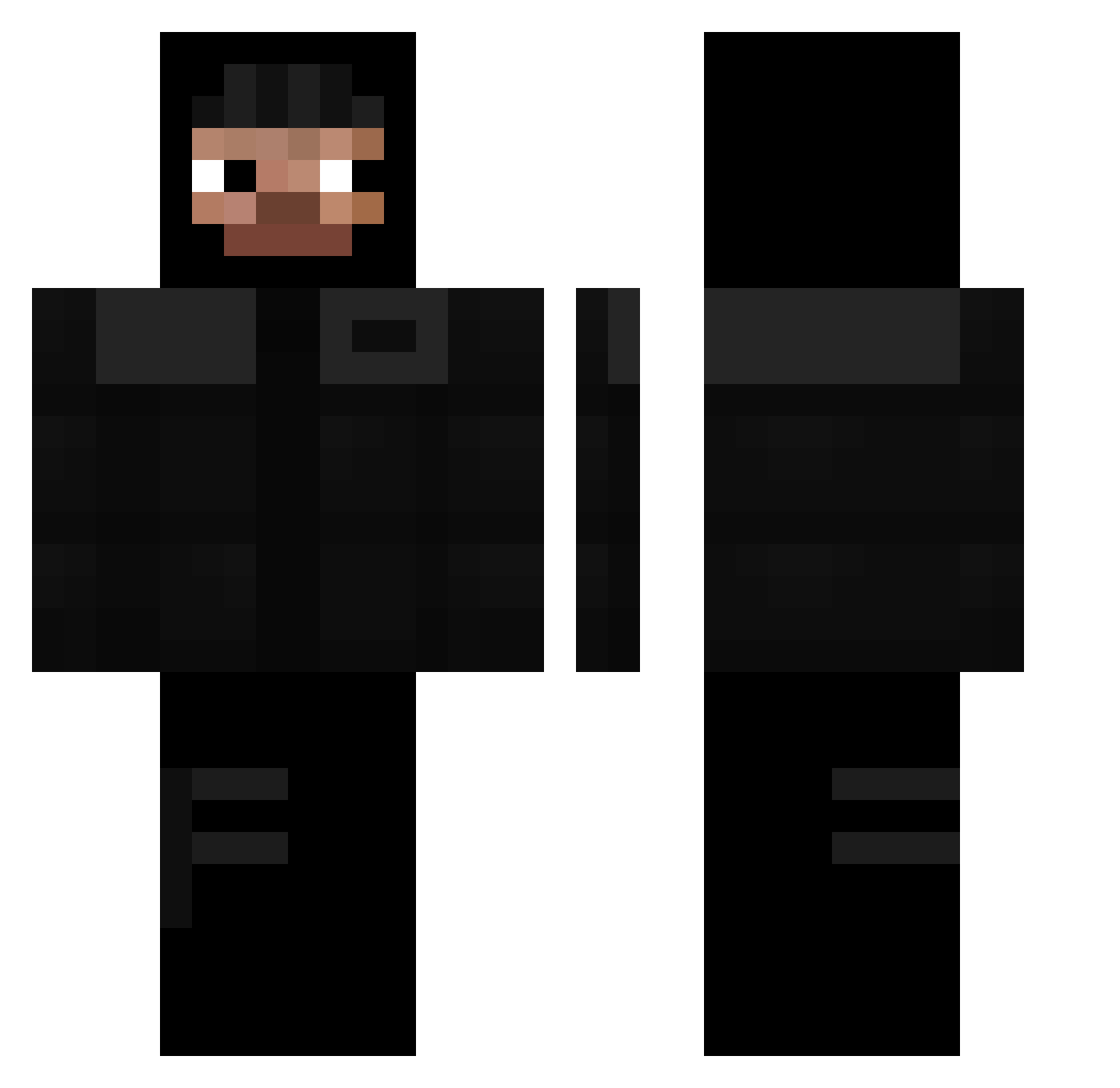
Current Minecraft skin of the player ThisIsAris, loaded from the official Mojang API. Rotate the 3D model with your mouse or finger, then download the skin as a PNG file and use it in Minecraft: Bedrock Edition or Java Edition for free. When ThisIsAris changes their skin, this page updates automatically and the old skin stays in the history below.
Other players with this skin (245)
ThisIsAris was the 221st player we have seen with this skin, first spotted on 09.10.2026. The same skin was seen on these players. Open a nickname to see their current skin and skin history.
 Thereal_marc300 noeam_ _Aziq POV992 UNOTKIM_K dilanwhite Szaryy7 Strikeezz naliak ArandomScratch backcarlos vollSauer Antwifa The_speed_typer Yawotto ZzasKkar uSd299 aimless_zxc 999KPG pawel23 JustToto96 4LPhoenix JXERR456 Chaparro1411 suocc unnormaler 7luci Penthouses Zydowa TAXO12 C14TORCE vinicius4572 _Masniutko_ MladiVinjak RaulSRY tfgzae jesuisrimd rad32_ pipisutcu auraking_exo laiizox DoItAgain_ tytus137 kemper09 KillSosah Soyamaa Mrhyeok Wiciuuu2137 GUMPAWUMPA geeky1x szwagier_001 CeskyPremier repastarr ys7vn Tatannn19 czopek0 RoTheStallion leonardo407 schedenbow proxidam
More Thief Minecraft skins
How to install the ThisIsAris skin
- Press the Download button above to save the skin as a PNG file.
- Minecraft: Bedrock Edition (PE): open the Dressing Room from the main menu (or tap your character → Edit Character), go to Classic Skins → Owned, press the + (new skin) button, choose the downloaded PNG and pick the Classic (Steve) model. Works on PC and mobile; consoles cannot import custom skins.
- Minecraft: Java Edition: open the Minecraft Launcher, go to the Skins tab, click New Skin, load the PNG, pick the Classic (Steve) model and press Save & Use. You can also upload it at minecraft.net → Profile → Change Skin.
The skin does not show up after import - what should I do?
Restart Minecraft and open the Dressing Room again - imported skins sometimes appear only after a restart. Also make sure you selected the imported skin and picked the Classic (Steve) model.
Which model should I choose, Classic or Slim?
This skin is designed for the Classic (Steve) model. If you pick the wrong model, the arms of the skin will look stretched or squeezed.
Is the skin of ThisIsAris free to download?
Yes. Press Download, save the PNG file and use it in Minecraft: Bedrock Edition or Java Edition - no payment or registration needed. The skin also works on multiplayer servers and Realms.
More skins
Looking for more? Go back to all Minecraft skins and check the top skins of the week, month and all time, or find any player's skin by nickname.