
CeskyPremier - Minecraft Skins & Skin History
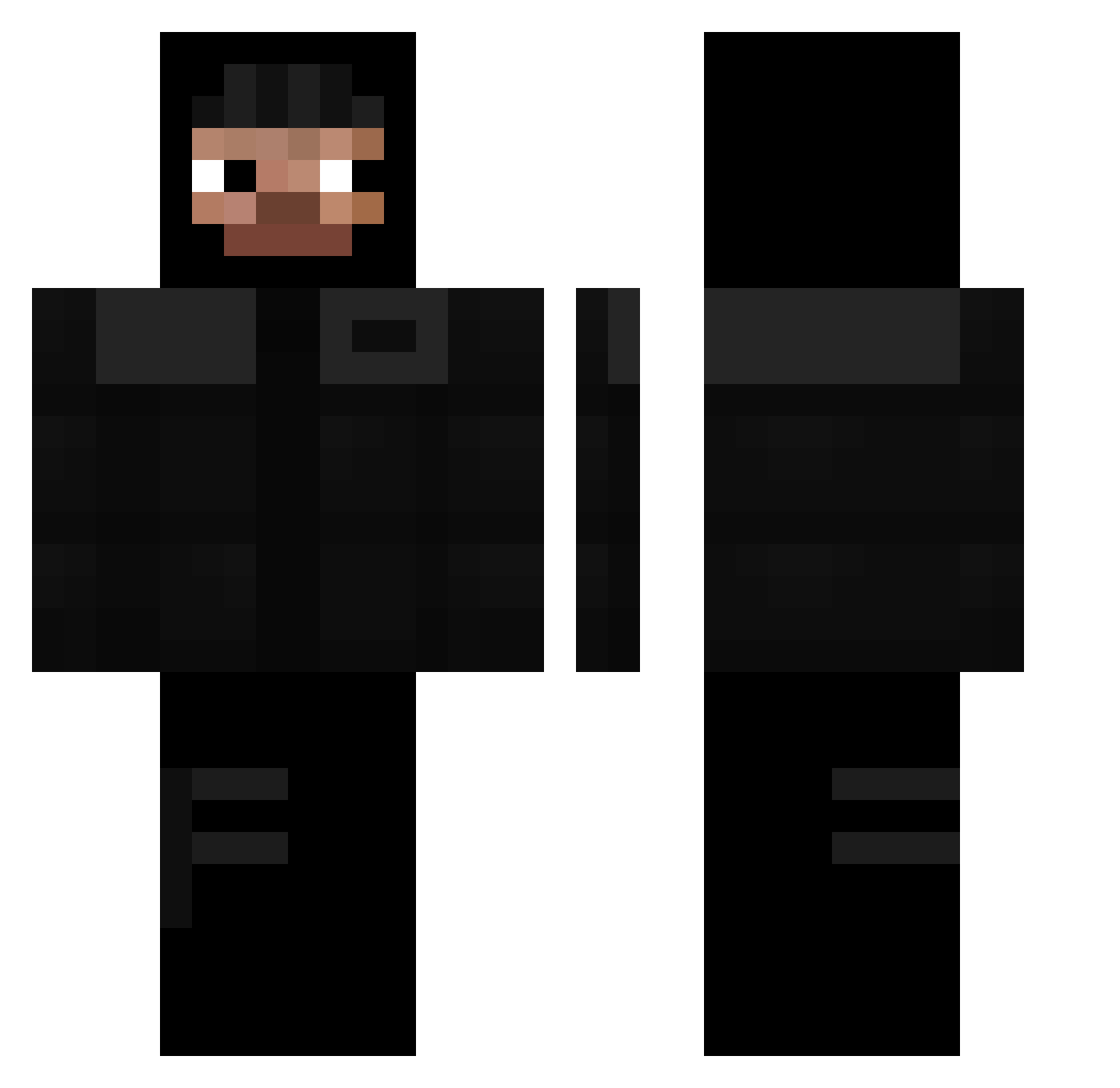
Current Minecraft skin of the player CeskyPremier, loaded from the official Mojang API. Rotate the 3D model with your mouse or finger, then download the skin as a PNG file and use it in Minecraft: Bedrock Edition or Java Edition for free. When CeskyPremier changes their skin, this page updates automatically and the old skin stays in the history below.
Other players with this skin (311)
CeskyPremier was the 194th player we have seen with this skin, first spotted on 02.10.2026. The same skin was seen on these players. Open a nickname to see their current skin and skin history.
 repastarr ys7vn Tatannn19 geeky1x czopek0 Mrhyeok Soyamaa RoTheStallion KillSosah tytus137 laiizox leonardo407 auraking_exo pipisutcu jesuisrimd schedenbow proxidam mwci SigmaGyatRizzer MladiVinjak Inottired2 BENZORICH _Masniutko_ Miszczu_pzu C14TORCE TAXO12 Zydowa andri7392 7luci GreeceOwnsU suocc JXERR456 boquita980 KaiTryME HoppeBorg rel1ve MrCrashout TollieLolly12 dpezzy1 Olikwiat RIPMUSTARD pawel23 ZzasKkar dawidzakolak1 GhostHidden ToPConrAd ArandomScratch naliak Strikeezz dilanwhite Leitoxico POV992 Sxmzhys oneguso noeam_ Samueel__ reemWRLD Thereal_marc300 ThisIsAris Jehj
More Thief Minecraft skins
How to install the CeskyPremier skin
- Press the Download button above to save the skin as a PNG file.
- Minecraft: Bedrock Edition (PE): open the Dressing Room from the main menu (or tap your character → Edit Character), go to Classic Skins → Owned, press the + (new skin) button, choose the downloaded PNG and pick the Classic (Steve) model. Works on PC and mobile; consoles cannot import custom skins.
- Minecraft: Java Edition: open the Minecraft Launcher, go to the Skins tab, click New Skin, load the PNG, pick the Classic (Steve) model and press Save & Use. You can also upload it at minecraft.net → Profile → Change Skin.
The skin does not show up after import - what should I do?
Restart Minecraft and open the Dressing Room again - imported skins sometimes appear only after a restart. Also make sure you selected the imported skin and picked the Classic (Steve) model.
Which model should I choose, Classic or Slim?
This skin is designed for the Classic (Steve) model. If you pick the wrong model, the arms of the skin will look stretched or squeezed.
Is the skin of CeskyPremier free to download?
Yes. Press Download, save the PNG file and use it in Minecraft: Bedrock Edition or Java Edition - no payment or registration needed. The skin also works on multiplayer servers and Realms.
More skins
Looking for more? Go back to all Minecraft skins and check the top skins of the week, month and all time, or find any player's skin by nickname.