
TheminerBob - Minecraft Skins & Skin History
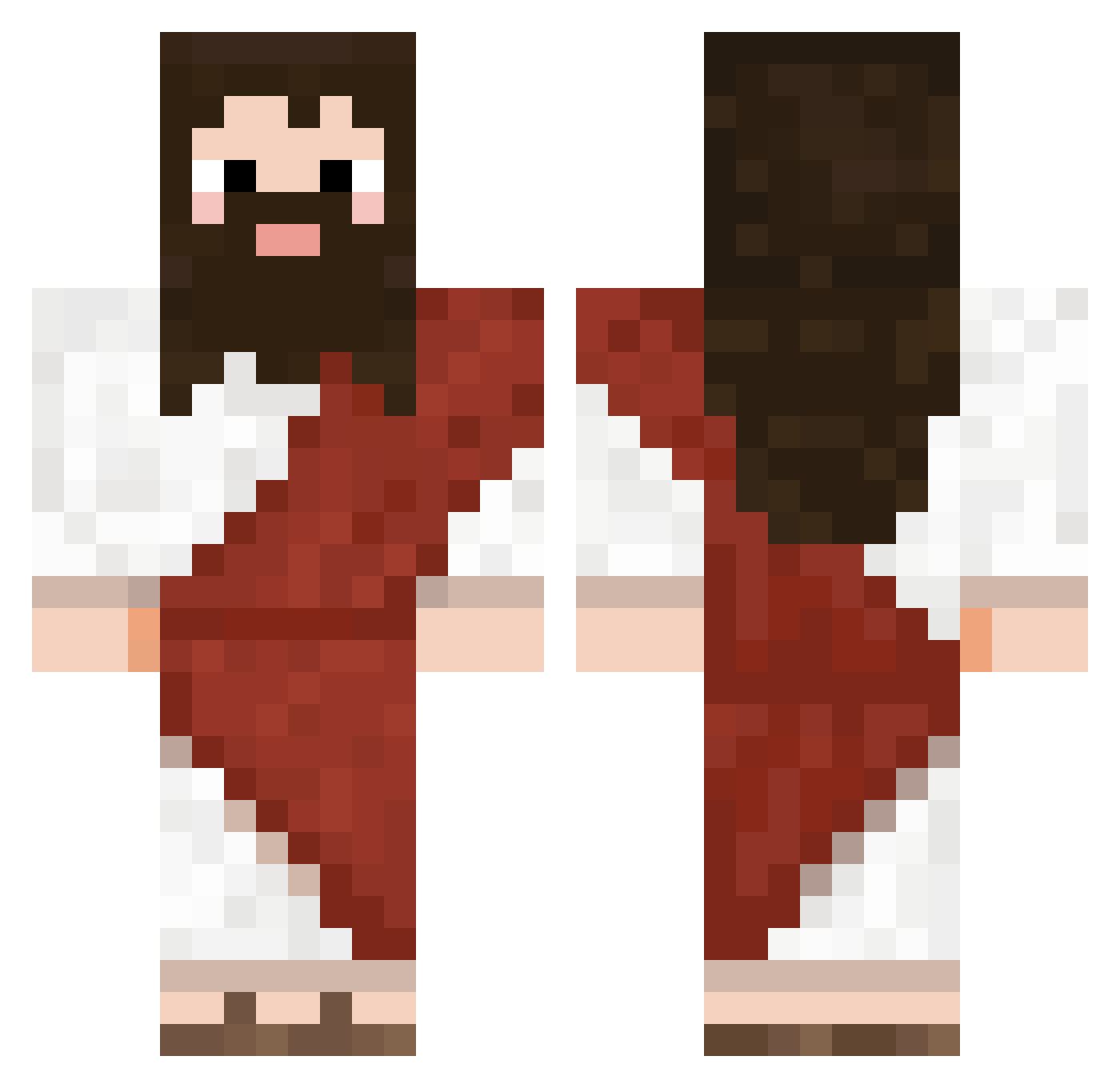
Current Minecraft skin of the player TheminerBob, loaded from the official Mojang API. Rotate the 3D model with your mouse or finger, then download the skin as a PNG file and use it in Minecraft: Bedrock Edition or Java Edition for free. When TheminerBob changes their skin, this page updates automatically and the old skin stays in the history below.
Other players with this skin (724)
TheminerBob was the 254th player we have seen with this skin, first spotted on 30.08.2026. The same skin was seen on these players. Open a nickname to see their current skin and skin history.
 ConsumingCandy Rafael_Jaques renhy_ Shinity Drakken98 Seffiemagee Edu0tk Corujango Johlab CASECL0SED FuneralForABird_ JavierRivas543 asheypoo69420 IkeaStool creamyyyyyyy Cacapopo7072 xdfunnylol_ gatomateo17 MaXxiiL Rafabolinha Trigrem Randyjza notserdjo de393 Mike_Oxmoll Matt767 Citizen__Insane s_wj QWERTY910 rave75nRyDGA YYHUFD igorowski321 ESNMinho KEVSO79
 bogadyr Mitchelsmh Amatitou sigma_femboy BaggeBaggen kakil9goat Drunks Drig4z blurrydog ImDoSa nam123 aryssss Bmoa _Vocto sartorell jiborad sebajebaka LinkStroX GodSendJah Outlwa stinkygage1 PicklesGod triplesaz rrutterbush ReelGloblin
 Enceledus
More Biblical Minecraft skins
How to install the TheminerBob skin
- Press the Download button above to save the skin as a PNG file.
- Minecraft: Bedrock Edition (PE): open the Dressing Room from the main menu (or tap your character → Edit Character), go to Classic Skins → Owned, press the + (new skin) button, choose the downloaded PNG and pick the Classic (Steve) model. Works on PC and mobile; consoles cannot import custom skins.
- Minecraft: Java Edition: open the Minecraft Launcher, go to the Skins tab, click New Skin, load the PNG, pick the Classic (Steve) model and press Save & Use. You can also upload it at minecraft.net → Profile → Change Skin.
The skin does not show up after import - what should I do?
Restart Minecraft and open the Dressing Room again - imported skins sometimes appear only after a restart. Also make sure you selected the imported skin and picked the Classic (Steve) model.
Which model should I choose, Classic or Slim?
This skin is designed for the Classic (Steve) model. If you pick the wrong model, the arms of the skin will look stretched or squeezed.
Is the skin of TheminerBob free to download?
Yes. Press Download, save the PNG file and use it in Minecraft: Bedrock Edition or Java Edition - no payment or registration needed. The skin also works on multiplayer servers and Realms.
More skins
Looking for more? Go back to all Minecraft skins and check the top skins of the week, month and all time, or find any player's skin by nickname.