
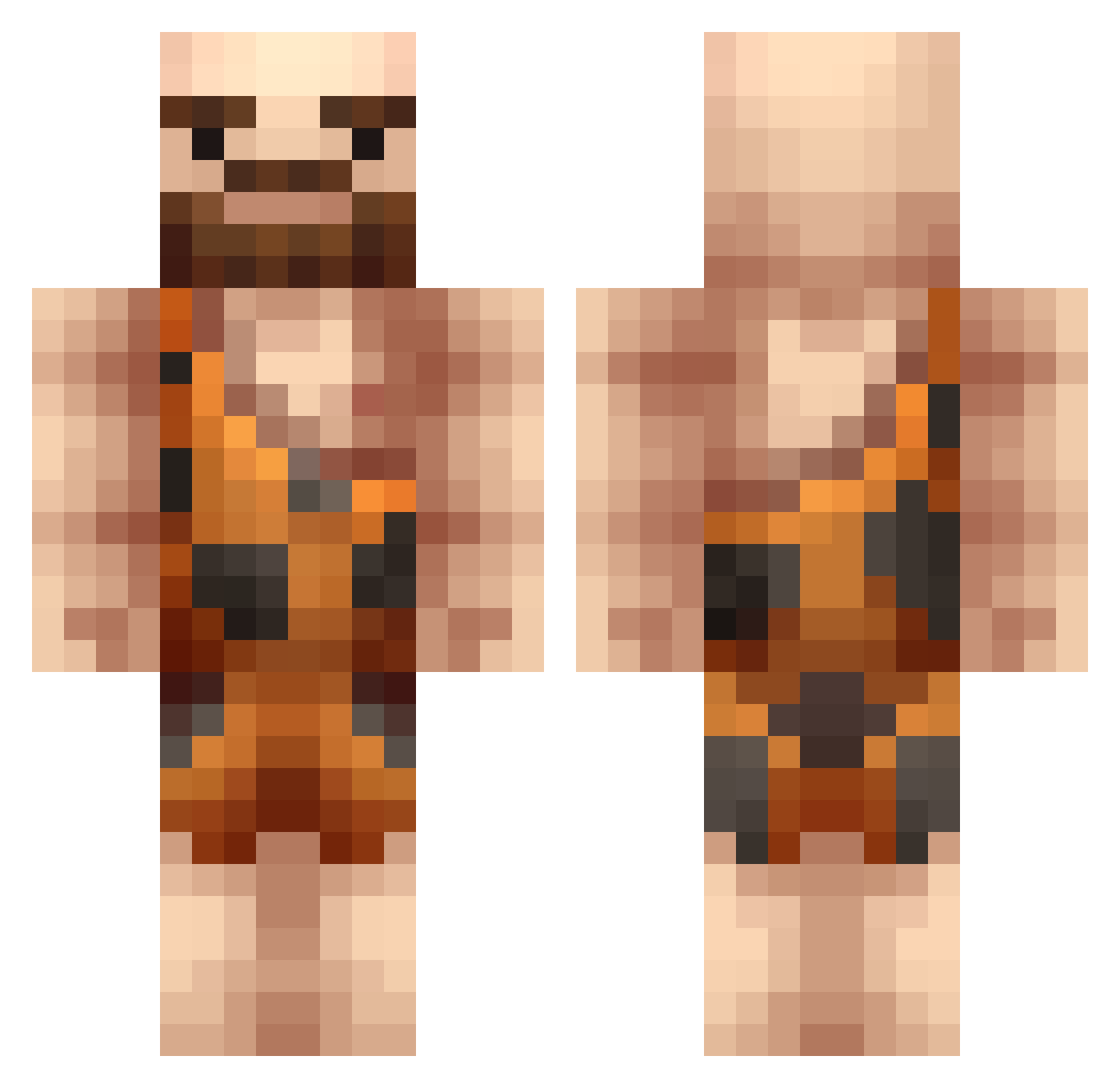
Current Minecraft skin of the player Theguigui11, loaded from the official Mojang API. Rotate the 3D model with your mouse or finger, then download the skin as a PNG file and use it in Minecraft: Bedrock Edition or Java Edition for free. When Theguigui11 changes their skin, this page updates automatically and the old skin stays in the history below.
Other players with this skin (289)
Theguigui11 was the 246th player we have seen with this skin, first spotted on 06.10.2026. The same skin was seen on these players. Open a nickname to see their current skin and skin history.
 CorporalClegg CaliKidz220 JHLJohn UltraBestAU Hillbillyb4u Keiska soulfire001 virrePE mojoflux Muffinator157 Pashibeep RayManEV alana920 Alfonso111 VicioDelAgaraio Yogurt_men Jalugi louisgerg1 rlawoaals Reuters Fuzzi BakedBanana ivarh123 Longrat pauperea ChillyPalmer92 Allen131 sexyskyline Gluk2709 Dohlinder TheLazulix NLCas8 xruben00 MayorOfRoblox 3001jujo TheFlexz ArchonBasilisk hobosquirrel GINGERBOYx a3r0 aka_awsome _Black_Eagle kralperri jotun11 kontae wihthaert lanvaettir williebrordspek Lukkybear lHeinz Lekyo klaizo GreyRaeven Great_Ape Caveman_Greg Superhexa BulletBreakfast8 Simstar07 GrimmJack Simpan_99
More Caveman Minecraft skins
How to install the Theguigui11 skin
- Press the Download button above to save the skin as a PNG file.
- Minecraft: Bedrock Edition (PE): open the Dressing Room from the main menu (or tap your character → Edit Character), go to Classic Skins → Owned, press the + (new skin) button, choose the downloaded PNG and pick the Classic (Steve) model. Works on PC and mobile; consoles cannot import custom skins.
- Minecraft: Java Edition: open the Minecraft Launcher, go to the Skins tab, click New Skin, load the PNG, pick the Classic (Steve) model and press Save & Use. You can also upload it at minecraft.net → Profile → Change Skin.
The skin does not show up after import - what should I do?
Restart Minecraft and open the Dressing Room again - imported skins sometimes appear only after a restart. Also make sure you selected the imported skin and picked the Classic (Steve) model.
Which model should I choose, Classic or Slim?
This skin is designed for the Classic (Steve) model. If you pick the wrong model, the arms of the skin will look stretched or squeezed.
Is the skin of Theguigui11 free to download?
Yes. Press Download, save the PNG file and use it in Minecraft: Bedrock Edition or Java Edition - no payment or registration needed. The skin also works on multiplayer servers and Realms.
More skins
Looking for more? Go back to all Minecraft skins and check the top skins of the week, month and all time, or find any player's skin by nickname.