
TheMaicol137 - Minecraft Skins & Skin History
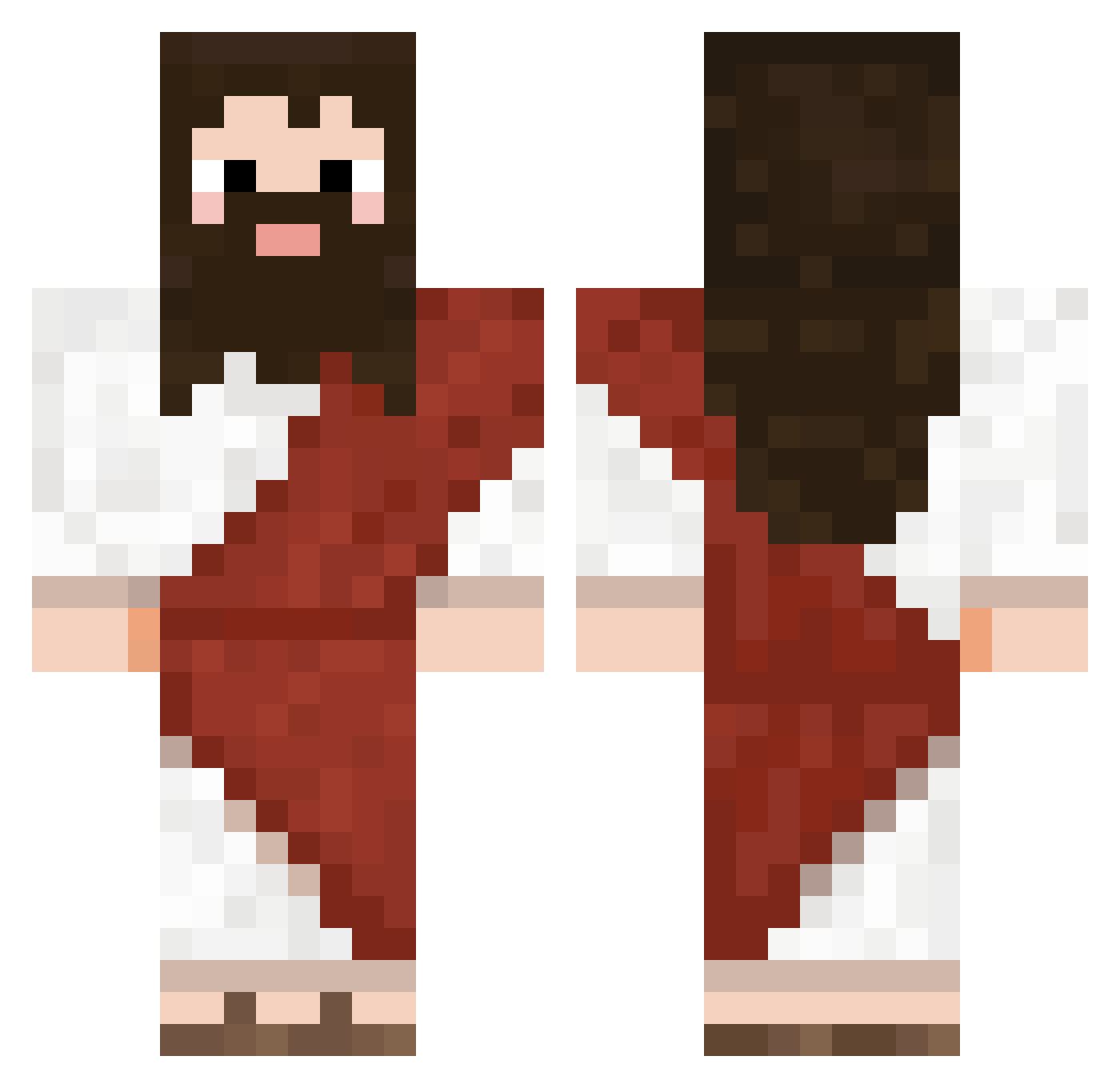
Current Minecraft skin of the player TheMaicol137, loaded from the official Mojang API. Rotate the 3D model with your mouse or finger, then download the skin as a PNG file and use it in Minecraft: Bedrock Edition or Java Edition for free. When TheMaicol137 changes their skin, this page updates automatically and the old skin stays in the history below.
Other players with this skin (724)
TheMaicol137 was the 330th player we have seen with this skin, first spotted on 12.09.2026. The same skin was seen on these players. Open a nickname to see their current skin and skin history.
 cschusty s0bek OklahomaResident SUK8997 rektall Ivoxy Kkilla999 GIO1115 Plofkipje123 Dieyou643 Dheeze Pablogonzalez201 Leke1706 Sanbitt WQkaylee Mefju317 LagWTF Stefano_nozza Zeden GayKiddz schixx Henrique_pkg BigBoyKev06 Chimo_z EZEddy03 williamkai1996 Endobyte Jekh_ kauaice9 Nasytrap ciruzzo_1000 Vrbg2003 kalkosky Curba43 Stobong LLvancom OldSick24 CrzWoodZy Robozillar GramKrakker KippKippNL saintlycellar52 duccpp Mathanks isaacsullivan meneghel Calamo123 Twinty_ee wikodo AdoptedTony ttcollin Dyrrancio KichikiByakuya izaazi BadussyBoiOnTop MegaFetus Boss5525 Hwan72 ChinoFaZe ZeRamalho123
More Biblical Minecraft skins
How to install the TheMaicol137 skin
- Press the Download button above to save the skin as a PNG file.
- Minecraft: Bedrock Edition (PE): open the Dressing Room from the main menu (or tap your character → Edit Character), go to Classic Skins → Owned, press the + (new skin) button, choose the downloaded PNG and pick the Classic (Steve) model. Works on PC and mobile; consoles cannot import custom skins.
- Minecraft: Java Edition: open the Minecraft Launcher, go to the Skins tab, click New Skin, load the PNG, pick the Classic (Steve) model and press Save & Use. You can also upload it at minecraft.net → Profile → Change Skin.
The skin does not show up after import - what should I do?
Restart Minecraft and open the Dressing Room again - imported skins sometimes appear only after a restart. Also make sure you selected the imported skin and picked the Classic (Steve) model.
Which model should I choose, Classic or Slim?
This skin is designed for the Classic (Steve) model. If you pick the wrong model, the arms of the skin will look stretched or squeezed.
Is the skin of TheMaicol137 free to download?
Yes. Press Download, save the PNG file and use it in Minecraft: Bedrock Edition or Java Edition - no payment or registration needed. The skin also works on multiplayer servers and Realms.
More skins
Looking for more? Go back to all Minecraft skins and check the top skins of the week, month and all time, or find any player's skin by nickname.