
TheJeka - Minecraft Skins & Skin History
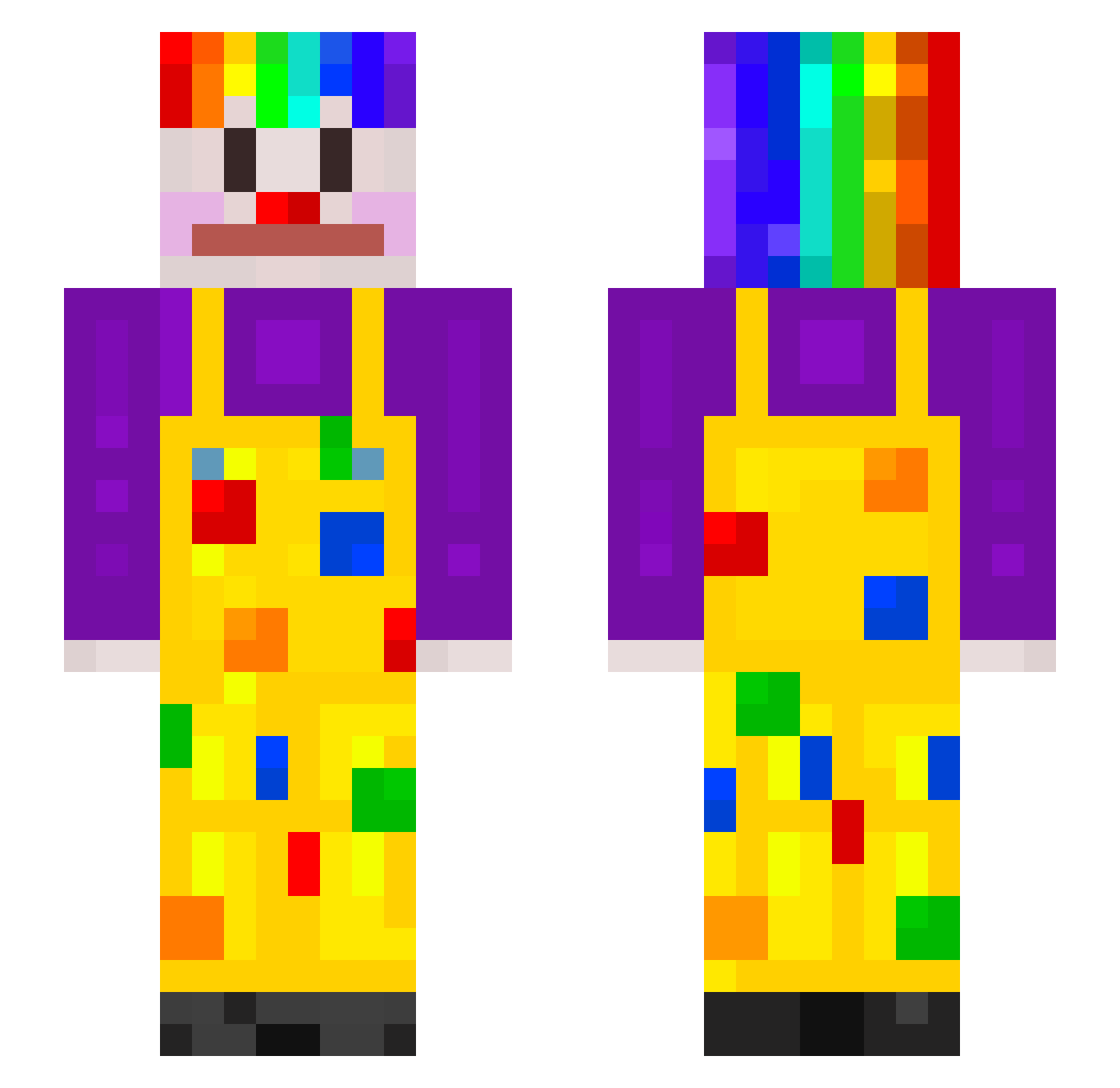
Current Minecraft skin of the player TheJeka, loaded from the official Mojang API. Rotate the 3D model with your mouse or finger, then download the skin as a PNG file and use it in Minecraft: Bedrock Edition or Java Edition for free. When TheJeka changes their skin, this page updates automatically and the old skin stays in the history below.
Other players with this skin (200)
TheJeka was the 59th player we have seen with this skin, first spotted on 22.08.2026. The same skin was seen on these players. Open a nickname to see their current skin and skin history.
 Frequencyz1 oo0s zWilboy ICTrading Cyber_Dog7 DEITYYYY tomtomqds zhangyibo666888 Legominifigur1 OverkillSad 2goodAlt11 RGP_Eon megapeanball alb123456789
 classic_Ilyaleb Moonbob32 Ghiklm SmallClown Outhustled
 LDiam Survival1488 XDnotcheatingXD rodenasink grgak Squishy_table DumbThicc42069 idiot1234 unterbrochen Mimi_Ellen killertuti1234 Lorey ZAbirZ szymikk76 zedshake mirandacooper69 someone22222 Hankle DoraTheCrackHead Kimdandan1 Ovli Gnat2199 uwubomber Scarletinked
 gloryjitt2 LivvyLouX DepressoHonkHonk Script31 L1chyyy Bakutan f4cts Odiechang Loddy121 Raffa26 Feru_ BlackBananaManX Piatek06 lunanueva Munch_Blue Best_NashGamer Wayting
More Clown Minecraft skins
How to install the TheJeka skin
- Press the Download button above to save the skin as a PNG file.
- Minecraft: Bedrock Edition (PE): open the Dressing Room from the main menu (or tap your character → Edit Character), go to Classic Skins → Owned, press the + (new skin) button, choose the downloaded PNG and pick the Slim (Alex) model. Works on PC and mobile; consoles cannot import custom skins.
- Minecraft: Java Edition: open the Minecraft Launcher, go to the Skins tab, click New Skin, load the PNG, pick the Slim (Alex) model and press Save & Use. You can also upload it at minecraft.net → Profile → Change Skin.
The skin does not show up after import - what should I do?
Restart Minecraft and open the Dressing Room again - imported skins sometimes appear only after a restart. Also make sure you selected the imported skin and picked the Slim (Alex) model.
Which model should I choose, Classic or Slim?
This skin is designed for the Slim (Alex) model. If you pick the wrong model, the arms of the skin will look stretched or squeezed.
Is the skin of TheJeka free to download?
Yes. Press Download, save the PNG file and use it in Minecraft: Bedrock Edition or Java Edition - no payment or registration needed. The skin also works on multiplayer servers and Realms.
More skins
Looking for more? Go back to all Minecraft skins and check the top skins of the week, month and all time, or find any player's skin by nickname.