
TheDripBoi - Minecraft Skins & Skin History
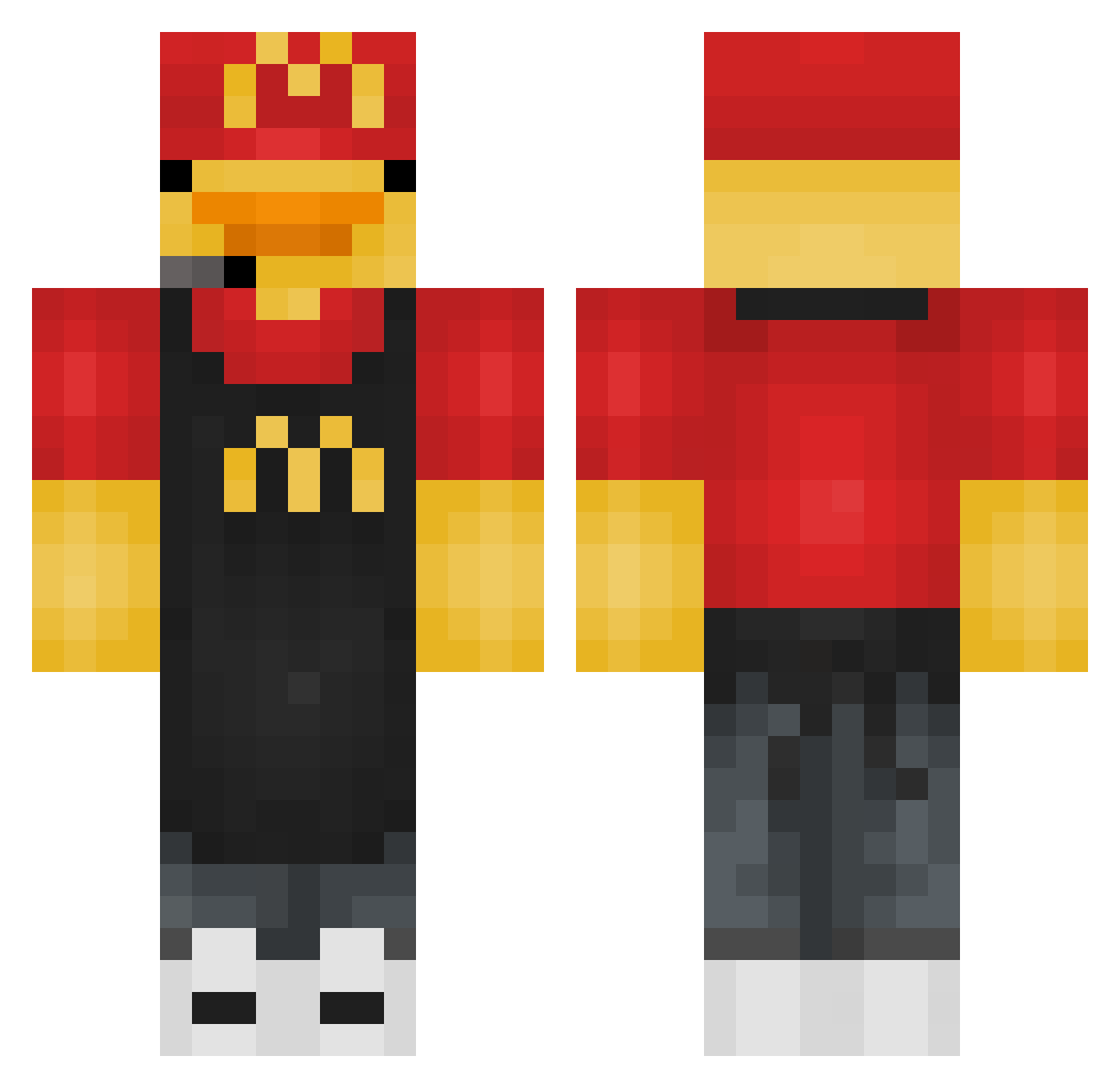
Current Minecraft skin of the player TheDripBoi, loaded from the official Mojang API. Rotate the 3D model with your mouse or finger, then download the skin as a PNG file and use it in Minecraft: Bedrock Edition or Java Edition for free. When TheDripBoi changes their skin, this page updates automatically and the old skin stays in the history below.
Other players with this skin (276)
TheDripBoi was the 91st player we have seen with this skin, first spotted on 20.08.2026. The same skin was seen on these players. Open a nickname to see their current skin and skin history.
 Pikabu42200 Gabo312zz ninjath11 ToxIccIoudz SlothBoy2222 Fishytank3 ItzTommy_ JuztMee threehawaii ItsAvoxx As3burrito Ecaeteraa Pepino1215 juusmonkey Lchleb mehmet5473562 R4OXY Areanna914 chaotic_134 Brickfounder DucksAreCute05 Nvptune_ kenzz_1 SENSAI09 PangolinLuke DUCKCH1 Narco0505 superlegenderyic JimKnopp99 hwdp100procent CSDuckyy kjpinha kukisek120_ Memer3934
 HamedLocoecht OCKTICROCK Jerm663 FastNexis kiers__ Ali5Cali_ Niel303 LennyPenny0 sainttMC Aleksi67500
 Technoblox24 koksy71875615 ItzTooTuff hondersilk sklove BennettDover0815 poldi5877 GCNunes XDSMarc edplayz D1Killua KoJiWon Kire9002 Tostbrot_Kleini OJ_slime wikisiki0803
More Headset Minecraft skins
How to install the TheDripBoi skin
- Press the Download button above to save the skin as a PNG file.
- Minecraft: Bedrock Edition (PE): open the Dressing Room from the main menu (or tap your character → Edit Character), go to Classic Skins → Owned, press the + (new skin) button, choose the downloaded PNG and pick the Classic (Steve) model. Works on PC and mobile; consoles cannot import custom skins.
- Minecraft: Java Edition: open the Minecraft Launcher, go to the Skins tab, click New Skin, load the PNG, pick the Classic (Steve) model and press Save & Use. You can also upload it at minecraft.net → Profile → Change Skin.
The skin does not show up after import - what should I do?
Restart Minecraft and open the Dressing Room again - imported skins sometimes appear only after a restart. Also make sure you selected the imported skin and picked the Classic (Steve) model.
Which model should I choose, Classic or Slim?
This skin is designed for the Classic (Steve) model. If you pick the wrong model, the arms of the skin will look stretched or squeezed.
Is the skin of TheDripBoi free to download?
Yes. Press Download, save the PNG file and use it in Minecraft: Bedrock Edition or Java Edition - no payment or registration needed. The skin also works on multiplayer servers and Realms.
More skins
Looking for more? Go back to all Minecraft skins and check the top skins of the week, month and all time, or find any player's skin by nickname.