
Th3misss - Minecraft Skins & Skin History
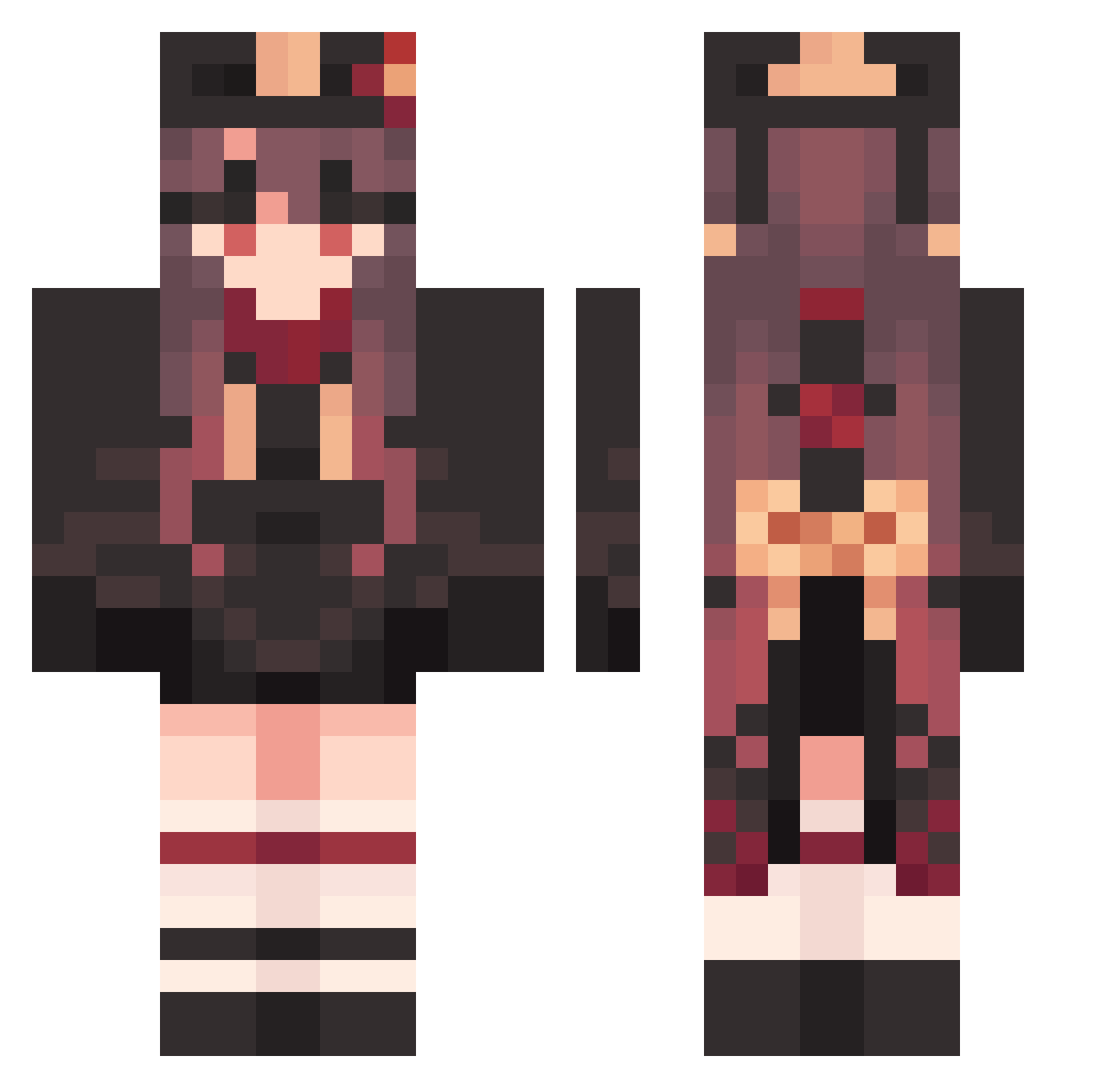
Current Minecraft skin of the player Th3misss, loaded from the official Mojang API. Rotate the 3D model with your mouse or finger, then download the skin as a PNG file and use it in Minecraft: Bedrock Edition or Java Edition for free. When Th3misss changes their skin, this page updates automatically and the old skin stays in the history below.
Other players with this skin (1587)
Th3misss was the 1110th player we have seen with this skin, first spotted on 11.10.2026. The same skin was seen on these players. Open a nickname to see their current skin and skin history.
 peppyxtx menhera_yoru Eggieto ngai36 CSv316 Hutao_yJYdGyJ527 super_man_go030 AmbiguousShut914 FranticAmused405 Hutao_aoMMykj639 Hutao_VxekDPs708 MarkedFinicky504 Hutao_tayRHVc472 CourageousRed346 Hutao_rviyJVa717 kinakoaisu ykndsk KGH226 Jukii_x qDO604 Hutao_ZoXiLxd124 TestyTense127 BrashWorthless46 AlertDeeply284 linwenbo Sevyan_ UnableSupreme148 Hutao_edh677 CloudyBillowy972 UntidyWaiting426 Hutao_GsrHhKO334 ExclusiveFull719 Kyo9305 walterwaite dogyum9316 Hutao_LyBmOUo848 Hutao_LKuoGLW686 TheRealS4ns Hutao_pZWxSiF480 Atp20 sota_taso BouncyJealous536 BrightPresent493 Hutao_Yvy631 CoolDark477 ClammyMushy452 FrailAdjoining40 PublicWakeful253 Hutao_KfOninX592 Hutao_asnWQZI406 BqD179 SSaunders ShockingNaive627 LongNew224 ScarceMuddled711 surisari haydeen_ ALTq03 Dawn1004 Hutao_MTJJHyv449
More Hu Tao Minecraft skins
How to install the Th3misss skin
- Press the Download button above to save the skin as a PNG file.
- Minecraft: Bedrock Edition (PE): open the Dressing Room from the main menu (or tap your character → Edit Character), go to Classic Skins → Owned, press the + (new skin) button, choose the downloaded PNG and pick the Classic (Steve) model. Works on PC and mobile; consoles cannot import custom skins.
- Minecraft: Java Edition: open the Minecraft Launcher, go to the Skins tab, click New Skin, load the PNG, pick the Classic (Steve) model and press Save & Use. You can also upload it at minecraft.net → Profile → Change Skin.
The skin does not show up after import - what should I do?
Restart Minecraft and open the Dressing Room again - imported skins sometimes appear only after a restart. Also make sure you selected the imported skin and picked the Classic (Steve) model.
Which model should I choose, Classic or Slim?
This skin is designed for the Classic (Steve) model. If you pick the wrong model, the arms of the skin will look stretched or squeezed.
Is the skin of Th3misss free to download?
Yes. Press Download, save the PNG file and use it in Minecraft: Bedrock Edition or Java Edition - no payment or registration needed. The skin also works on multiplayer servers and Realms.
More skins
Looking for more? Go back to all Minecraft skins and check the top skins of the week, month and all time, or find any player's skin by nickname.