
TW_ZERO - Minecraft Skins & Skin History
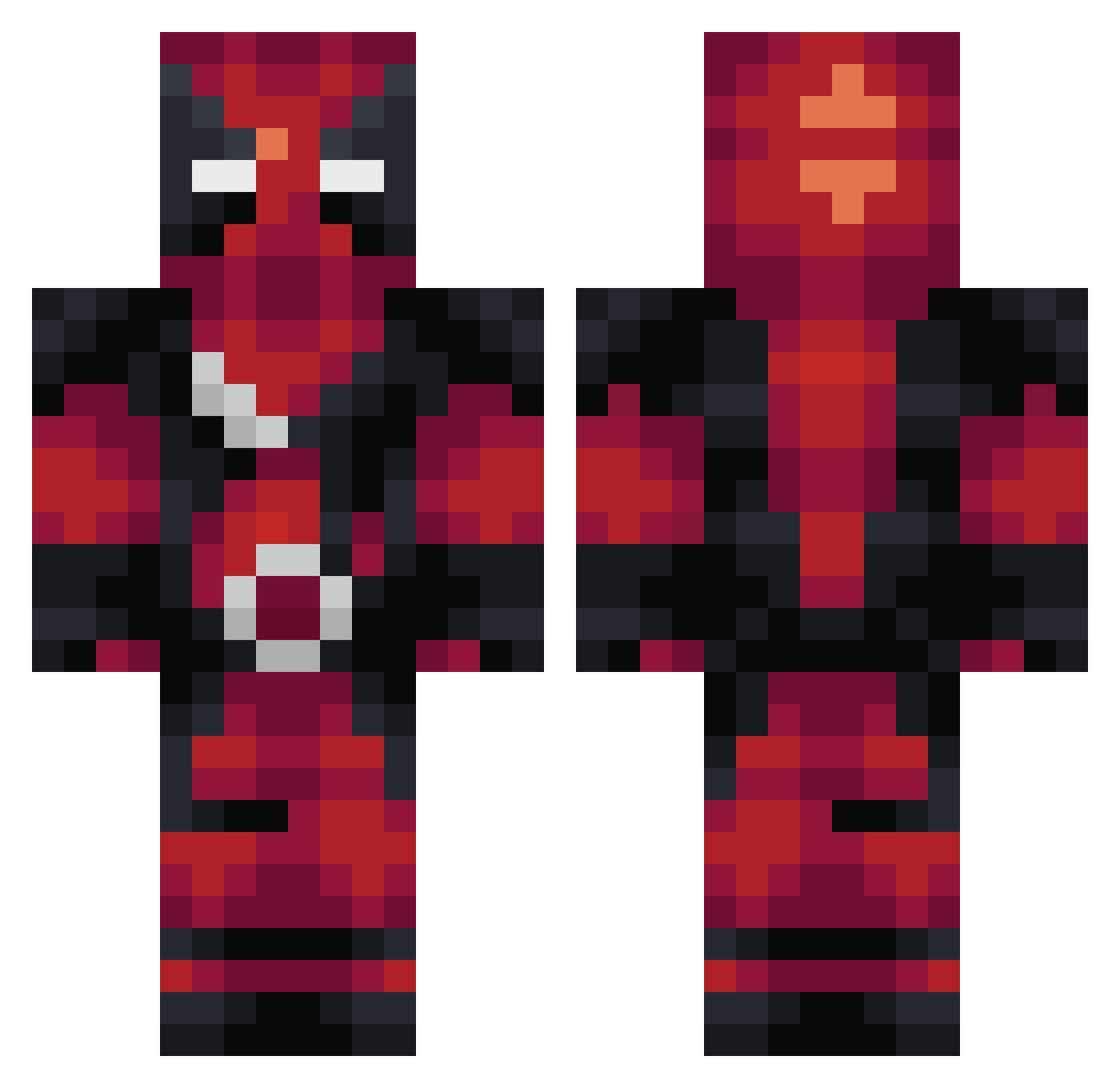
Current Minecraft skin of the player TW_ZERO, loaded from the official Mojang API. Rotate the 3D model with your mouse or finger, then download the skin as a PNG file and use it in Minecraft: Bedrock Edition or Java Edition for free. When TW_ZERO changes their skin, this page updates automatically and the old skin stays in the history below.
Other players with this skin (274)
TW_ZERO was the 161st player we have seen with this skin, first spotted on 30.09.2026. The same skin was seen on these players. Open a nickname to see their current skin and skin history.
 conscio ZachIsBxck maakuchan XoShatteredoX UncagedAssassin TimmyN demigod9_9 MattyTaco CutthroatBeast 6ixteen NightyNightMiner shincuteo133 Moeberg hacxper MagikSM_ iTz_Super_Alt5 Riccardo0099 Marc7723 BIS_xuan TTKK34 FIREROW Stephan1002 ImZay000 spyro089 TheNetboy30 RidgeFLEX dikkejohndeer TonyCR05 DViper96 CJVaughn walker987 boosss0000 ItsRobbII tbsrules2 riptide1750 borman427 SuperAlex08 WadeTheBuilder wolfnight4343 JamCookiie Lasse720 toXXicShadow shadoworierdg DeadBurden FANT0M_W0LF _Casper_31 Antagonizer Francesco_28 fatboyfry Lecraftdu46 MacFlick Bennbo DerBous YoIsck PasselPlayz Upii spaztron32 Otter6879 VoidScorpionn Arikus83
More Deadpool Minecraft skins
How to install the TW_ZERO skin
- Press the Download button above to save the skin as a PNG file.
- Minecraft: Bedrock Edition (PE): open the Dressing Room from the main menu (or tap your character → Edit Character), go to Classic Skins → Owned, press the + (new skin) button, choose the downloaded PNG and pick the Classic (Steve) model. Works on PC and mobile; consoles cannot import custom skins.
- Minecraft: Java Edition: open the Minecraft Launcher, go to the Skins tab, click New Skin, load the PNG, pick the Classic (Steve) model and press Save & Use. You can also upload it at minecraft.net → Profile → Change Skin.
The skin does not show up after import - what should I do?
Restart Minecraft and open the Dressing Room again - imported skins sometimes appear only after a restart. Also make sure you selected the imported skin and picked the Classic (Steve) model.
Which model should I choose, Classic or Slim?
This skin is designed for the Classic (Steve) model. If you pick the wrong model, the arms of the skin will look stretched or squeezed.
Is the skin of TW_ZERO free to download?
Yes. Press Download, save the PNG file and use it in Minecraft: Bedrock Edition or Java Edition - no payment or registration needed. The skin also works on multiplayer servers and Realms.
More skins
Looking for more? Go back to all Minecraft skins and check the top skins of the week, month and all time, or find any player's skin by nickname.