
TOMIGROK - Minecraft Skins & Skin History
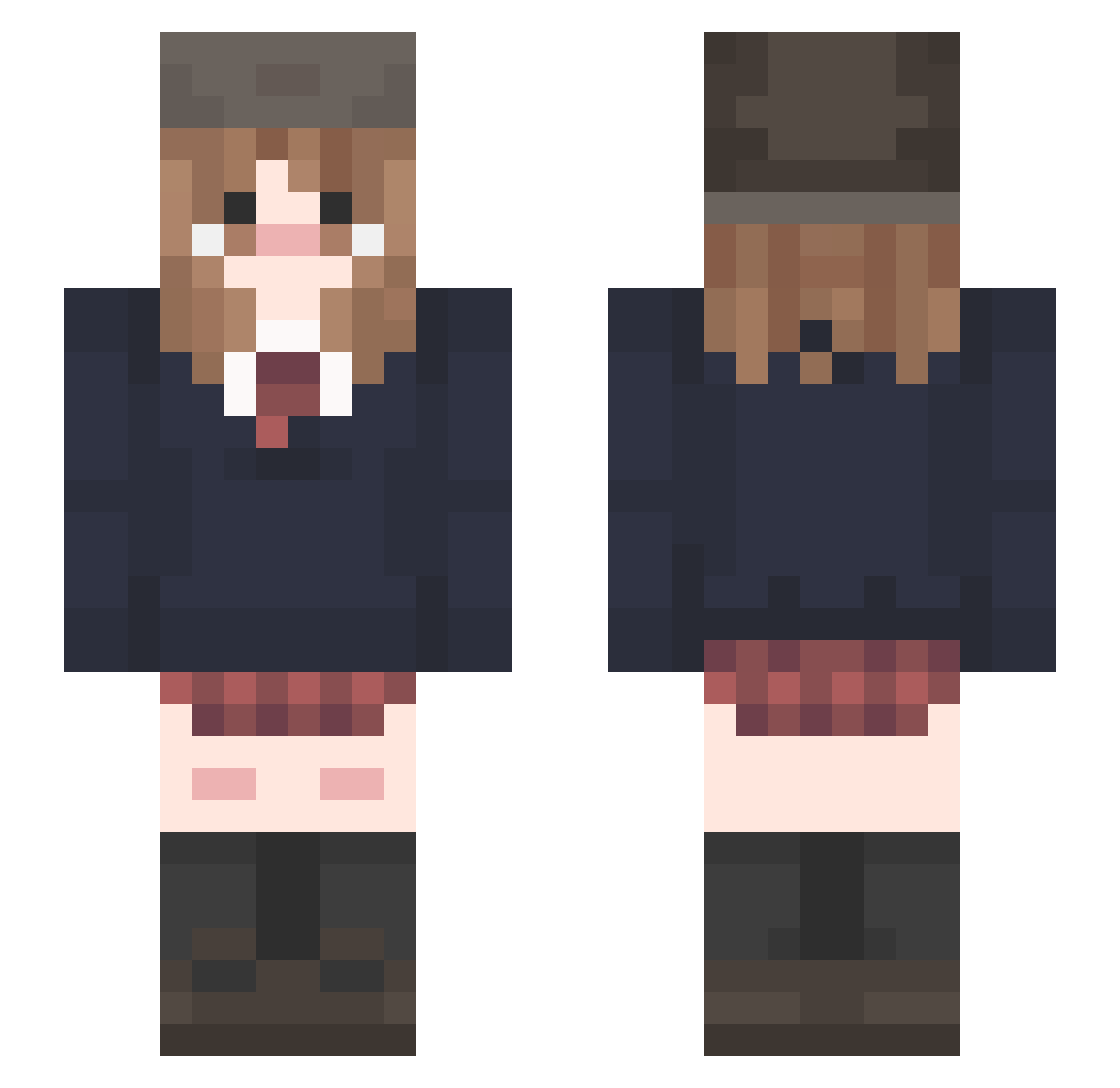
Current Minecraft skin of the player TOMIGROK, loaded from the official Mojang API. Rotate the 3D model with your mouse or finger, then download the skin as a PNG file and use it in Minecraft: Bedrock Edition or Java Edition for free. When TOMIGROK changes their skin, this page updates automatically and the old skin stays in the history below.
Other players with this skin (215)
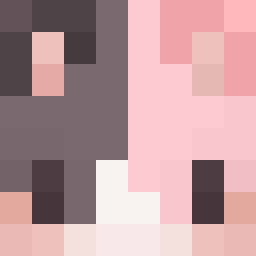
TOMIGROK was the 73rd player we have seen with this skin, first spotted on 31.08.2026. The same skin was seen on these players. Open a nickname to see their current skin and skin history.
 sakurai_1024 Kel0ups MarcikaHu Pipigou Rafabonita d4mnitsara tgbpm PHPR04 power1372 DG_RM ItzSunnyD Asahimeaqua QC123Q mingzhengdan ATypicalPlayer EryueCat pikyaaan sengje PPIB renelyric0 Ch0c0Croissant
 uhmmmmmm daaaaavia Tsuki_Nousagi hajin11 gaba11 Guadalupe10 mousong0408 ilovckr2111 Sakedms not_annsai IzanamiHai LikedDragon5913 nidr64 kimixcv Probably_V Fostrodah LargoToaster527 _TheClassicGirl_ GravelNyans lokalnagadzi delfisita Low_taperfade Fvnsenpai
 whoeta09
 wawakiii Leee_p mymorem Evujym CursedAuroran Antimissile ultraxorete nyctophilia7 VillageSage99 FFFF1917 ryanpop oguogu223 Khaelis1 KaseKazzy P0SERRRR
Previous skins of TOMIGROK
Skins that TOMIGROK wore before, newest first. Click a skin to open its page and download it.
More School Uniform Minecraft skins
See all 6890 School Uniform skins
How to install the TOMIGROK skin
- Press the Download button above to save the skin as a PNG file.
- Minecraft: Bedrock Edition (PE): open the Dressing Room from the main menu (or tap your character → Edit Character), go to Classic Skins → Owned, press the + (new skin) button, choose the downloaded PNG and pick the Slim (Alex) model. Works on PC and mobile; consoles cannot import custom skins.
- Minecraft: Java Edition: open the Minecraft Launcher, go to the Skins tab, click New Skin, load the PNG, pick the Slim (Alex) model and press Save & Use. You can also upload it at minecraft.net → Profile → Change Skin.
The skin does not show up after import - what should I do?
Restart Minecraft and open the Dressing Room again - imported skins sometimes appear only after a restart. Also make sure you selected the imported skin and picked the Slim (Alex) model.
Which model should I choose, Classic or Slim?
This skin is designed for the Slim (Alex) model. If you pick the wrong model, the arms of the skin will look stretched or squeezed.
Is the skin of TOMIGROK free to download?
Yes. Press Download, save the PNG file and use it in Minecraft: Bedrock Edition or Java Edition - no payment or registration needed. The skin also works on multiplayer servers and Realms.
More skins
Looking for more? Go back to all Minecraft skins and check the top skins of the week, month and all time, or find any player's skin by nickname.