
THETICKLEPICKLE - Minecraft Skins & Skin History
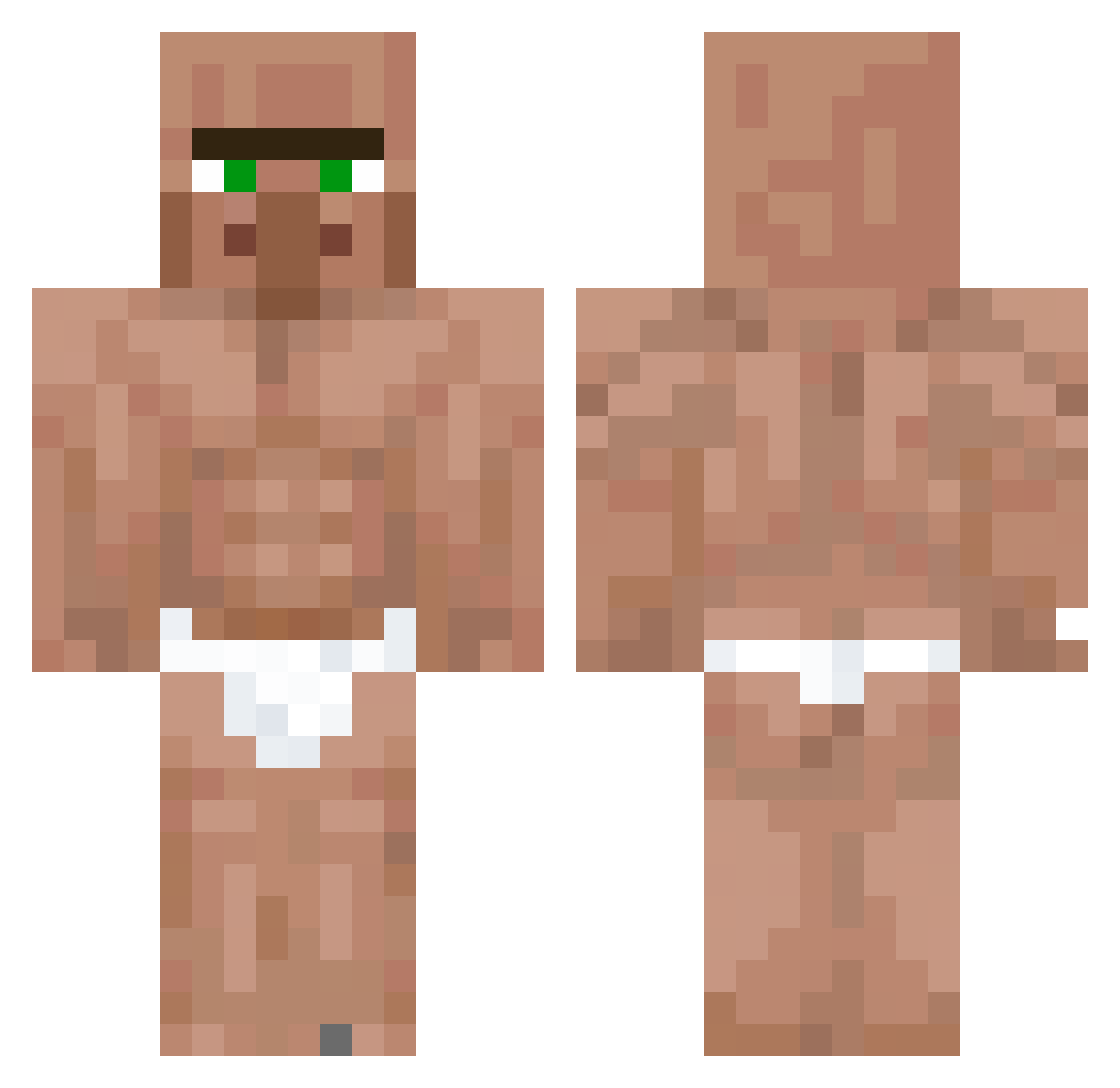
Current Minecraft skin of the player THETICKLEPICKLE, loaded from the official Mojang API. Rotate the 3D model with your mouse or finger, then download the skin as a PNG file and use it in Minecraft: Bedrock Edition or Java Edition for free. When THETICKLEPICKLE changes their skin, this page updates automatically and the old skin stays in the history below.
Other players with this skin (62)
THETICKLEPICKLE was the 47th player we have seen with this skin, first spotted on 25.10.2026. The same skin was seen on these players. Open a nickname to see their current skin and skin history.
 RyzenRoll RomTozadnik Blartman1 MrDonglerberry Sriba DMLPP Lyromc The_BrV marcosdaniel888 TigerFlex Krankenschein123 nalesnikk Boogieblitz muntingmaster Eistee_Junkie137 SadRavioli aleklel lemon1709 OHMYGOD0513 CindySammy juanitococo 1Dot _Kedzior_ Return_to_Lobby Fisssan alfjae ZeTots Micke17 leohessel stefaNSaevars xTenshiFPS PinkDonut07 elreal2225 YahirRon King_Luan crybyjojos LnwPondZa55 2Aaron3 mikeyistaken TheCringeLosti LinkDiego noodlesoep21 WatGoesYouThatOn bisozav einfach_macht goofball8786 CrimsonRainFlow JAG0O PapaHemuls Riggztr Ertuly pitaishere ElLimon vsnryi Karamelz2545 1kapolek1 Aleksanderps OgKrecik CoopD Brooo0K
More Buff Minecraft skins
How to install the THETICKLEPICKLE skin
- Press the Download button above to save the skin as a PNG file.
- Minecraft: Bedrock Edition (PE): open the Dressing Room from the main menu (or tap your character → Edit Character), go to Classic Skins → Owned, press the + (new skin) button, choose the downloaded PNG and pick the Classic (Steve) model. Works on PC and mobile; consoles cannot import custom skins.
- Minecraft: Java Edition: open the Minecraft Launcher, go to the Skins tab, click New Skin, load the PNG, pick the Classic (Steve) model and press Save & Use. You can also upload it at minecraft.net → Profile → Change Skin.
The skin does not show up after import - what should I do?
Restart Minecraft and open the Dressing Room again - imported skins sometimes appear only after a restart. Also make sure you selected the imported skin and picked the Classic (Steve) model.
Which model should I choose, Classic or Slim?
This skin is designed for the Classic (Steve) model. If you pick the wrong model, the arms of the skin will look stretched or squeezed.
Is the skin of THETICKLEPICKLE free to download?
Yes. Press Download, save the PNG file and use it in Minecraft: Bedrock Edition or Java Edition - no payment or registration needed. The skin also works on multiplayer servers and Realms.
More skins
Looking for more? Go back to all Minecraft skins and check the top skins of the week, month and all time, or find any player's skin by nickname.