
Szok - Minecraft Skins & Skin History
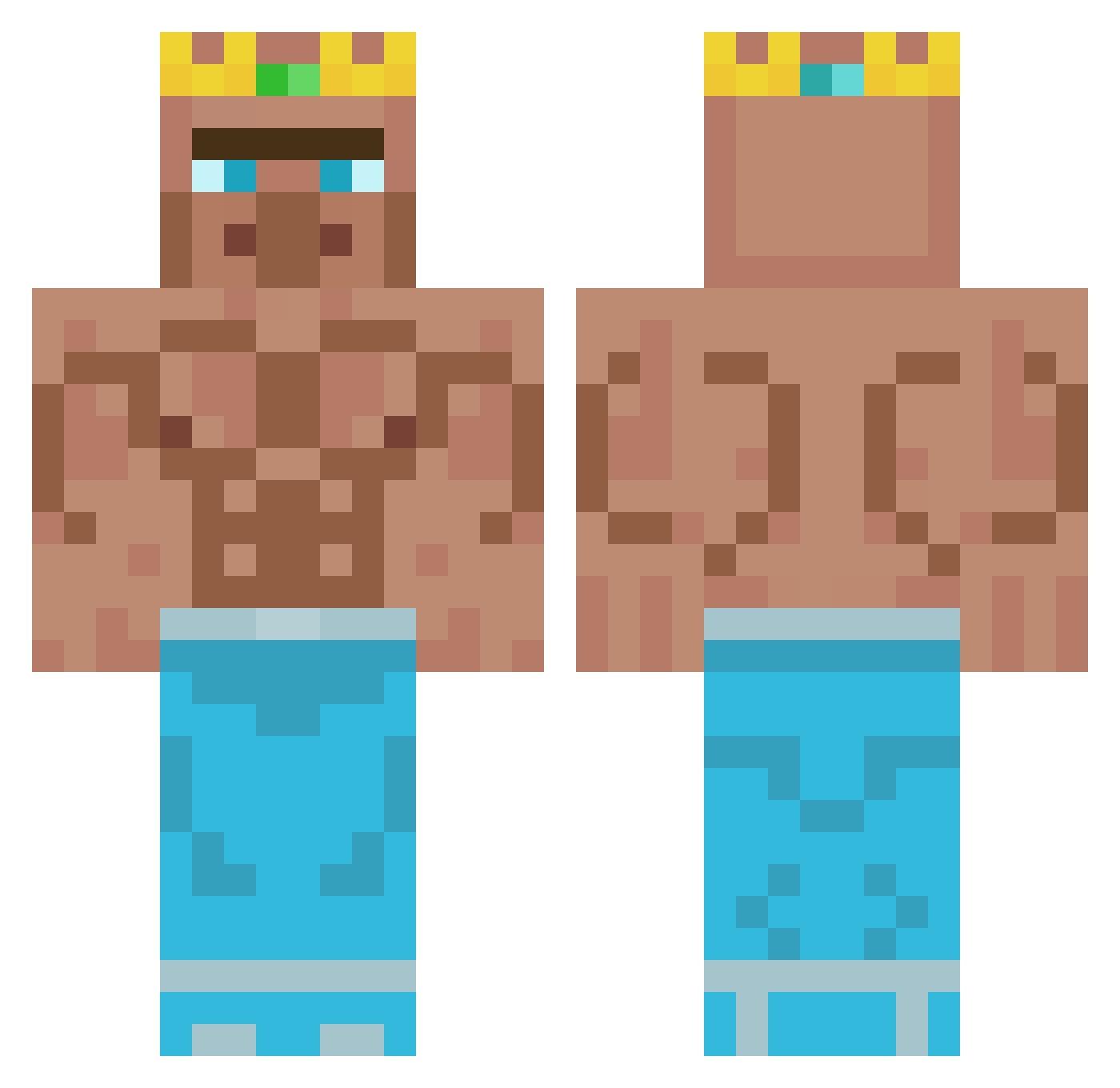
Current Minecraft skin of the player Szok, loaded from the official Mojang API. Rotate the 3D model with your mouse or finger, then download the skin as a PNG file and use it in Minecraft: Bedrock Edition or Java Edition for free. When Szok changes their skin, this page updates automatically and the old skin stays in the history below.
Other players with this skin (347)
Szok was the 171st player we have seen with this skin, first spotted on 13.09.2026. The same skin was seen on these players. Open a nickname to see their current skin and skin history.
 vMaxi staemosk IDontLikeNons LUkaL05 RAYFAG PP_MAN17 GodMuffer420 SL_GAMER300 artmies Steviebevie13 xXCesarDracoXx McDoogie cRazYDogi Alphelix2 Flamingturtle198 oscarisberg1234 Janius449 kulmik Manfredissimo stubbs123321 VeryBigLargeMan LuckyLP71 polipoMS Najcik99 uhhyazan AutobotsSpawners BoltFirestorm CASY_2012 OpticToxicz1517 StorableHat2078 Juuhanna Lightfighter_99
 RyskyyBryzness mondil rocketx999 Ranga_Banga_ HunterofGory JoeTheHook Brantoool Teokielkirk henrykevin2021 Die_Nummer_8 YumiHulk SangNamJa01 The_Slacker goatk1ng HarrisCallan09 Biggestniggest87 oruao Modjo_ Levousek sholo97 _Wyck_ Saiko_MS13 Zamick tomwp30 ZnRyez Hab_keine_Bong YPhill Huohaha_
More Buff Minecraft skins
How to install the Szok skin
- Press the Download button above to save the skin as a PNG file.
- Minecraft: Bedrock Edition (PE): open the Dressing Room from the main menu (or tap your character → Edit Character), go to Classic Skins → Owned, press the + (new skin) button, choose the downloaded PNG and pick the Classic (Steve) model. Works on PC and mobile; consoles cannot import custom skins.
- Minecraft: Java Edition: open the Minecraft Launcher, go to the Skins tab, click New Skin, load the PNG, pick the Classic (Steve) model and press Save & Use. You can also upload it at minecraft.net → Profile → Change Skin.
The skin does not show up after import - what should I do?
Restart Minecraft and open the Dressing Room again - imported skins sometimes appear only after a restart. Also make sure you selected the imported skin and picked the Classic (Steve) model.
Which model should I choose, Classic or Slim?
This skin is designed for the Classic (Steve) model. If you pick the wrong model, the arms of the skin will look stretched or squeezed.
Is the skin of Szok free to download?
Yes. Press Download, save the PNG file and use it in Minecraft: Bedrock Edition or Java Edition - no payment or registration needed. The skin also works on multiplayer servers and Realms.
More skins
Looking for more? Go back to all Minecraft skins and check the top skins of the week, month and all time, or find any player's skin by nickname.