
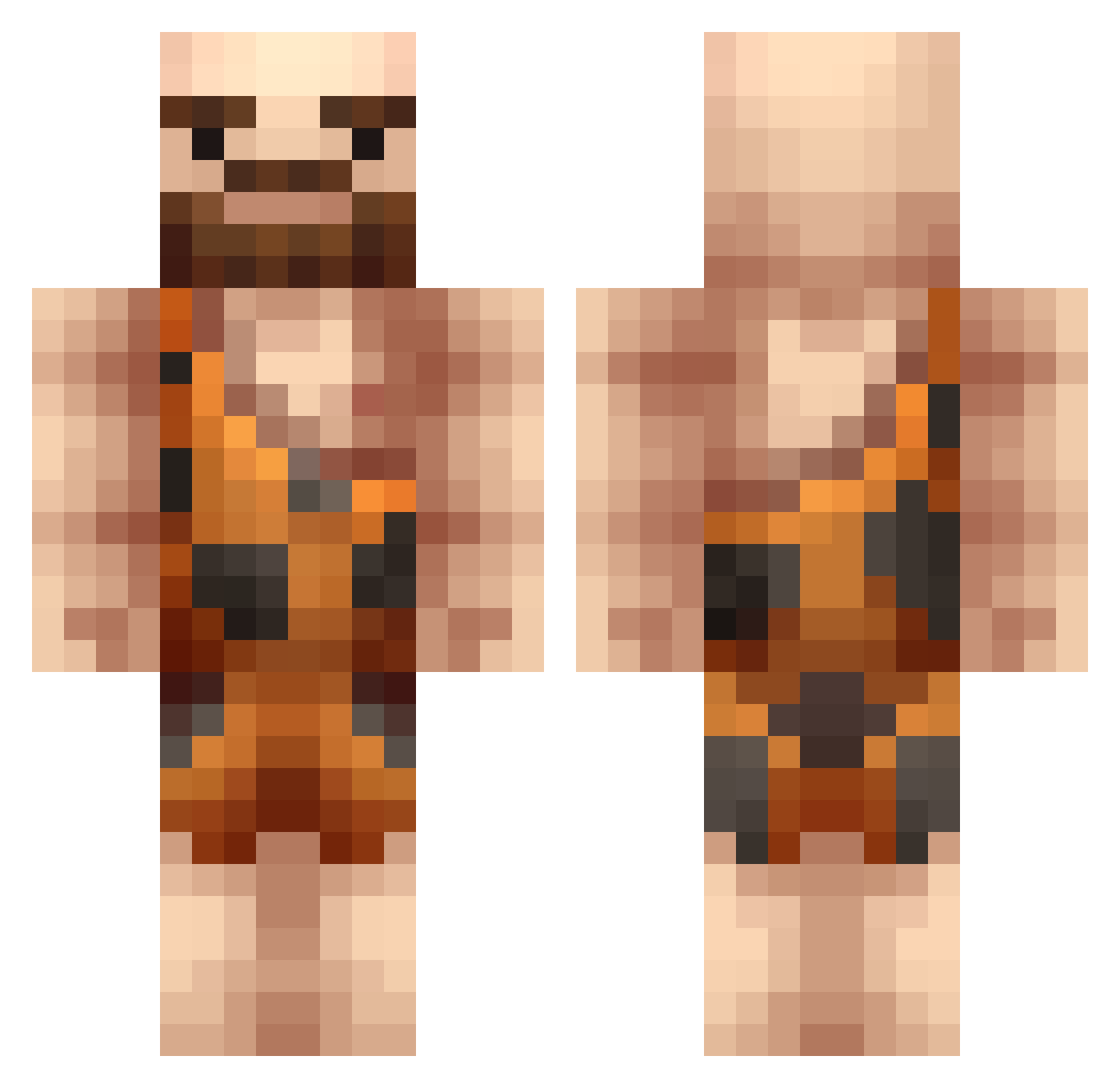
Current Minecraft skin of the player SumoHenrik, loaded from the official Mojang API. Rotate the 3D model with your mouse or finger, then download the skin as a PNG file and use it in Minecraft: Bedrock Edition or Java Edition for free. When SumoHenrik changes their skin, this page updates automatically and the old skin stays in the history below.
Other players with this skin (289)
SumoHenrik was the 68th player we have seen with this skin, first spotted on 13.08.2026. The same skin was seen on these players. Open a nickname to see their current skin and skin history.
 FallingSpatula zanahowias 140KiloDominique Mateoreveng TynTyn_01 Louleroi Glug HockeyXMaster90 treetreetree123 yoyobudd97 Fletchster AudiRaudi92 Itsjusme minu_98 Zioni Dreams99 XiDAVIESiX Cary21 Jackel_Freak RAYm1d Quattlemania SMA5H PhilosoMonkey 808GOD808 balouman Frede2620 Rylee_Hana Cchillz mayhoof D3adlyCox Ziwdon asteros1985 themetha vampire14 CaVeMaN1944 Underdog2001 SpaceWalnut Muldon Acedia128 Jak_Stone Bikkemin xboy7400 Polyonymous88 GarrFili Jakobscy CrazyCaizy17 conalcan RyubinS MasterPhi superkots tyro15 SassyValle maxmaier12 gymcandy l_aasen Buffet_Beef hiscra99 Lolazarus mnthorpe OrangePiII
More Caveman Minecraft skins
How to install the SumoHenrik skin
- Press the Download button above to save the skin as a PNG file.
- Minecraft: Bedrock Edition (PE): open the Dressing Room from the main menu (or tap your character → Edit Character), go to Classic Skins → Owned, press the + (new skin) button, choose the downloaded PNG and pick the Classic (Steve) model. Works on PC and mobile; consoles cannot import custom skins.
- Minecraft: Java Edition: open the Minecraft Launcher, go to the Skins tab, click New Skin, load the PNG, pick the Classic (Steve) model and press Save & Use. You can also upload it at minecraft.net → Profile → Change Skin.
The skin does not show up after import - what should I do?
Restart Minecraft and open the Dressing Room again - imported skins sometimes appear only after a restart. Also make sure you selected the imported skin and picked the Classic (Steve) model.
Which model should I choose, Classic or Slim?
This skin is designed for the Classic (Steve) model. If you pick the wrong model, the arms of the skin will look stretched or squeezed.
Is the skin of SumoHenrik free to download?
Yes. Press Download, save the PNG file and use it in Minecraft: Bedrock Edition or Java Edition - no payment or registration needed. The skin also works on multiplayer servers and Realms.
More skins
Looking for more? Go back to all Minecraft skins and check the top skins of the week, month and all time, or find any player's skin by nickname.