
StrongSad82 - Minecraft Skins & Skin History
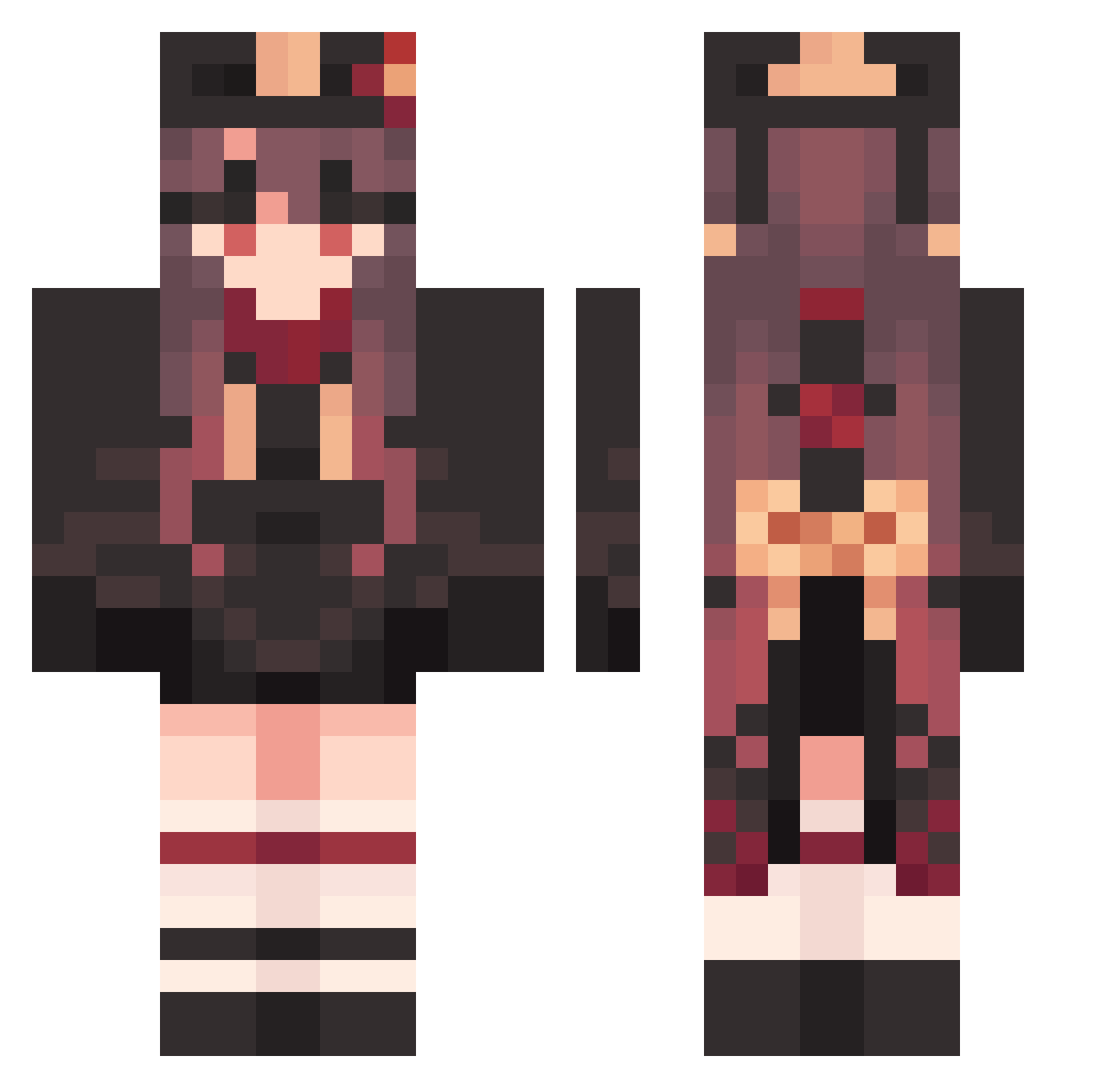
Current Minecraft skin of the player StrongSad82, loaded from the official Mojang API. Rotate the 3D model with your mouse or finger, then download the skin as a PNG file and use it in Minecraft: Bedrock Edition or Java Edition for free. When StrongSad82 changes their skin, this page updates automatically and the old skin stays in the history below.
Other players with this skin (1585)
StrongSad82 was the 291st player we have seen with this skin, first spotted on 14.08.2026. The same skin was seen on these players. Open a nickname to see their current skin and skin history.
 ImpoliteIrate117 SolidUnequaled76 LuchoM21 HabitualBrash378 CalCTose Hutao_DUaZGGV489 SweetDoubtful718 KdC333 CTB239 Hutao_nMSsgVK130 kaopan1 Hutao_xlT877 BanjoSamjo HelpfulUpbeat688 ParchedLavish146 Yukinyaaa StrongNarrow860 SeamusTW TrickyTricky680 IrateSkillful343 UnusedImpolite43 XP_Guige VwZ33 WardenMan2000 PedalCone365352 CarefulGentle220 M3meLord83 WhiteWrathful293 DecorousMilky885 Rp22 NcC39 Hutao_SYhpdll836 dmdv_ Chufass RnA887 FalseYielding900 Hutao_wVi157 Hutao_Gyu703 PiquantCaring996 Hutao_stEcNWV310 ShortSuccinct576 RigidIgnorant749 CurTis_1021 ObsceneShrill447 RoundEnormous638 Hutao_sanuGKo992 OrganicYellow4 PhysicalNutty157 TeenMarksman baekguu Pixshark_ cherryrasber FeebleNaughty751 Tangentialraum LumpyBent107 Hutao_nXHOoda734 MelodicRagged857 LameBreakable303 ahjinniee Hutao_JwCaJpD477
More Hu Tao Minecraft skins
How to install the StrongSad82 skin
- Press the Download button above to save the skin as a PNG file.
- Minecraft: Bedrock Edition (PE): open the Dressing Room from the main menu (or tap your character → Edit Character), go to Classic Skins → Owned, press the + (new skin) button, choose the downloaded PNG and pick the Classic (Steve) model. Works on PC and mobile; consoles cannot import custom skins.
- Minecraft: Java Edition: open the Minecraft Launcher, go to the Skins tab, click New Skin, load the PNG, pick the Classic (Steve) model and press Save & Use. You can also upload it at minecraft.net → Profile → Change Skin.
The skin does not show up after import - what should I do?
Restart Minecraft and open the Dressing Room again - imported skins sometimes appear only after a restart. Also make sure you selected the imported skin and picked the Classic (Steve) model.
Which model should I choose, Classic or Slim?
This skin is designed for the Classic (Steve) model. If you pick the wrong model, the arms of the skin will look stretched or squeezed.
Is the skin of StrongSad82 free to download?
Yes. Press Download, save the PNG file and use it in Minecraft: Bedrock Edition or Java Edition - no payment or registration needed. The skin also works on multiplayer servers and Realms.
More skins
Looking for more? Go back to all Minecraft skins and check the top skins of the week, month and all time, or find any player's skin by nickname.