
Stowin - Minecraft Skins & Skin History
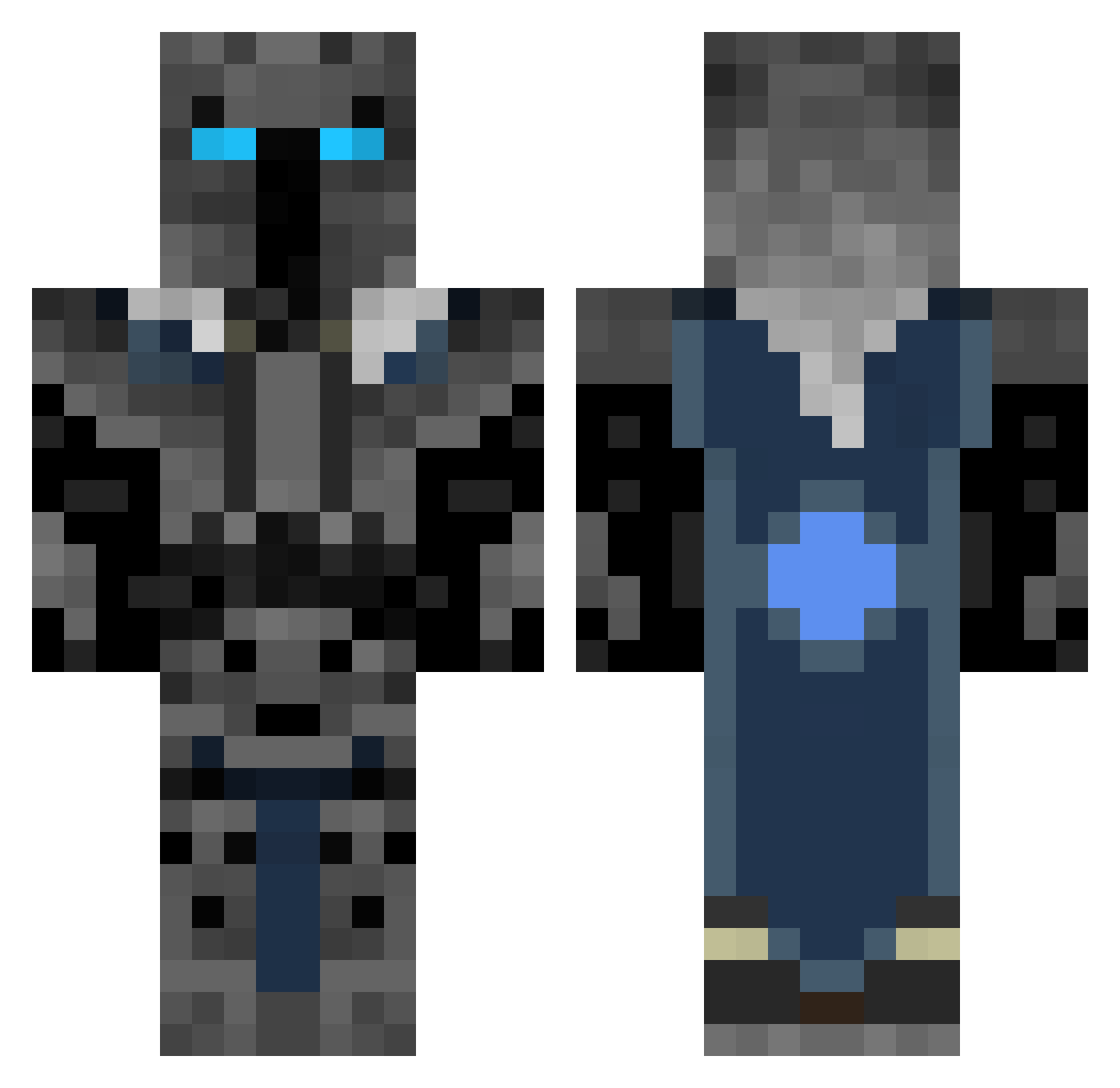
Current Minecraft skin of the player Stowin, loaded from the official Mojang API. Rotate the 3D model with your mouse or finger, then download the skin as a PNG file and use it in Minecraft: Bedrock Edition or Java Edition for free. When Stowin changes their skin, this page updates automatically and the old skin stays in the history below.
Other players with this skin (313)
Stowin was the 20th player we have seen with this skin, first spotted on 30.07.2026. The same skin was seen on these players. Open a nickname to see their current skin and skin history.
 Callumbst TheHighShadeKing Aryaxas Liam833 WiggleWurm Eddiededaddy Lexmix98 Luckyknight davnted MC_chiller LumiXas AngryBadger3 StanBro711 snowy1345 BedrockFists Kai_100606 Generic14 Rebelryan_204 CreeperExploding zunel Hazard290 GangnamStyleGod CatGirlKirk67 minibobcat ZAUBERBEAST JoesOptimalYT Totoletcho123 Goatred nickadimiru goofygoober12 cn1233 P0pc0rn7401 Mollitious dragonki Mizuk0 ephoenix1211 Guismox_ Callum_314 MonoWolf215 SirElysio Kingjaxxxxxx The_JPhantom LazyAcorn70 barsonfromkroger Shoolab Daxenocide WeedisnotToxic DaveBFPB Mich_zilla_90 Convulzion Dannyjackson6942 Johnson_Deployed imsodopeboi DungeonMaster963 brozempic Aboibtw TIKIdudemanXxx Robert56 MikeRhana TobyTheMoron
More Knight Minecraft skins
How to install the Stowin skin
- Press the Download button above to save the skin as a PNG file.
- Minecraft: Bedrock Edition (PE): open the Dressing Room from the main menu (or tap your character → Edit Character), go to Classic Skins → Owned, press the + (new skin) button, choose the downloaded PNG and pick the Classic (Steve) model. Works on PC and mobile; consoles cannot import custom skins.
- Minecraft: Java Edition: open the Minecraft Launcher, go to the Skins tab, click New Skin, load the PNG, pick the Classic (Steve) model and press Save & Use. You can also upload it at minecraft.net → Profile → Change Skin.
The skin does not show up after import - what should I do?
Restart Minecraft and open the Dressing Room again - imported skins sometimes appear only after a restart. Also make sure you selected the imported skin and picked the Classic (Steve) model.
Which model should I choose, Classic or Slim?
This skin is designed for the Classic (Steve) model. If you pick the wrong model, the arms of the skin will look stretched or squeezed.
Is the skin of Stowin free to download?
Yes. Press Download, save the PNG file and use it in Minecraft: Bedrock Edition or Java Edition - no payment or registration needed. The skin also works on multiplayer servers and Realms.
More skins
Looking for more? Go back to all Minecraft skins and check the top skins of the week, month and all time, or find any player's skin by nickname.