
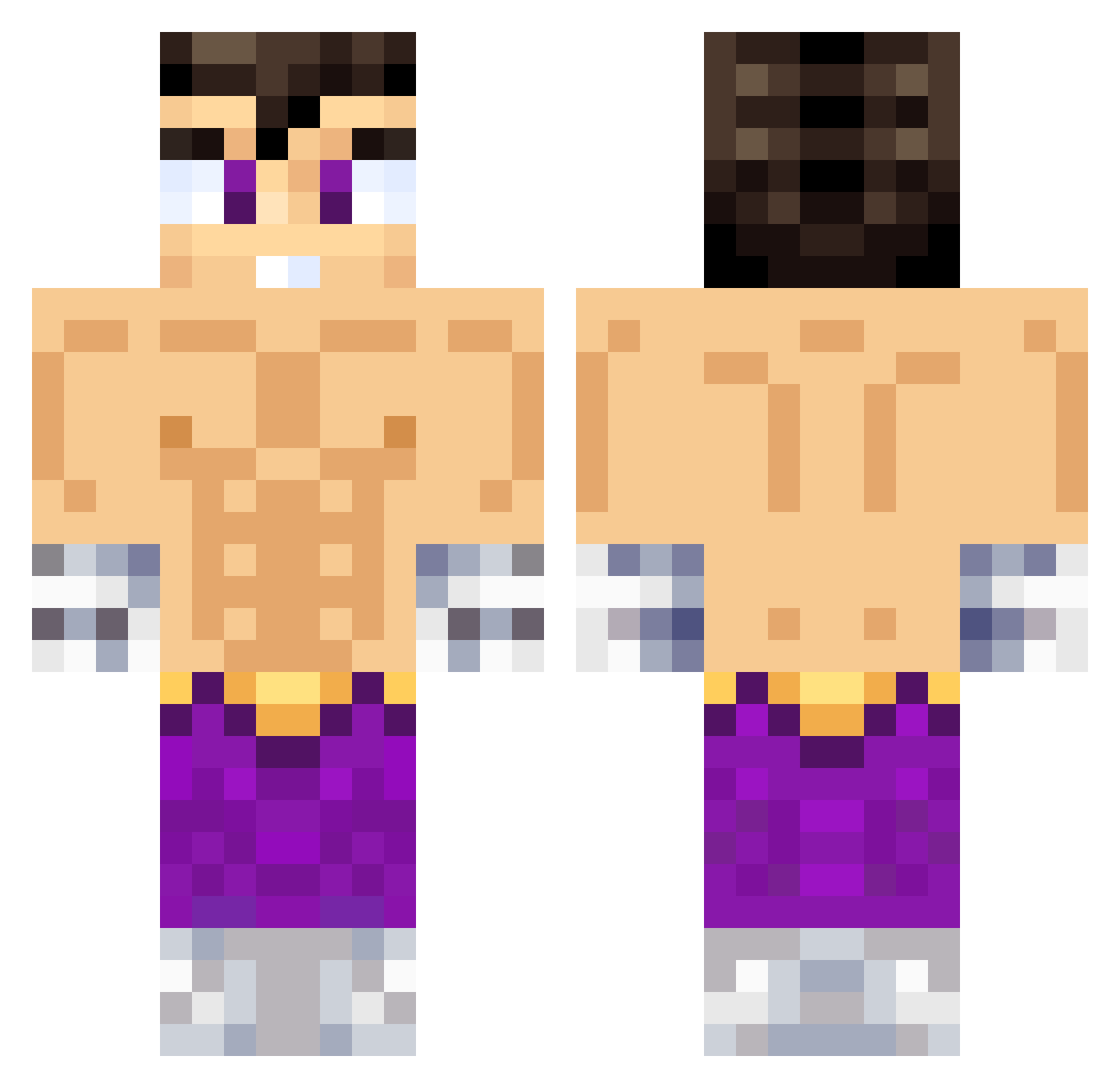
Current Minecraft skin of the player StianEver11, loaded from the official Mojang API. Rotate the 3D model with your mouse or finger, then download the skin as a PNG file and use it in Minecraft: Bedrock Edition or Java Edition for free. When StianEver11 changes their skin, this page updates automatically and the old skin stays in the history below.
Other players with this skin (495)
StianEver11 was the 16th player we have seen with this skin, first spotted on 26.07.2026. The same skin was seen on these players. Open a nickname to see their current skin and skin history.
 zetaje MOYO_BB rudy2016 stefboss7 Fanton76 Juankarlo777 RafaelCR7 Messifornite alcu10 galileooo2 T1mo2k Pepu2023 BadWilly97 Sebalocobox thinkaboutken Franpg20 CastaDragnell shirohige777 hxiiii NicoPepudo50 SimpYT pauoortizz Attack2131 XxLuisxX_ Ninjafake1 sstyro Lalery Slickez IvanProdf el_bob_ zuleta12345 xYuih vichoojull lecmonnn Xhubbenjx LeoPss boyvenja rayka777 NUMAIOS123 EchuApa MAQUINA23 enzorubi 4nchan TrainingLP Orlandios777 manrique555 Kerpymon Daniel_1003 PatrikF69 robpro400 CrisMejia777 Apu24780 adrrianferrer777 GUILLETEKLK jjmartos MGranizo SebastianTuring WilsonCardumen Dan227x Ramib_
More Jin Kazama Minecraft skins
How to install the StianEver11 skin
- Press the Download button above to save the skin as a PNG file.
- Minecraft: Bedrock Edition (PE): open the Dressing Room from the main menu (or tap your character → Edit Character), go to Classic Skins → Owned, press the + (new skin) button, choose the downloaded PNG and pick the Classic (Steve) model. Works on PC and mobile; consoles cannot import custom skins.
- Minecraft: Java Edition: open the Minecraft Launcher, go to the Skins tab, click New Skin, load the PNG, pick the Classic (Steve) model and press Save & Use. You can also upload it at minecraft.net → Profile → Change Skin.
The skin does not show up after import - what should I do?
Restart Minecraft and open the Dressing Room again - imported skins sometimes appear only after a restart. Also make sure you selected the imported skin and picked the Classic (Steve) model.
Which model should I choose, Classic or Slim?
This skin is designed for the Classic (Steve) model. If you pick the wrong model, the arms of the skin will look stretched or squeezed.
Is the skin of StianEver11 free to download?
Yes. Press Download, save the PNG file and use it in Minecraft: Bedrock Edition or Java Edition - no payment or registration needed. The skin also works on multiplayer servers and Realms.
More skins
Looking for more? Go back to all Minecraft skins and check the top skins of the week, month and all time, or find any player's skin by nickname.